
AI hugging has become a popular trend online, especially on social platforms like TikTok. After all, seeing two people embracing one another is always emotional.
In this respect, Pollo AI is a great tool that can help you generate such videos in just a few clicks. Using advanced AI algorithms, it can instantly convert images into high-quality AI-hugging videos, so let’s explore how it works and more in this detailed guide!
Why Should You Create AI Hug Videos?
AI hugging videos are primarily used as entertainment because you can create touching moments using real-life and animated characters.
Whether it’s celebrities, cartoons, artistic muses, or even family and friends, you can use an AI hug video generator to create memorable videos of them together.
Creating AI hug videos can be valuable for several reasons. First, AI hug videos allow you to express a strong sense of love and affection that you can share online to boost engagement and traffic on your socials. The more dramatic and entertaining the characters are, the better the results will often be.
Aside from that, you can use these videos to create new and fun moments with friends, family members or even romantic partners.
How To Create AI Hug Videos?
Pollo AI offers a user-friendly interface that makes it easy to create AI hug videos even without any video production experience. All it takes is following a couple of steps to get the output you want.
Step 1: Open the AI Hug Tool
Head over to the AI hug video page. You will need to sign up for an account first. All you need is to provide your email address and password before verifying to get started. Keep in mind that you can use the free trial period to get started and test the tool’s capabilities without subscribing to a paid plan.
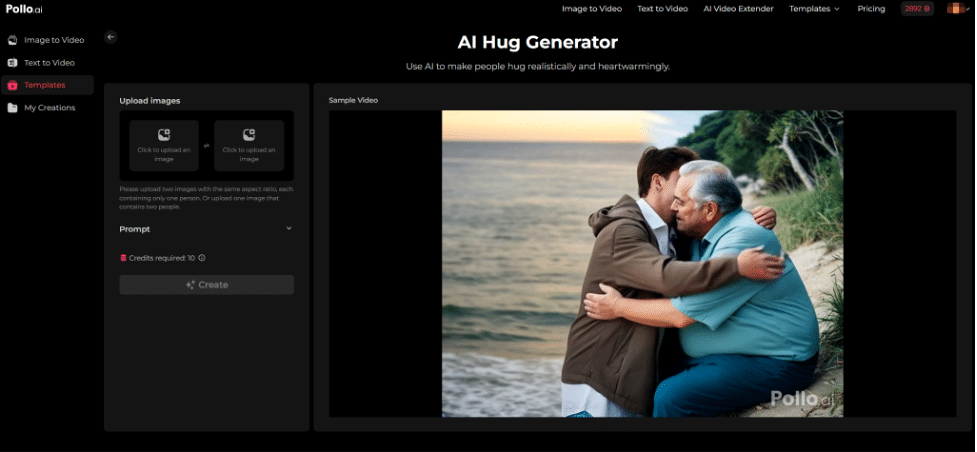
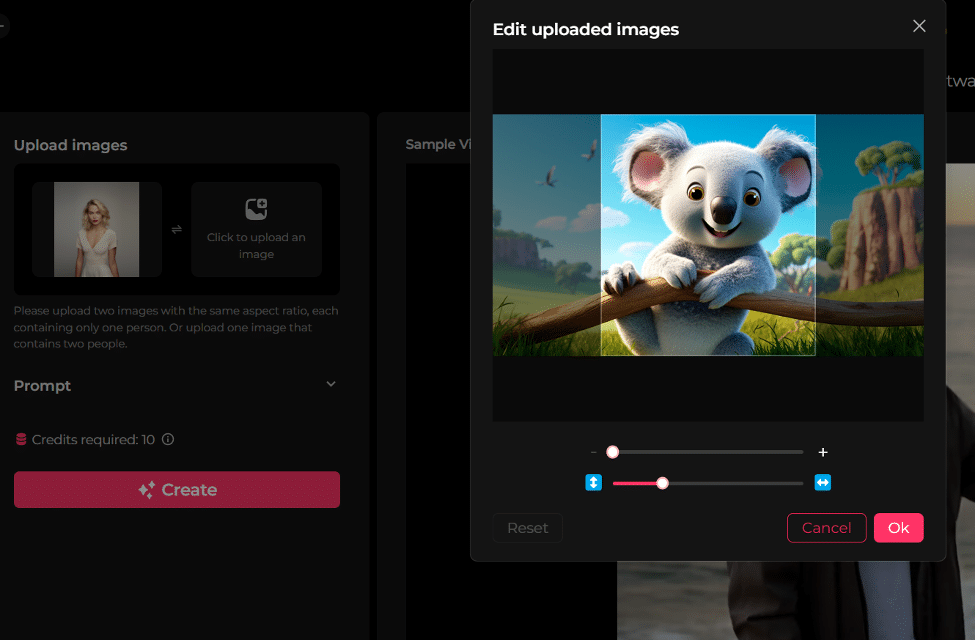
From there, you will need to upload two images with the same aspect ratio. Each one of them will need to contain a person/character, be it real or animated.
Step 2: Input Detailed Prompt
Next, input a prompt that describes what you want the characters to do and how you want the final video to look. It is always a good idea to be as detailed as possible for more precise results.
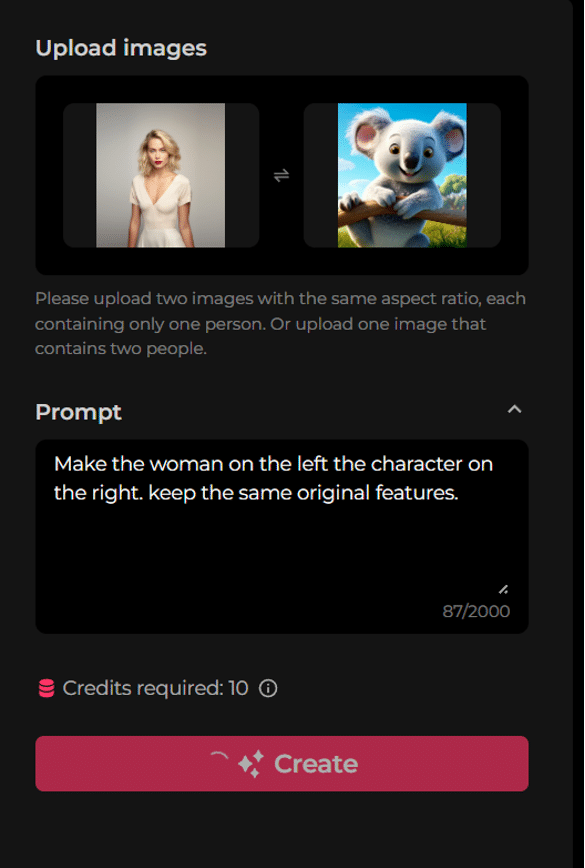
Step 3: Initiate the Generation Process
When ready, click the Create button and wait for the AI hug video to be generated. You can expect the output to be ready in minutes and saved on your ‘My Creations’ page.
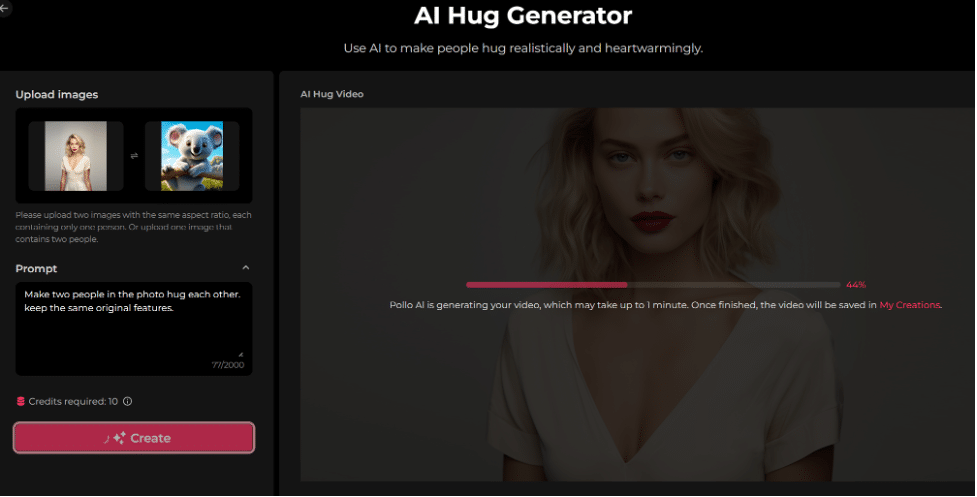
Step 4: Review & Share Output
Feel free to preview the final video and repeat the process with altered prompts for different results. If satisfied with the generated output, you can download the video, share it online on any social platform, or copy the link to the video and send it to others directly.
Conclusion
To sum it up, creating AI hug videos can be so simple with Pollo AI. If you follow the steps we’ve carefully outlined, you’ll be well on your way to producing AI-hugging videos that warm the hearts of audiences everywhere. Just remember to use high-resolution images if you want to achieve the best possible video quality. Feel free to head over to Pollo AI now and get started!
FAQs
Why choose Pollo AI to generate AI hug videos?
Pollo AI can produce quality AI hug videos that offer smooth character motions and detailed quality. It also does well to analyze your photos and ensure the final video output reflects a realistic scene that looks just as natural as a real video.
How fast is Pollo AI at generating AI hugging videos?
With Pollo AI, it typically takes a few minutes to generate an AI hug video, so you won’t have to wait long for a quality result. This means you can consistently use it to produce multiple videos for social media with little to no delays.
Will the AI hugging video quality be in a high resolution?
Yes. Any AI hug videos that Pollo AI generates are guaranteed to be in a high resolution, so you can expect excellent clarity and detail across all frames. Moreover, there will be no blurriness, distortion or artifacts to worry about, either.
What photo requirements do I need to meet for AI hug videos?
If you want to use Pollo AI, you will need to upload JPG or PNG images of up to 10MB. Each of these photos will need to be larger than 300 pixels and also be in high-resolution quality to present the subjects’ hugging with absolute clarity.
Can I create AI hugging videos using cartoon characters?
Yes. The AI hug generator can process character images of any kind, be it real or animated to create realistic and heartfelt videos. Whether it’s anime photos or even comic book characters, you can create unique AI hug videos in just a few clicks.











