
It is true now that online social media networks have permeated everyone’s life. With the rise of self-media like TikTok and Instagram reel, more and more people have joined the ranks of short video shooting. Whether it’s a family gathering or a short film you’ve created, you want to upload it to the internet and share it with everyone when you’re done editing. However, if you don’t know anything about copyright, you just put your work in danger of plagiarism, stealing, and misuse.
If you don’t want any of those to happen, it is essential to know what copyright is and how to copyright a video. However, for some amateur video producers, professional copyright protection will be redundant. After all, it will cost a lot of money. So, are there any FREE methods or tools that can do the trick? Well, indeed. In this article, we will cover what copyright is and how to add one to your work. The tool we are using is WorkinTool Watermark Remover. Besides that, there is an app application called Video Eraser for you. Check out the details.

In this article, you will find out:
- What Should You Know About Copyright
- What is Video Copyright?
- Why do You Need it?
- How to Copyright a Video FREE on Windows
- WorkinTool Watermark Remover
- How to add Copyright to a Video on Android
- WorkinTool Video Eraser
- Bottom Line
What Should You Know About Copyright
1. What is Video Copyright?
Copyright is a symbol of the right to reproduce the original work. Let’s put it in a more straightforward way if you own the copyright. You will be the only one who has access to the work to make changes, which means that other people are not allowed to publish, reproduce, or use them. Otherwise, they just break the law.
2. Why do You Need it?
First of all, you are absolutely the owner of your videos, that is for sure. However, in a world connected to the internet, if you have your work posted on social media without proof that you are the original creator, there is a good chance that your content will be stolen and altered to be the work of others. But for most non-professional content creators, paying for their copyrights is unnecessary. So, what’s the free way to protect your work? If you have a piece of text or a logo in your video, the odds of it being stolen are much lower. So as to achieve the goal of protecting rights.
How to Copyright a Video FREE on Windows
Well, as we said above, you can add text or image watermarks as proof of ownership. So, you need a convenient tool to help you with that. Even though tons of video editors and online services are already offering users similar features, it’s hard to find a way to do it without any barriers. Most of them are only partially accessible. Either they have output limitations or add forced watermarks, and the experience is not good. All these factors considered, we recommend that you use WorkinTool Watermark Remover.
1) WorkinTool Watermark Remover

WorkinTool Watermark Remover is a powerful watermark tool that can solve all sorts of watermark problems professionally. It not only provides the related function of watermark but also has built-in picture and video editing functions, which makes it more convenient for users to add or subtract the content when dealing with watermark. In addition to its features, it is also very user-friendly. To simplify its interface design, it can be fully applicable to all levels of users. Whether you have photo or video editing experience, it can quickly teach you how to use it and get started.
Of course, as the primary function, adding a watermark to the video is equally powerful in use. You can choose to add text or an image watermark and customize the content, including font, color, size, location, and time. You can add multiple watermarks at different times and positions without affecting the video experience. And most importantly, it’s completely free. Users can enjoy all of its features without paying a penny. Now, let’s see together how to copyright a video using this.
Feature in Use
Since adding watermarks to a video is one of the main features, the first function we will need to find after downloading is on the interface. Well, it is straightforward to get it. WorkinTool has already made it very clear on the right side of the interface for users to get what features they might need.
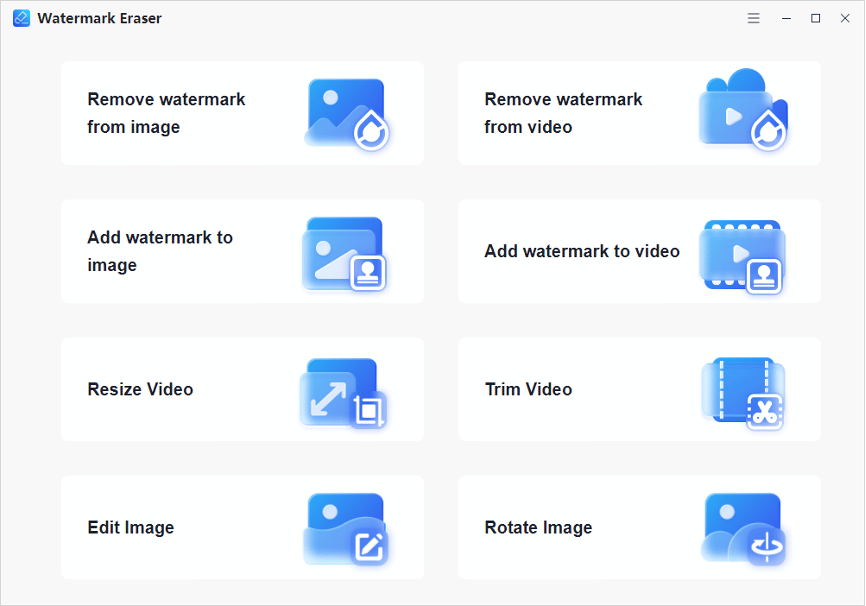
After clicking the Add Watermark to Video button, you need to manually add the video to the watermark. This interface will give the user two options. The first is to add a text watermark. The second is a pattern watermark. Both different watermarks come with plenty of custom options built in.
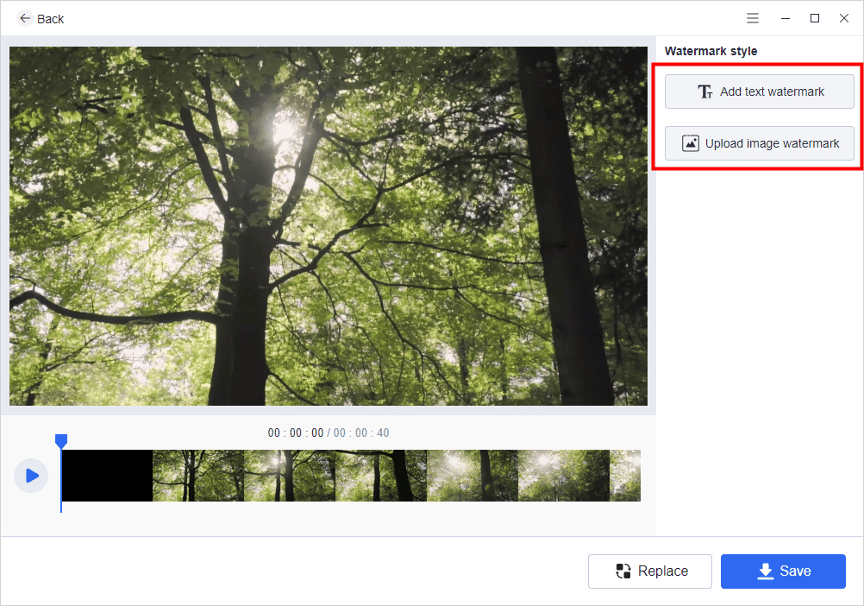
Add Text Watermark
The interface is divided into three main parts for the text watermark feature. The first part is the main screen to play videos so that users can view the watermark effect in real time. On the right are various options to help users customize the watermark’s content, including features to adjust the content of the text, font, color, size, location, and so on. The timeline below helps the user control when the watermark is present. You can even add multiple watermarks at different times.
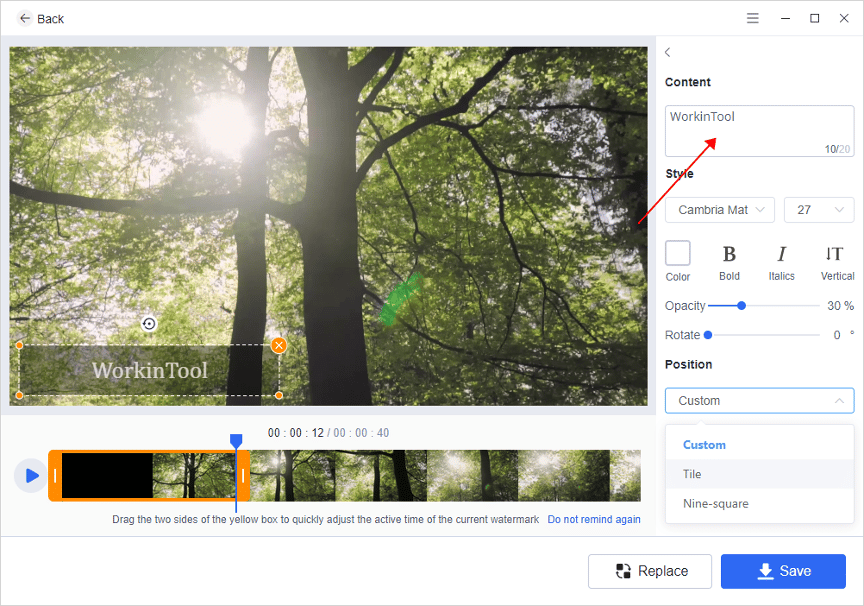
Add Image Watermark
The interface and process of adding an image watermark are similar to the text watermark. You only need to upload an image for a change. In contrast, the customizations it provides are replaced by size, opacity, rotation, and position. If you don’t like the added image as a watermark, click Replace to change it. Once you’re done adjusting it, click Save to export the edited video.
And there you have it. It handles the problem of how to copyright a video perfectly.
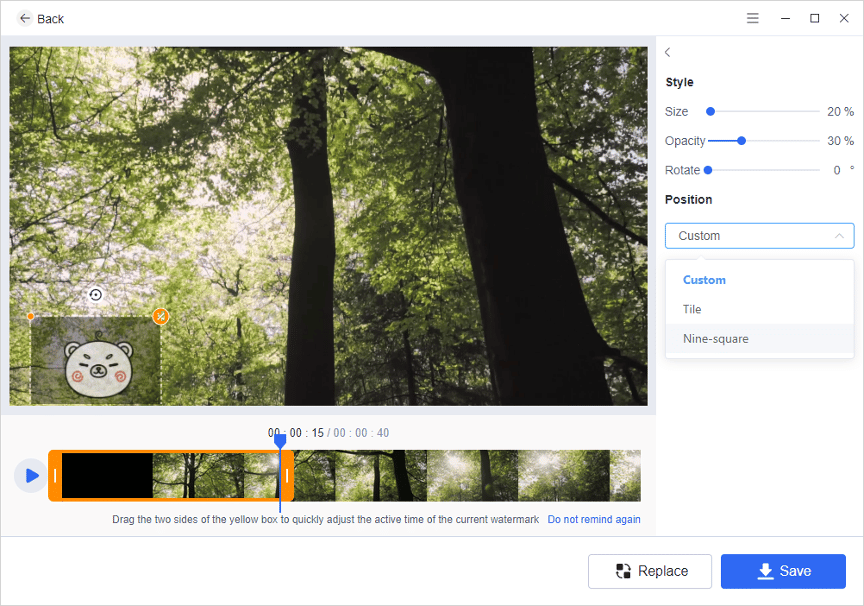
How to add Copyright to a Video on Android
2) WorkinTool Video Eraser
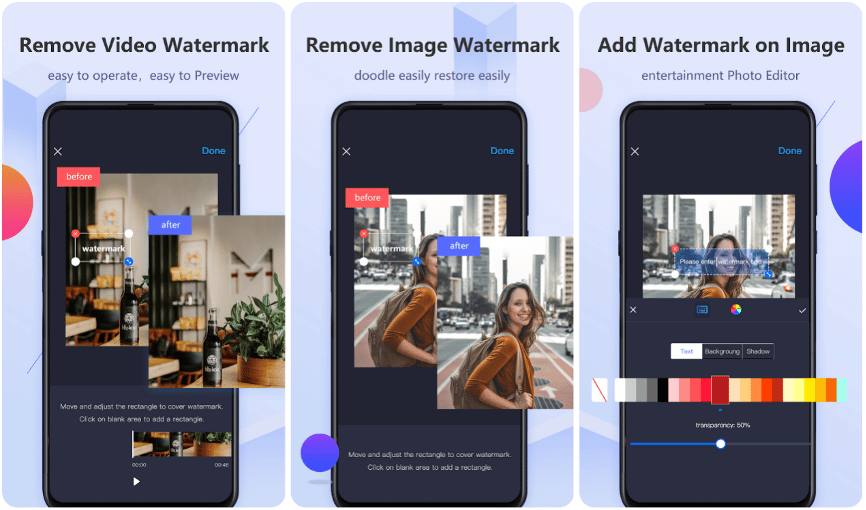
If you spend a little more time on your phone than on your computer and want to know how to copyright a video on Android, then you have to try this amazing application on the phone. You can do all the tricks with the help of WorkinTool Video Eraser. You can easily add or remove any watermark on an image or video just the way you like it.
Feature in Use
This app also provides users with the easiest way to solve the problem of how to copyright a video. In the first function, you can also select if you want to add text or an image watermark. You can even draw directly on the screen if you want. As for the option to modify the watermark, it provides users with text color, size, transparency, and shadow. There is also a timeline to adjust the time and position of the added watermark. All users can enjoy this feature once a day for a trial-out experience. If you like it, feel free to upgrade to the full functions.
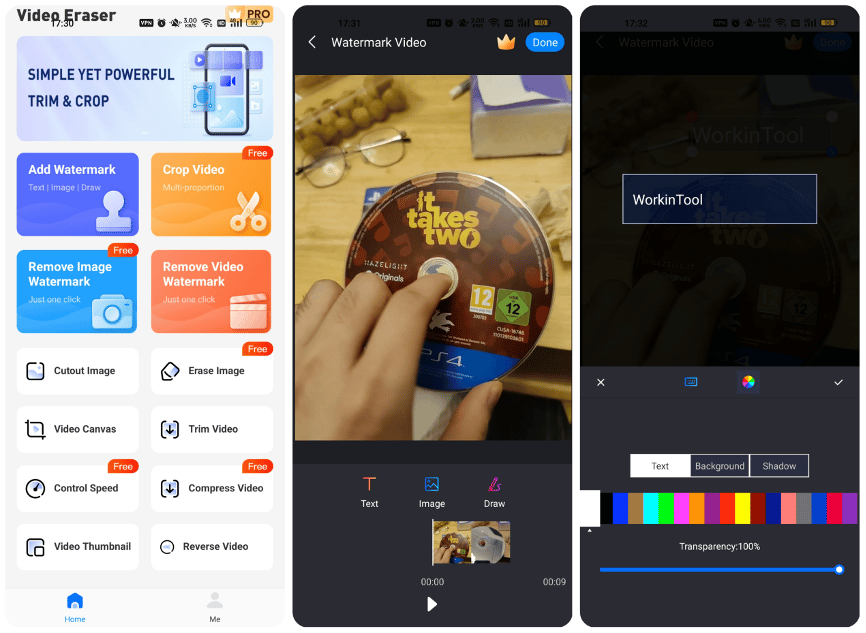
- After downloading the application, please open it and log in to your account.
- Then Click the first one Add Watermark Button.
- Input your video and choose to add text or an image as watermark.
- Adjust the details and export the edited video to your local library.
Bottom Line
In this post, we have covered what copyright is and the methods and tools to deal with the problem of how to copyright a video. Besides that, we also offer you mobile methods to do that on Android. Two approaches have been proven to be available through our test. Now, whether you are a computer user or mobile phone user, we have given you a free and effective way to ensure that the results can meet your needs.











