
Want to convert your favorite YouTube videos into MP3 files on your Mac? Whether you want to listen to music offline or save an important podcast, the process of extracting audio from YouTube is straightforward. With the right tools, you can convert YouTube videos to MP3 on Mac quickly and without hassle. In this guide, we’ll explore the simplest and most effective methods to help you enjoy your preferred content anytime, anywhere, in the audio format you love.
Part 1: Before Converting YouTube to MP3 on Mac
Before converting YouTube videos to MP3 on your Mac, there are a few important considerations to keep in mind. These factors will ensure that you are using the conversion tools responsibly and effectively.
Copyright Concerns: Many YouTube videos are protected by copyright laws. Converting these videos to MP3 for personal use may be permissible, but distributing or using them for commercial purposes can lead to legal issues. Always check the copyright status of the video and ensure you are not violating any rights.
Quality of Audio: Not all YouTube videos offer high-quality audio, especially if the video itself was uploaded in a low resolution. Make sure to choose videos with good sound quality to ensure that your MP3 conversion meets your expectations.
Respect for Content Creators: Content creators rely on views and ads for revenue. Converting videos without respecting the creators’ rights can affect their earnings. Consider supporting creators through legitimate means like subscribing or donating, where possible.
Software Safety: When choosing a tool for converting YouTube videos to MP3 on Mac, it’s essential to pick a trustworthy, secure application. Avoid downloading software from unverified sources to protect your Mac from malware or other security threats.
Part 2: Best YouTube to MP3 Converter for Mac
YouTube is like a powerhouse for video content, offering an endless stream of music, podcasts, and more. However, sometimes you only need the audio, and that’s where OneConv YouTube to MP3 Converter comes in. This tool allows you to easily convert YouTube videos into MP3 files on your Mac and enjoy your favorite content offline. With the ability to handle various platforms and formats, OneConv provides a fast, efficient way to turn YouTube videos into portable audio files for all your listening needs.
Why Choose OneConv YouTube to MP3 Converter?
- Seamlessly converts videos from 10,000+ famous websites, including YouTube, Instagram, SoundCloud, and TikTok.
- Converts YouTube videos to a wide range of formats, including MP3, AAC, and FLAC, making it versatile for all your audio needs.
- Supports high-speed downloads of entire YouTube playlists and channels, simplifying large-scale content extraction.
- Maintains excellent audio quality, offering bitrate options up to 320kbps for crisp sound.
How to Convert YouTube to MP3 on Mac for Free
To easily download and convert YouTube videos to MP3, follow the steps below:
Step 1: Download OneConv from the official website and install it on your Mac. Open the program once installation is complete.
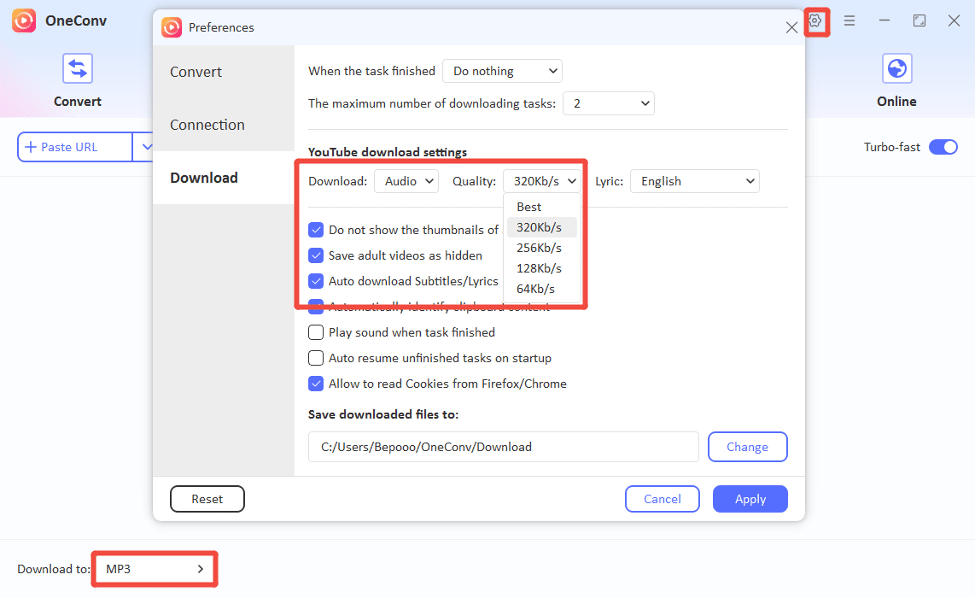
Step 2: Open OneConv and select MP3 as the desired output format. You can also choose the audio quality that fits your needs.
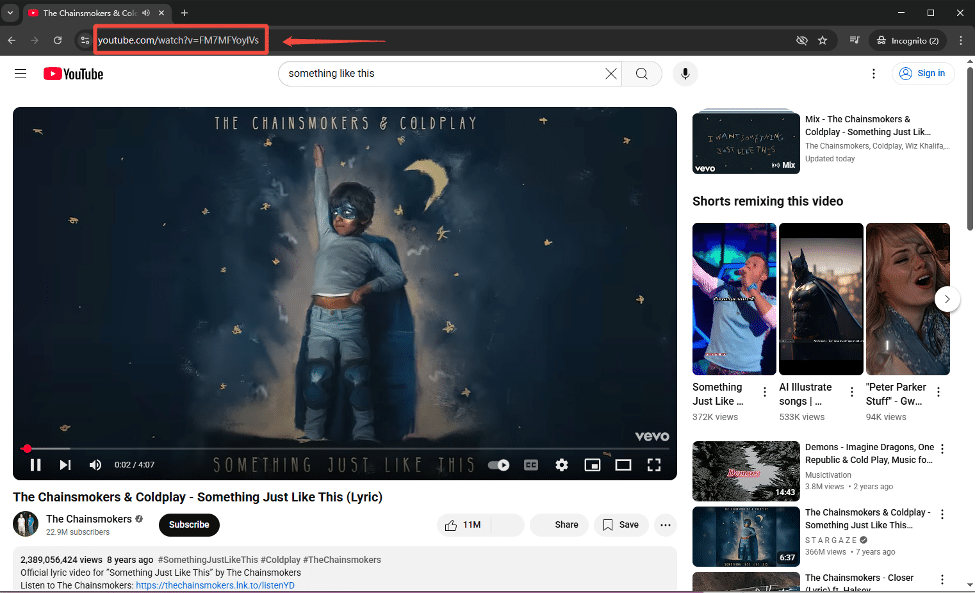
Step 3: Go to YouTube in your browser, find the video you want to convert, and copy the URL from the address bar.
Step 4: Paste the URL in OneConv, and the program will automatically detect the video and start the conversion process.
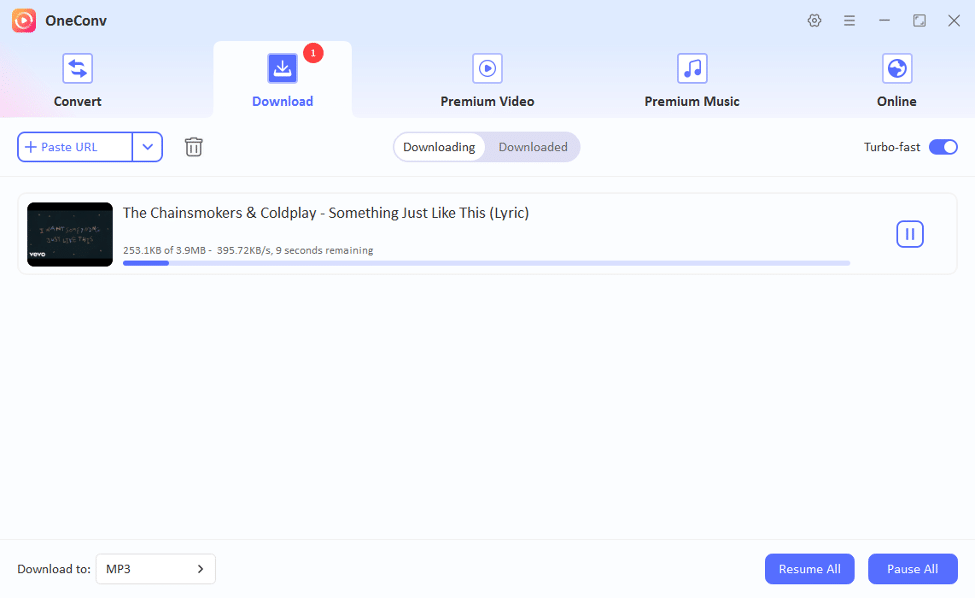
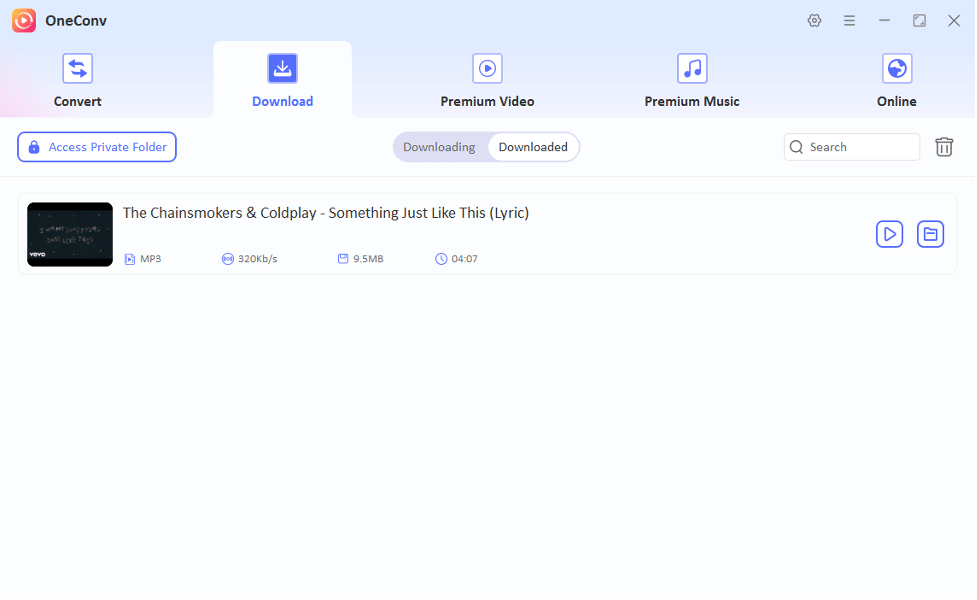
Step 5: Once completed, your MP3 file will be saved automatically in your chosen folder.
Part 3: How to Convert YouTube to MP3 Online
Making YouTube videos accessible offline has never been easier. If you prefer not to download software, converting YouTube videos to MP3 online is a convenient option. YTMP3 is a popular online converter that allows you to effortlessly turn YouTube videos into MP3 files without installing any programs. It’s fast, free, and straightforward, offering an easy way to save your favorite YouTube content directly to your device.
Step 1: Go to YouTube in your browser and find the video you want to convert. Copy the URL of the YouTube from the address bar.
Step 2: Go to YTMP3.cc and select “MP3” as the output format. Paste the video URL into the YTMP3 search box and click “Convert.”

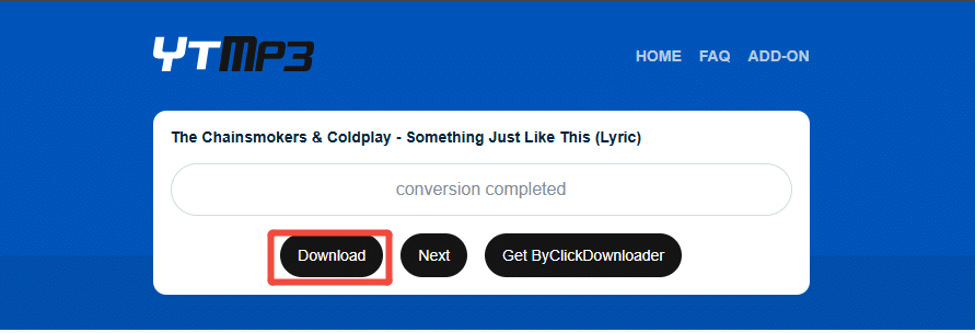
Step 3: Once the conversion is completed, click “Download” to save the MP3 file to your device.
Part 4: Convert YouTube Video to MP3 via VLC
Another simple and effective method to convert YouTube videos to MP3 on your Mac is by using VLC Media Player. VLC is a well-known media player that not only supports a wide range of formats but also offers the ability to convert video files to audio. By utilizing VLC’s built-in features, you can easily convert YouTube videos into MP3 files without needing any third-party software or online services.
Step 1: Go to YouTube and copy the YouTube video URL you wish to convert.
Step 2: Open VLC Media Player and go to “File” in the top menu, then select “Convert/Save.”
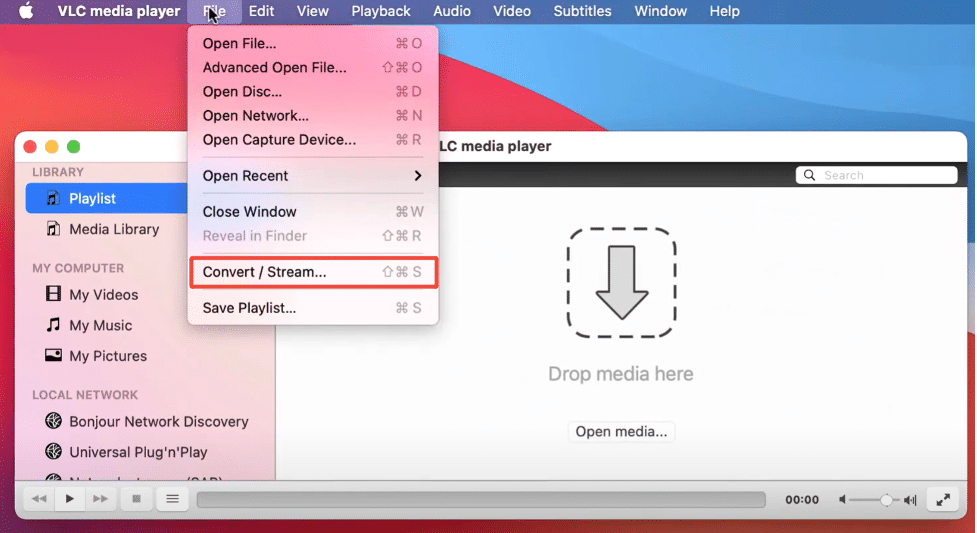
Step 3: In the “Network” tab, paste the YouTube URL and click “Play.”
Step 4: Next, click “Convert/Save” and choose MP3 as the output format.
Step 5: Select a destination folder and click “Start.” VLC will download and convert the video to MP3.
Conclusion
Converting YouTube videos to MP3 on Mac can be achieved through various methods, whether it’s using online converters like YTMP3, VLC Media Player, or a dedicated tool like OneConv. However, for the most efficient and reliable experience, we recommend OneConv. It simplifies the process, supports a wide range of formats, and ensures seamless conversions every time.











