
iLoungeiLounge
  • News
    • Apple
      • AirPods Pro
      • AirPlay
      • Apps
        • Apple Music
      • iCloud
      • iTunes
      • HealthKit
      • HomeKit
      • HomePod
      • iOS 13
      • Apple Pay
      • Apple TV
      • Siri
    • Rumors
    • Humor
    • Technology
      • CES
    • Daily Deals
    • Articles
    • Web Stories
  • iPhone
    • iPhone Accessories
  • iPad
  • iPod
    • iPod Accessories
  • Apple Watch
    • Apple Watch Accessories
  • Mac
    • MacBook Air
    • MacBook Pro
  • Reviews
    • App Reviews
  • How-to
    • Ask iLounge
Font ResizerAa
iLoungeiLounge
Font ResizerAa
Search
  • News
    • Apple
    • Rumors
    • Humor
    • Technology
    • Daily Deals
    • Articles
    • Web Stories
  • iPhone
    • iPhone Accessories
  • iPad
  • iPod
    • iPod Accessories
  • Apple Watch
    • Apple Watch Accessories
  • Mac
    • MacBook Air
    • MacBook Pro
  • Reviews
    • App Reviews
  • How-to
    • Ask iLounge
Follow US

Articles

Articles

How to Clear Mac Caches Efficiently 2022

Last updated: Oct 25, 2022 3:40 pm UTC
By Lucy Bennett
How to Clear Mac Caches Efficiently 2022

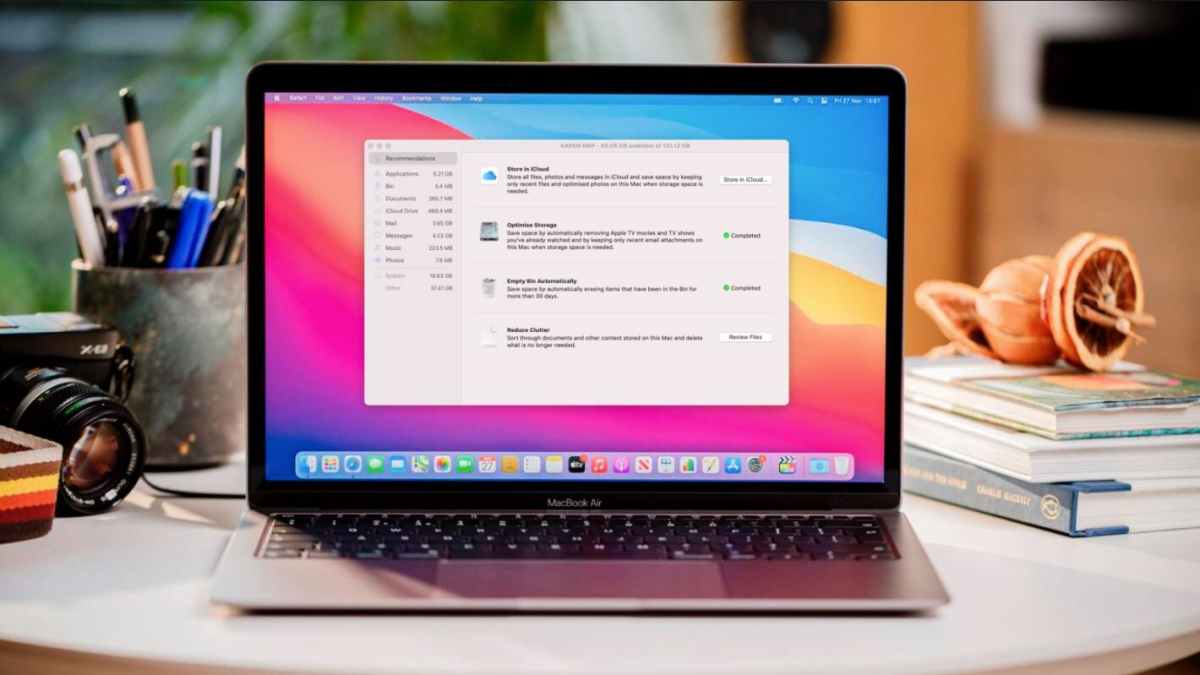
As you may notice that it would take comparatively longer time to load while opening an app or browsing a website for the first time. During this period, caches created for storing the files, scripts, images, or other multimedia content, which will speed up the performance the next time you re-access them – as they have well prepared now.


On one side, cached data gathers information to boost the application or page loading speed. But on the other side, when caches take up much storage on Mac, it could greatly drag down the device performance.
How to Clear Mac Caches Efficiently 2022

When caches are generated from time to time in different apps and webpages, how to clear them effectively and securely to speed up Mac performance regularly?

Best Cache Cleaner for Mac – Macube

To boost more efficient cache cleanup on Mac, Macube has launched the Smart Scan feature to detect all caches created by systems, applications, or browsers for clearing up within one click at high efficiency. Users only require one click to process in-depth Mac scanning, then select the cached data to remove at once.


Highlighted Features of Macube

  • Automatic to clean up system junk files and all caches by one click;
  • More Mac cleanup functions available to maintain Mac at great performance;
  • Intuitive functionality to free up Mac;
  • Accelerated speed to process Mac scanning and device cleanup;
  • 7-days free trial available to access full features without paying a penny.

How to Automatically Clean Up Mac Cache

Now, go through the process to clear cached data effectively within one click on Mac:

STEP 1. Launch Macube on Mac. On the main interface, select “Smart Scan” function from the left panel.


STEP 2. Tap “Scan” to process the in-depth Mac scanning to discover all caches generated and preserved on the device.
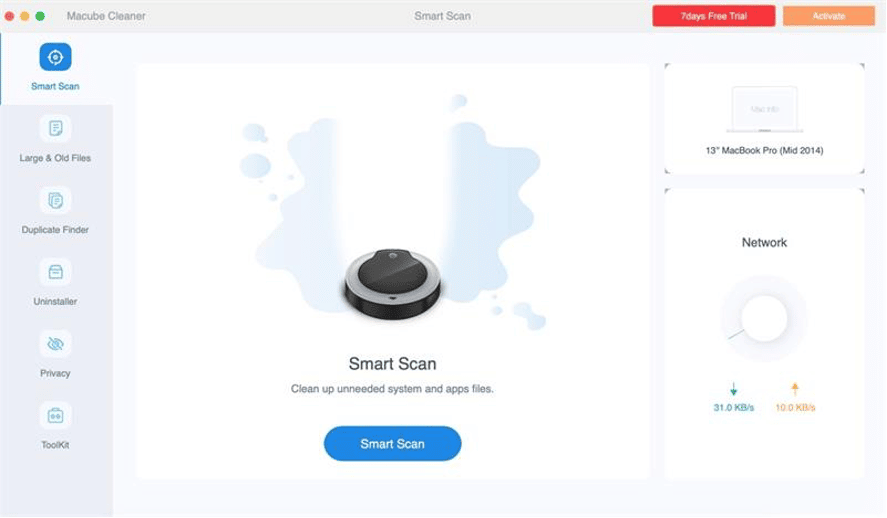
Select Smart Scan Mode in Macube

STEP 3. When the detected items are listed, select the options you desire to clear.

STEP 4. Process the Mac cleanup by hitting the “Clean” icon.
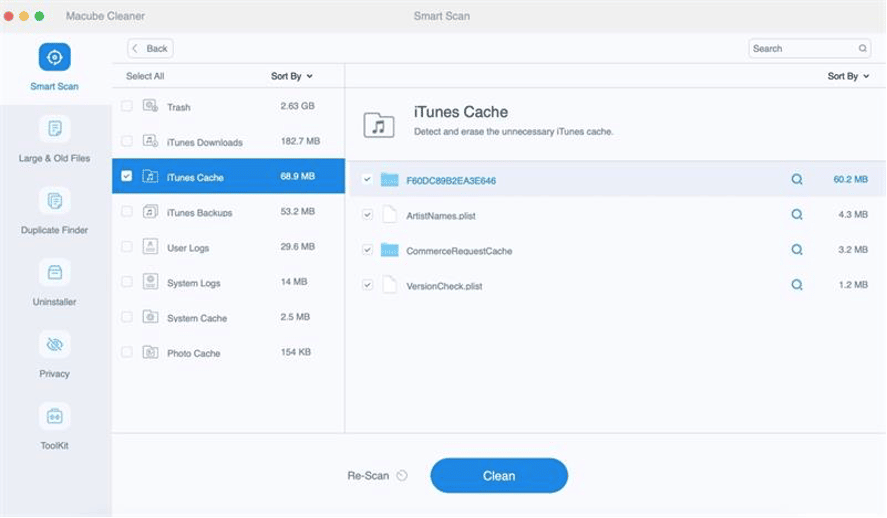
Select Cached Data to Clean Up

Just wait for a minute, then Macube will complete the Mac caches cleanup for you within seconds quickly.

With Macube, you are available to clear all caches generated by different applications, systems, or websites at once with great efficiency. By doing the cache cleanup regularly, your Mac computers will always be maintained at the best performance. Freely get started with Macube from today!



Latest News
The AirPods Pro 3 is $20 Off
1 Min Read
Exynos 2600 Chip 2nm Process Revealed by Samsung
1 Min Read
New Celebrity Ad Campaign Featuring Travis Scott Released by Beats
1 Min Read
Australia Getting Hypertension Notification Feature
1 Min Read
The 14-inch MacBook Pro with M5 Chip 16GB RAM/512GB is $250 Off
1 Min Read
Noise and Static on AirPods Pro 3 Still Unfixed
1 Min Read
New iMac with 24-inch OLED Display May be Brighter With 600 Nits
1 Min Read
The 15-inch M4 MacBook Air 256GB Is $250 Off
1 Min Read
Internal Kernel Debug Kit from Apple Reveals Tests for a MacBook with A15 Chip
1 Min Read
Apple Currently In Talks With Suppliers for Chip Assembly & Packaging of iPhones in India
1 Min Read
Apple Allows Easier Battery Replacement For M5 MacBook Pro with 14-inch Display
1 Min Read
The Apple Watch SE 3 44mm GPS is $50 Off
1 Min Read

iLounge logo

iLounge is an independent resource for all things iPod, iPhone, iPad, and beyond. iPod, iPhone, iPad, iTunes, Apple TV, and the Apple logo are trademarks of Apple Inc.

This website is not affiliated with Apple Inc.
iLounge © 2001 - 2025. All Rights Reserved.
  • Contact Us
  • Submit News
  • About Us
  • Forums
  • Privacy Policy
  • Terms Of Use
Welcome Back!

Sign in to your account

Lost your password?








