

In today’s digital landscape, creating engaging content is not just about creativity but also about utilizing the right tools to enhance audience experience. Voice changers are one such tool, allowing content creators to modify their voice recordings to fit the tone and style of their projects. Whether you’re producing a podcast, narrating a video, or working on any project requiring unique vocal effects, selecting the right voice modifier is crucial. Here’s how you can ensure you choose the best voice changer to resonate with your audience’s preferences and suit your project’s needs.
1. Understand your audience’s preferences
The first step in choosing the right voice modifier is understanding your target audience. Different demographics respond to different styles of content, so it’s important to tailor your voice effects to match your audience’s expectations. For example, if your target audience is teenagers, you might want to use fun and energetic voices, such as cartoonish or quirky sounds. On the other hand, if you’re creating content for a professional setting, you might want to use more subtle effects, like an authoritative or calm tone, to convey seriousness and trustworthiness.

When selecting a voice changer, make sure it offers a variety of voices, from fun and comedic to more neutral or formal tones. Many online platforms offer customization options that allow you to tweak pitch, speed, and modulation, giving you complete control over the vocal effect. This flexibility ensures you can find the right voice to connect with your audience and convey your message effectively.
2. Consider the type of content you’re creating
The type of content you’re producing will also influence the type of voice modifier you need. If you’re creating educational videos, for example, you might want to use a voice that is clear, easy to understand, and professional. Conversely, if you’re working on a YouTube gaming video or a podcast episode, a more entertaining or humorous voice may be a better fit.
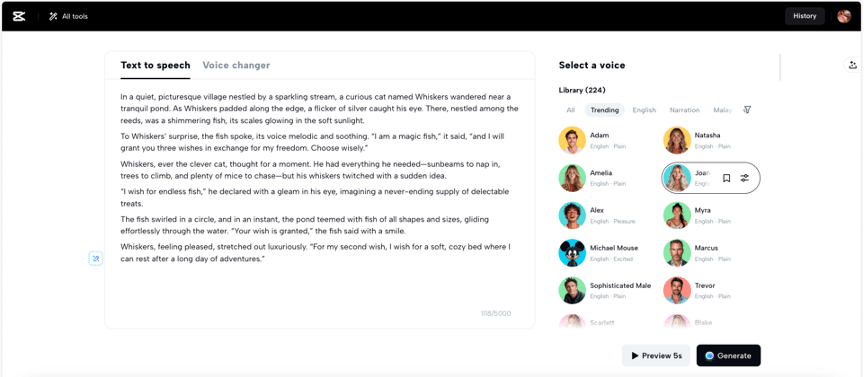
For creators who may not have access to professional recording equipment or find it inconvenient to record their own voice, leveraging text-to-speech tools offers a practical solution. These text to speech free tools are perfect for generating high-quality voiceovers directly from your script, allowing you to match the tone and style of your content effortlessly. Whether for educational videos or engaging narratives, text-to-speech technology can provide clear, professional-sounding voice output that enhances your project’s accessibility and appeal.
3. Test the different options available
Once you’ve narrowed down your options based on your audience and content type, it’s time to test the different voice modifier tools available. Look for tools that offer a range of pre-set voices as well as customization options. Many platforms, such as CapCut Online, provide intuitive interfaces that allow you to experiment with different voices and settings quickly and easily.
Once you’ve selected the ideal voice modifier, make sure you’re able to fine-tune the settings to create the best result. Often, slight adjustments in pitch or tone can make a world of difference in how your content is received.
The impact of voice in text-based content
Voice effects are a powerful addition not only to audio-visual content but also to text-based projects. By transforming written materials into dynamic voiceovers, you can capture and maintain your audience’s attention more effectively. Additionally, integrating these voiceovers with an AI caption generator not only enhances the readability of the content but also caters to audiences who prefer engaging with both audio and visual elements simultaneously. This dual approach not only broadens accessibility but also enhances the overall engagement and effectiveness of your content.
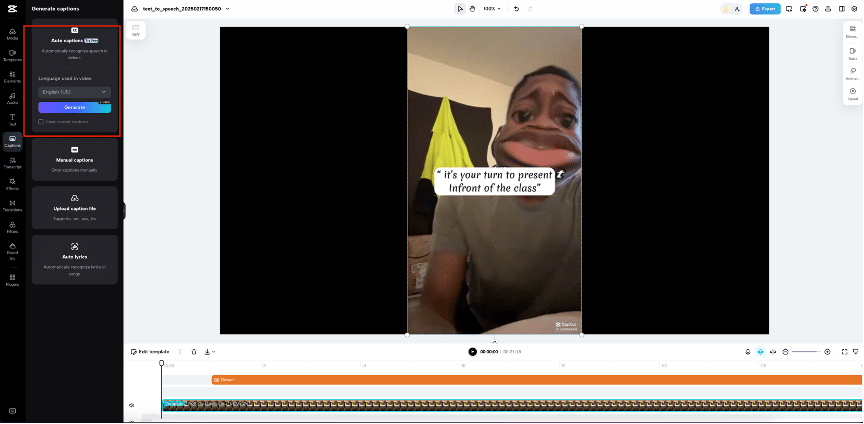
The AI-powered caption generator can automatically detect speech in your video and turn it into text, creating accurate and easy-to-read captions. This can be a game-changer for creators, marketers, and educators who want to ensure their content is accessible to everyone, regardless of their preferred way of consuming content.
How to use a voice changer effectively with CapCut Online?
Step 1: Select your file or record your voice
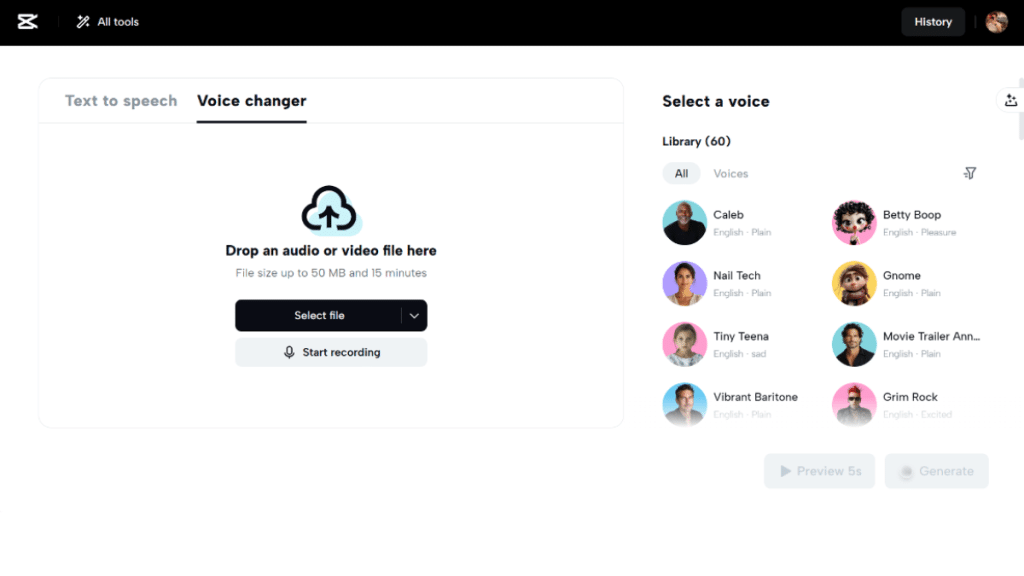
Open CapCut Online and go to the Voice Changer tool. Drag and drop an audio or video file into the designated area, or click Select file to choose one from your device. If you want to record a new voice, simply click Start Recording and capture your audio directly.

Step 2: Choose a voice effect
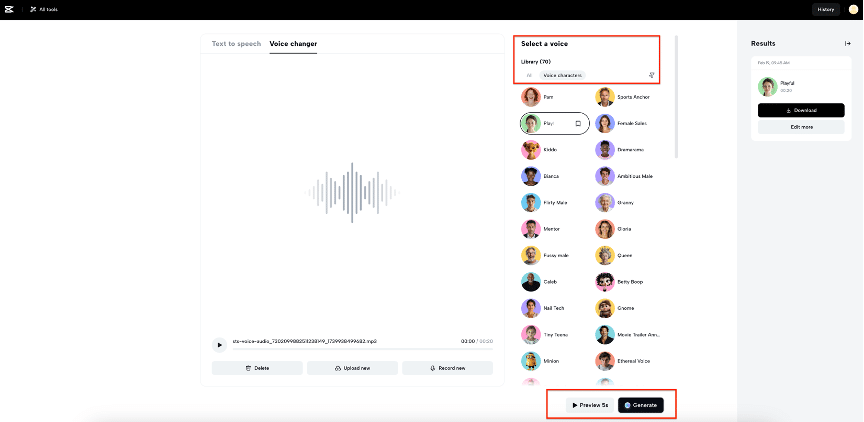
Once your file is uploaded, browse the Library on the right side to select a voice effect that suits your project. Filter the voices based on your various needs and styles. Click Preview 5s to listen to a short sample, and when you’re satisfied, click Generate to apply the changes to the full audio.
Step 3: Download or make further adjustments
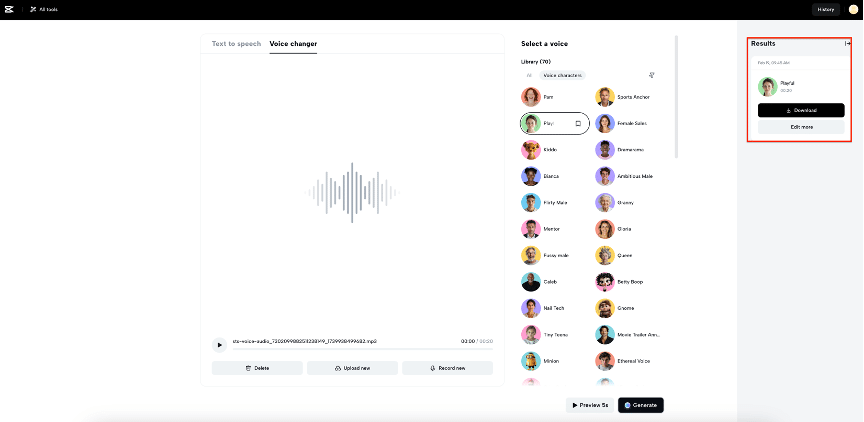
After processing, the modified audio will appear in the Results section. Play the generated voice, and if you’re happy with the final result, click Download to save the file to your device. If you want to create custom videos for your projects, click Edit More to enter the online editing space.
Conclusion
CapCut Online’s versatile toolkit empowers creators to elevate their content to new heights. By leveraging these tools effectively, you can tailor your content to match the preferences and expectations of your audience. Starting with the dynamic customization offered by the voice changer, you can add unique flair and personality to your projects. To further optimize your content, integrating text-to-speech services and AI-generated caption ensures that it is not only more engaging but also accessible to a broader audience. Together, these features form a robust framework for enhancing content quality and engagement, making CapCut Online an essential asset for any content creator looking to make an impact.











