
Remember when you first dreamed up your business idea? The excitement, the possibilities, the vision of success? I bet managing payroll and HR wasn’t part of that daydream. But here’s the thing – those nitty-gritty details can make or break your business faster than anything else.
Alright, let’s dive into how OnPay can be a game-changer for new businesses looking to set up their payroll and HR without breaking a sweat. Buckle up, because we’re about to take a ride through the world of hassle-free business management.
Now, I know what you’re thinking. “Payroll and HR? Sounds about as exciting as watching paint dry.” But stick with me here, because I’m about to show you how OnPay can turn this boring aspect of your business into a breeze.
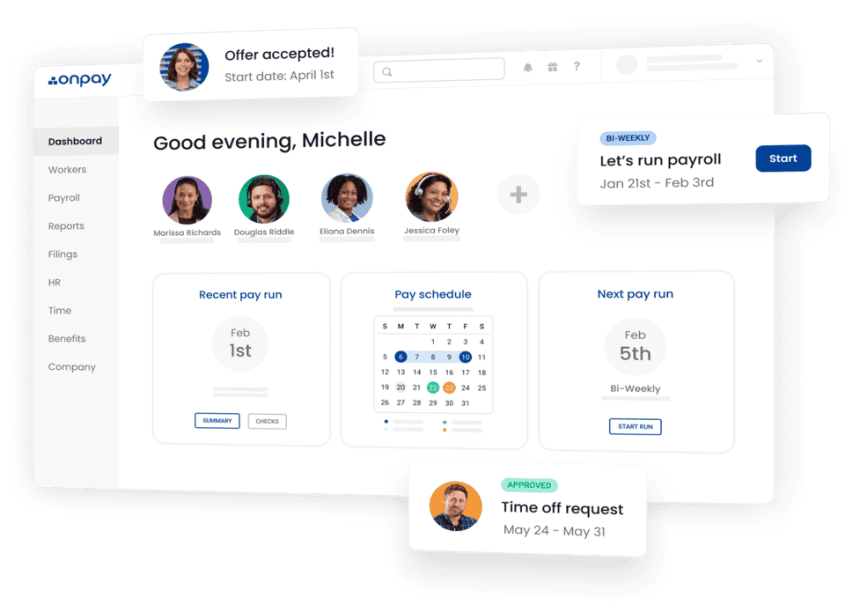
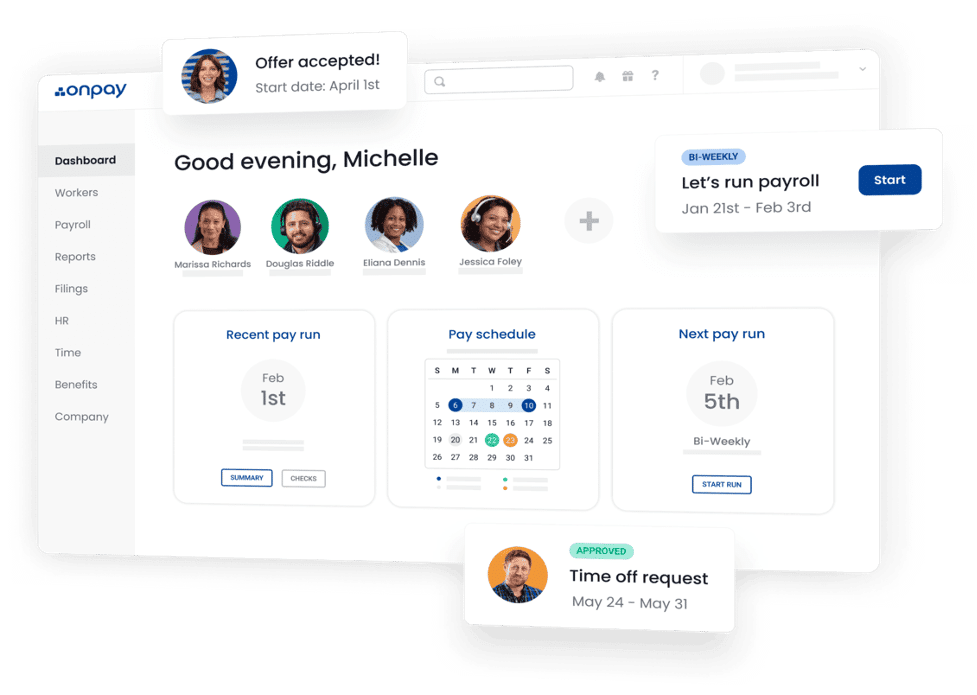
First off, let’s talk about what OnPay brings to the table. Imagine having a super-smart, never-sleeps assistant who handles all your payroll, HR, and benefits needs. That’s OnPay in a nutshell. It’s like having a whole team of experts at your fingertips but without the hefty price tag.
Setting Up Shop with OnPay
Remember the last time you tried to put together a piece of IKEA furniture? The confusion, the frustration, the leftover screws that you swear weren’t there before? Well, setting up your payroll and HR with OnPay is the exact opposite of that experience.
Here’s how it works: You share a few basic details about your business – you know, the stuff you could rattle off in your sleep. Then, the OnPay team swoops in like digital superheroes. They set everything up and even import your employees’ information for you.
And the best part? You don’t need to be a tech wizard or have a Ph.D. in accounting to use it. OnPay is designed to be so user-friendly.
Payroll Made Easy
Let’s face it – payroll can be a real headache. All those calculations, deductions, and taxes? It’s enough to make anyone reach for the aspirin. But with OnPay, you can say goodbye to those payroll-induced migraines.
Instead of spending hours hunched over spreadsheets on Payday, double-checking your math, you simply click a few buttons, and voila! Your employees and contractors get paid, and all those pesky calculations and deductions? OnPay handles them for you.
But wait, there’s more! OnPay doesn’t just stop at the basics. They handle federal, state, and local tax filings too. And if you’ve got workers in different states? No problem. OnPay’s got you covered, no matter where your team is spread out.
HR is More Than Just Hiring and Firing
Now, let’s talk HR. It’s not just about hiring and firing, though OnPay makes those processes smooth as silk too. It’s about managing your most valuable asset – your people. OnPay gives you tools to handle everything from onboarding new hires to managing PTO. It’s like having an HR department in your pocket but without the need for an extra office or a water cooler.
Need to create an org chart? OnPay’s got you. Want to set up custom reports? Done. Looking for ways to keep your team engaged and happy? OnPay’s there with bells on.
Benefits – Because Happy Employees Make Happy Businesses
Here’s a little secret – offering great benefits is like having a superpower in the business world. It helps you attract top talent, keep your best people, and generally makes everyone feel warm and fuzzy inside.
But setting up benefits can be a real pain in the… well, you know. That’s where OnPay comes in, cape fluttering in the wind. They make offering health insurance, workers’ comp, and even 401(k) plans as easy as ordering a pizza online.
And the best part? It’s all integrated with your payroll system. No more juggling multiple platforms or trying to reconcile different systems. It’s all right there, working together in perfect harmony.
Integrations With Other Tools
Now, I know what you’re thinking. “But what about all my other business tools?” Well, fear not, my friend. OnPay plays nice with others.
Whether you’re using QuickBooks, Xero, or any other accounting software, OnPay integrates seamlessly. It’s like they’re all part of one big, happy family. No more manual data entry or reconciliation headaches. Everything stays in sync, like a well-oiled machine.
Pricing Transparently
Let’s talk money. After all, you’re in business to make it, not spend it all on fancy software. Here’s where OnPay shines.
Their pricing is simpler than a two-piece puzzle. You pay a base fee of $40 per month, plus $6 per person per month. That’s it. No hidden fees, no surprises. You can even calculate your exact monthly cost right on their website.
And get this – they throw in all the good stuff for free. W-2s, 1099s, year-end filings? Included. Unlimited pay runs? You got it. Expert support whenever you need it? It’s all part of the package.
The OnPay Difference
Here’s the thing about OnPay – it’s more than just a software solution. It’s like having a business partner who’s got your back, handles all the boring stuff, and lets you focus on what you do best – running your business.
They’ve been serving clients all over the world for over 30 years. And in that time, they’ve learned a thing or two about what businesses need when it comes to payroll automation.
It’s no wonder they’re rated #1 by experts. Forbes Advisor named them the Best All-in-One Payroll and HR for 2024. PCMag gave them an Editor’s Choice award for businesses with up to 100 employees. CNBC called them the Best for Small Businesses, and CNN praised them for their extra HR functionality.
Getting Started With OnPay
So, you’re sold on OnPay. (And let’s be honest, why wouldn’t you be?) Now what? Getting started is easier than ordering your morning latte. Just head over to their website, share a few details about your business, and their team of pros will take care of the rest. They’ll set everything up and import all your employee info for you.
And if you’re worried about switching from another provider, don’t be. OnPay makes the transition smoother than a fresh jar of Skippy.
In Conclusion
Look, running a business is hard enough. You’ve got products to develop, customers to woo, and a million other things on your plate. The last thing you need is to be bogged down by payroll and HR headaches.
OnPay takes all that off your plate, letting you focus on what matters – growing your business and making your dreams a reality. So, what are you waiting for? Give OnPay a try. Your future self – the one with more time, less stress, and a thriving business – will thank you.
Remember, in the world of business, time is money. And OnPay? Well, it’s like having a time machine and a money tree all rolled into one neat, user-friendly package. So go ahead, take the plunge. Your business deserves the best, and when it comes to payroll and HR, OnPay is as good as it gets.











