
Spotify is a popular music-streaming service that delivers a unique listening experience. According to the firm, 406 million users worldwide are already using and listening to Spotify. Free and paid subscriptions are available to Spotify. The ad-supported free tier currently only allows users to play music on shuffle mode on mobile and limits users to skipping songs up to six times per hour. Besides, with Spotify free, users can’t download songs for offline playback.
A wide range of devices may be used to access the app. This includes laptops, PCs and tablets, as well as cellphones and bright TV sets, as well as autos. As a result of Spotify Connect, customers may log into a single account and use Spotify on several devices at one time.

Even though it’s terrific software, you can only listen to ad-free on-demand music and download songs for offline playback if you subscribe to Spotify Premium. When buying a plan, you may be put off by the price tag. So you start to wonder whether there is a tool to download Spotify songs without premium. This is when Pazu Spotify Converter comes in!
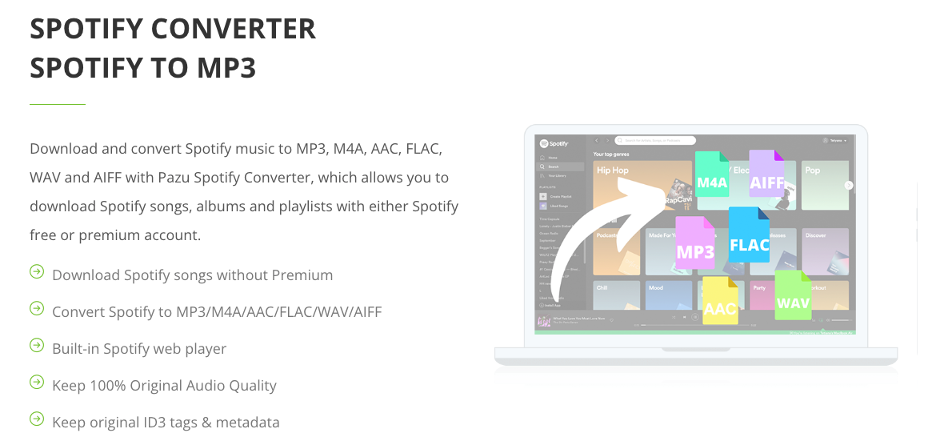
The Pazu Spotify Converter in Brief
If you want to download Spotify music for offline playback without paying for Spotify Premium, you may use the Pazu Spotify converter to convert Spotify songs to MP3 format, which you can then listen to wherever you choose.
All Spotify music and podcasts may be converted to several different formats with the Pazu Spotify Converter: MP3, M4A, AAC, FLAC, WAV and AIFF. You may use the Pazu Spotify Converter to convert and download the music without opening the Spotify client. The Spotify songs may be played on MP3 devices, phones, and desktop computers once it has been downloaded.
Where can you use Pazu Spotify Converter?
The Pazu Spotify Converter works with both Mac and Windows computers. Consumers will be able to make use of the converter’s benefits immediately after installation.
Pazu Spotify Converter’s capabilities and benefits are summarized below:
Downloading MP3 songs from your Spotify playlist
Once the Spotify songs are downloaded, you may begin listening to music offline anywhere without paying for Spotify’s premium service or dealing with annoying ads.
Any MP3 device, including iPods, desktop PCs, mobile phones, and other media players, may play the converted music files. Many different types of audio files, including MP3, M4A, AAC, FLAC, WAV and AIFF, may be downloaded at a bitrate as high as 320kbps.
A method of downloading music without paying for it
To convert Spotify music to MP3 format, Spotify Premium is not necessary. Subscribers to Spotify Premium can listen to their music even if they are not online. Spotify’s free users, on the other hand, are well aware that they need an internet connection to listen to music.
Consequently, users may encounter a variety of difficulties, such as a lack of reliable access to high-speed internet. Furthermore, the internet is wasted when you repeatedly listen to the same song. As a result, users with free Spotify accounts may use the Pazu Spotify Converter to download music and listen to them without being connected to the internet.
The Spotify application is not required to download music
Using Pazu Spotify Converter, you will not need to download the Spotify app at all. With the built-in Spotify web player, you may enter into your Spotify account and utilize the Pazu Spotify Converter to download all of the music on your playlist.
The Conversion Rate
You may also download a whole album or playlist using the Pazu Spotify Converter, which is fast and easy to use. You no longer have to go through the process of downloading individual songs. The Spotify app or website downloads songs at a 10X quicker pace and keeps ID3 tag information.
The Pazu Spotify Converter: How Does It Work?
- The Pazu Spotify Converter is a breeze to use. Download, install and run Pazu Spotify Converter on your Mac or Windows.
- Once it is launched, log in your Spotify account in the built-in Spotify web player.
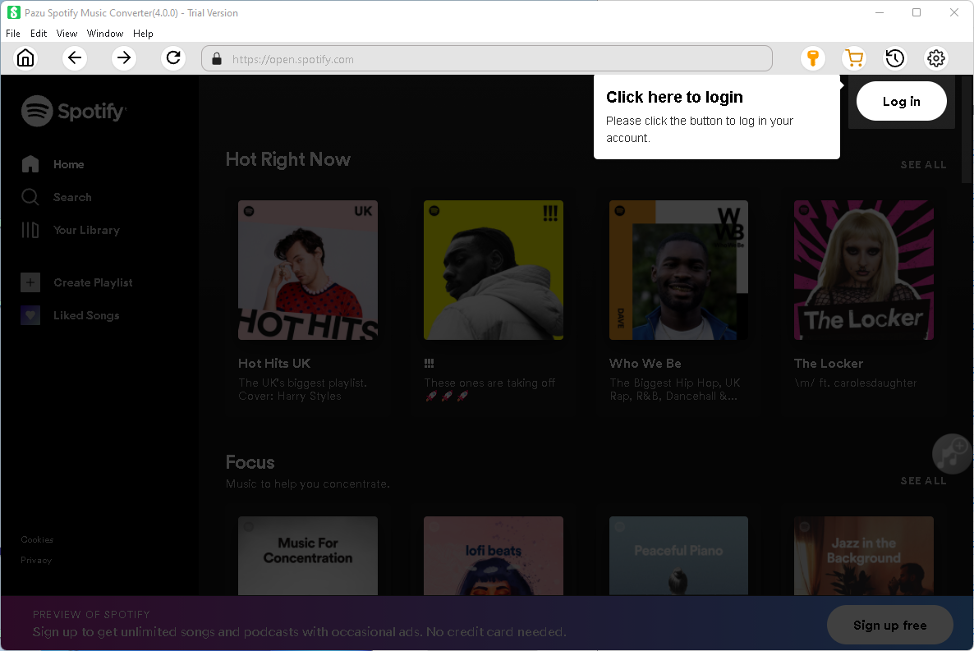
- Open Settings window to change out format, output folder, file name format, how output songs are organized and interface language according to your needs.

- Browse or search the song, album or playlist you want to download.

- Click Add to list button to load songs.
- Click Convert button to download Spotify songs to the format you choose.

Several factors, including compatibility and cost, must be taken into consideration.
Pazu supports both Mac and Windows platforms, and the firm provides excellent customer service. Using the Pazu Spotify Converter entitles you to free updates for the rest of your life. They all provide excellent technical support if you have any issues or questions. If you have any questions or concerns, you may contact them at any time. Furthermore, you don’t have to be afraid of viruses or other potentially malicious programs penetrating your smartphone since the software is entirely safe.
The Pazu Spotify Converter costs $14.95 a month ($ 49.95/year or $ 99.95 for LIFETIME license) and comes with a single license that may be used on either a PC or a Mac. You don’t have to worry about it since they’ll renew your purchase for you. You may, however, cancel your membership at any time for any reason.
The Pazu Spotify Converter also offers a 30-day money-back guarantee. If you don’t like the converter and want a refund, you may do so through the Pazu website.
Conclusion
All of your Spotify songs may be converted to multiple formats with the Pazu Spotify Converter so that you can listen to them while on the road. Additionally, Pazu provides a converter for many additional related applications like Apple Music, Amazon Music, TIDAL. Using the Pazu service, which costs only $14.95 a month, users are getting much value for their money. If you don’t like it, you may cancel your membership at any time, even though it’s very unlikely that you’ll be disappointed.











