
iLoungeiLounge
  • News
    • Apple
      • AirPods Pro
      • AirPlay
      • Apps
        • Apple Music
      • iCloud
      • iTunes
      • HealthKit
      • HomeKit
      • HomePod
      • iOS 13
      • Apple Pay
      • Apple TV
      • Siri
    • Rumors
    • Humor
    • Technology
      • CES
    • Daily Deals
    • Articles
    • Web Stories
  • iPhone
    • iPhone Accessories
  • iPad
  • iPod
    • iPod Accessories
  • Apple Watch
    • Apple Watch Accessories
  • Mac
    • MacBook Air
    • MacBook Pro
  • Reviews
    • App Reviews
  • How-to
    • Ask iLounge
Font ResizerAa
iLoungeiLounge
Font ResizerAa
Search
  • News
    • Apple
    • Rumors
    • Humor
    • Technology
    • Daily Deals
    • Articles
    • Web Stories
  • iPhone
    • iPhone Accessories
  • iPad
  • iPod
    • iPod Accessories
  • Apple Watch
    • Apple Watch Accessories
  • Mac
    • MacBook Air
    • MacBook Pro
  • Reviews
    • App Reviews
  • How-to
    • Ask iLounge
Follow US

Articles

Articles

Free PDF to FlipBook Converter

Last updated: Sep 1, 2019 3:12 pm UTC
By Lucy Bennett
Free PDF to FlipBook Converter

Flipbooks – online browsable catalogs/brochures/magazines – are becoming increasingly popular among online readers. Compared to normal PDF files, a flipbook can be opened and read by anyone and on any device, without download any file. Furthermore, reading is pleasant because it is like leafing through a real book, and it is possible to zoom into particular areas of the page.


For personal and corporate websites and e-commerces, it is also a great way  to spread your product and service catalog and increase page views and get many shares on social networks.
Free PDF to FlipBook Converter

So, Flipbooks have many advantages, but how to convert a PDF file to flip book?

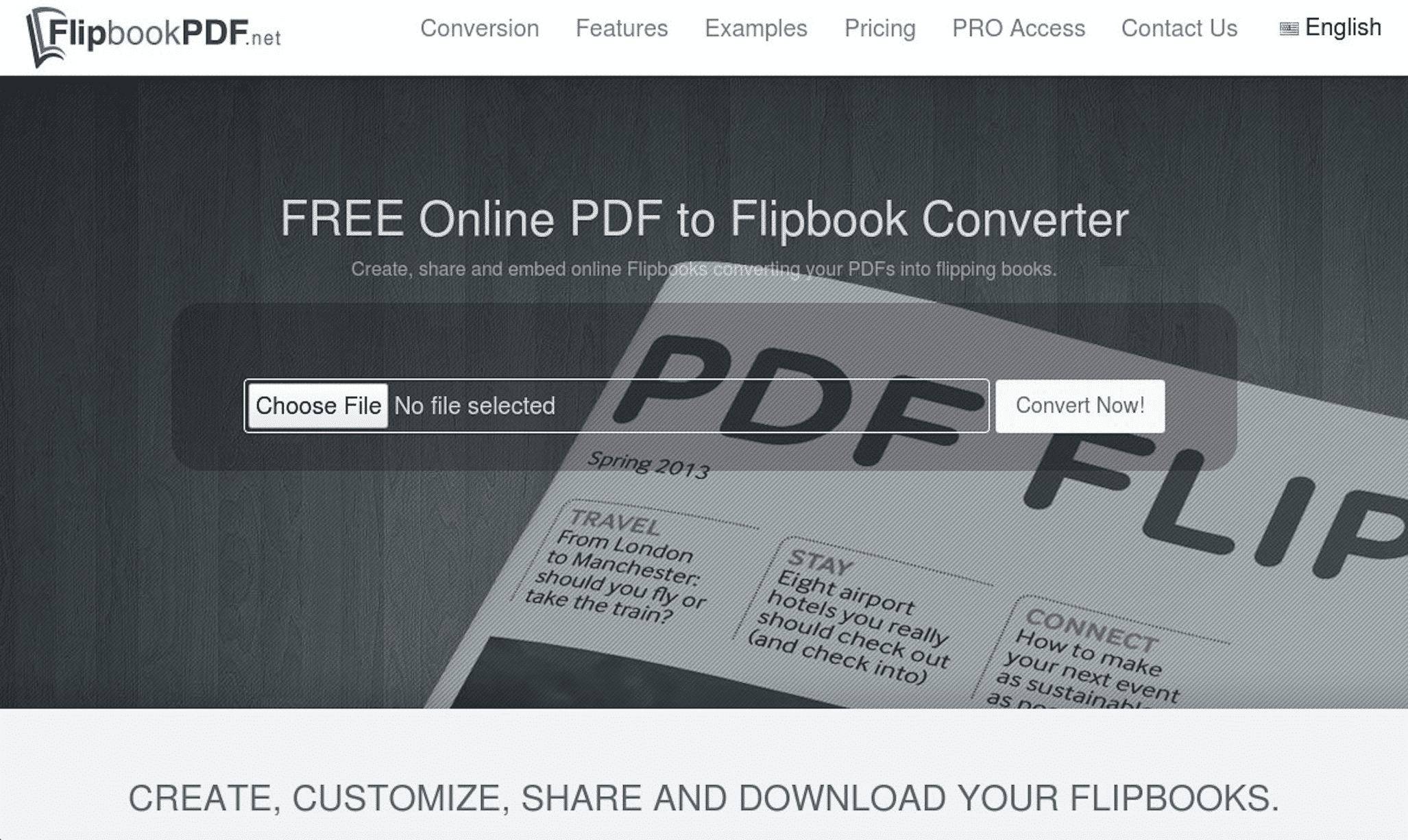
FlipbookPDF.net is the best service for creating HTML5 Flipbooks with your PDF document. Just in minutes you will have your own customized flipbook (with your own background, logo, title etc..).
About the publishing, there are many output formats for reading (horizontal and vertical) and offline distribution.


How FlipbookPDF.net service works?

It’s really simple to use. Just go to FlipbookPDF.net website, upload your PDF file and click on the “Convert Now” button.

After a few seconds you will get your flipbook url and you will be able to access the administration area to make customizations. You will be able to edit the title tag of the flipbook, the background, the format (A4 portrait or A5 landscape or square) and set other options.

 The free version of this service does not allow you to upload your own logo and enter the url of your website (backlink); it also allows you to convert up to 20 pages per book.


Your flipbook will be hosted on filpbookpdf.net server for free and you can link or embed your flipbook easily in an iframe of your website. There is also the possibility to download the flipbook in HTML5 format and upload it to your hosting.

Your flipbook will SEO friendly because you can define a title and a description of your page. This content will be indexed by search engines, so you can increase readers to your catalogs from organic searches.

Your flipbook will adapt to the size of any screen, including smartphones and you can also share it in your blog or email signature or to your social media channels to reach more readers.

Convert now your PDF into an online flipbook with FlipbookPDF.net!


Latest News
The Apple Watch Series 11 46mm GPS Is $100 Off
1 Min Read
Clamshell Style iPhone Being Looked Into By Apple
1 Min Read
Foldable iPhones May Have the Largest Battery Ever
1 Min Read
Apple and TSMC’s 10-Year Collaboration May Be Ending
1 Min Read
The 13-inch M5 iPad Pro 256GB Wi-Fi Is $149 Off
1 Min Read
M5 Pro and M5 Max Chips for the MacBook Pro could Roll Out with macOS 26.3
1 Min Read
Mac Ordering Process Revamped
1 Min Read
Check Signed By Steve Wozniak and Steve Jobs Sold For $2.4 Million
1 Min Read
The Anker 140W 4-Port GaN USB-C Charger is $35 Off
1 Min Read
No iPhone Air 2 This Year, according to Latest Report
1 Min Read
New Report Corroborates Split iPhone Release Dates
1 Min Read
Apple Losing More Researchers As They Plan To Release 2 Siri Versions
1 Min Read

iLounge logo

iLounge is an independent resource for all things iPod, iPhone, iPad, and beyond. iPod, iPhone, iPad, iTunes, Apple TV, and the Apple logo are trademarks of Apple Inc.

This website is not affiliated with Apple Inc.
iLounge © 2001 - 2025. All Rights Reserved.
  • Contact Us
  • Submit News
  • About Us
  • Forums
  • Privacy Policy
  • Terms Of Use
Welcome Back!

Sign in to your account

Lost your password?










