
iLoungeiLounge
  • News
    • Apple
      • AirPods Pro
      • AirPlay
      • Apps
        • Apple Music
      • iCloud
      • iTunes
      • HealthKit
      • HomeKit
      • HomePod
      • iOS 13
      • Apple Pay
      • Apple TV
      • Siri
    • Rumors
    • Humor
    • Technology
      • CES
    • Daily Deals
    • Articles
    • Web Stories
  • iPhone
    • iPhone Accessories
  • iPad
  • iPod
    • iPod Accessories
  • Apple Watch
    • Apple Watch Accessories
  • Mac
    • MacBook Air
    • MacBook Pro
  • Reviews
    • App Reviews
  • How-to
    • Ask iLounge
Font ResizerAa
iLoungeiLounge
Font ResizerAa
Search
  • News
    • Apple
    • Rumors
    • Humor
    • Technology
    • Daily Deals
    • Articles
    • Web Stories
  • iPhone
    • iPhone Accessories
  • iPad
  • iPod
    • iPod Accessories
  • Apple Watch
    • Apple Watch Accessories
  • Mac
    • MacBook Air
    • MacBook Pro
  • Reviews
    • App Reviews
  • How-to
    • Ask iLounge
Follow US

Articles

Articles

Enhancing Privacy and Security on Apple Devices

Last updated: Jul 16, 2024 10:33 am UTC
By Lucy Bennett
Enhancing Privacy and Security on Apple Devices

In our interconnected digital environment, privacy protection is essential. Despite the robust security features in Apple devices, it’s vital to proactively safeguard personal information. The strategies outlined below are direct recommendations for fortifying your Apple devices and preserving your privacy:


Keep Your Software Updated

Enable automatic updates in the Settings menu under General > Software Update to address potential security vulnerabilities.
Enhancing Privacy and Security on Apple Devices

Enable Two-Factor Authentication (2FA)

Set up Two-Factor Authentication for your Apple ID to add an extra layer of security. Manage 2FA through Settings > [Your Name] > Password & Security.

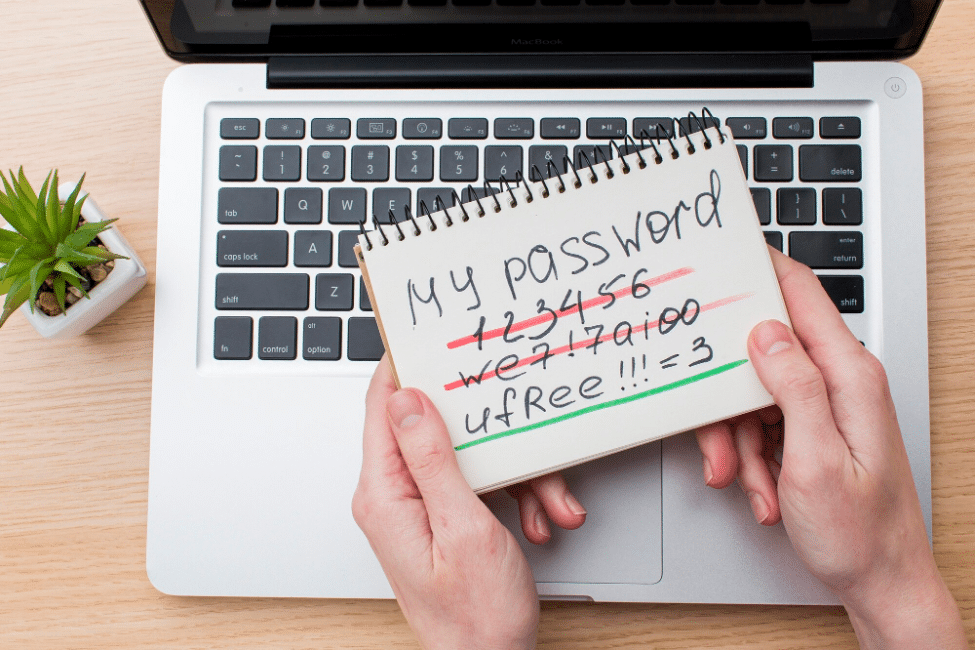
Use Strong, Unique Passwords

Employ robust and distinct passwords for your Apple ID and affiliated accounts. Utilize a trusted password manager like Apple’s iCloud Keychain.
Enhancing Privacy and Security on Apple Devices

Activate Find My iPhone

Ensure the Find My iPhone feature is enabled in Settings > [Your Name] > Find My > Find My iPhone for remote access and security in case of loss or theft.


Be Cautious with Phishing Attempts

Exercise vigilance when dealing with electronic communications from unfamiliar sources to avoid phishing attempts.

Limit App Permissions

Review and manage app permissions promptly to secure access to personal information in the Privacy settings.

Utilize Face ID or Touch ID

Activate biometric authentication methods like Face ID and Touch ID for enhanced device security within Settings.

Enhancing Privacy and Security on Apple Devices

Encrypt Your Backups

Encrypt device backups to preserve the integrity of your data, including passwords and health-related information.

Vigilantly Monitor your Devices

Regularly check the devices linked to your Apple ID to identify and address any unauthorized devices within Settings.


Gain Understanding of Website Development Costs and Security

An informed understanding of the interconnectedness between privacy, security, and technology is foundational to making well-considered decisions. For instance, a thorough comprehension of website development costs and the integration of robust security measures from the inception of web or app development endeavors serves to forestall data breaches and protect user privacy.

Enhancing Privacy and Security on Apple Devices

Conclusion

In conclusion, these direct recommendations for securing your Apple devices and preserving privacy involve utilizing built-in security features and adopting proactive security measures. Strengthening your device security through software updates, robust passwords, two-factor authentication, and caution against phishing attempts is essential. Your investment in security serves to protect your privacy and safeguard the integrity of your personal data.



Latest News
The 14-inch MacBook Pro with M5 Chip 16GB RAM/512GB is $250 Off
1 Min Read
Noise and Static on AirPods Pro 3 Still Unfixed
1 Min Read
New iMac with 24-inch OLED Display May be Brighter With 600 Nits
1 Min Read
The 15-inch M4 MacBook Air 256GB Is $250 Off
1 Min Read
Internal Kernel Debug Kit from Apple Reveals Tests for a MacBook with A15 Chip
1 Min Read
Apple Currently In Talks With Suppliers for Chip Assembly & Packaging of iPhones in India
1 Min Read
Apple Allows Easier Battery Replacement For M5 MacBook Pro with 14-inch Display
1 Min Read
The Apple Watch SE 3 44mm GPS is $50 Off
1 Min Read
20th Anniversary iPhone May Launch in Two Years
1 Min Read
Better Image Generation Capabilities and Apple Music Integration Coming to ChatGPT
1 Min Read
A20 Pro Chip Coming to Next Gen iPad Mini OLED
1 Min Read
Amazon has the AirTag 4 Pack Marked $29 off
1 Min Read

iLounge logo

iLounge is an independent resource for all things iPod, iPhone, iPad, and beyond. iPod, iPhone, iPad, iTunes, Apple TV, and the Apple logo are trademarks of Apple Inc.

This website is not affiliated with Apple Inc.
iLounge © 2001 - 2025. All Rights Reserved.
  • Contact Us
  • Submit News
  • About Us
  • Forums
  • Privacy Policy
  • Terms Of Use
Welcome Back!

Sign in to your account

Lost your password?








