
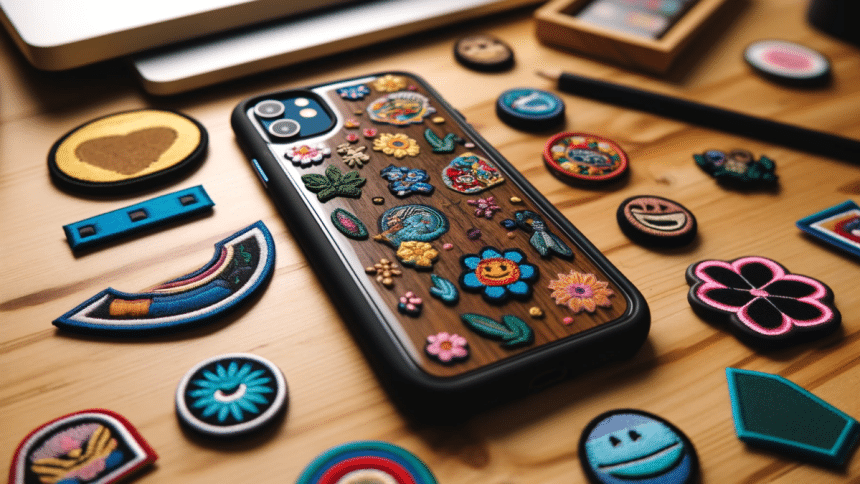
In a world where personal expression is more important than ever, customizing your iPhone can be a fun and rewarding way to make your device truly yours. From aesthetic changes to functional upgrades, there are countless ways to personalize your iPhone both internally and externally. This article explores the various methods of iPhone customization, including the latest trend of using custom patches, essential apps to enhance your user experience, and more.
External Customization: Making a Statement
Custom Cases and Skins
One of the easiest and most popular ways to customize your iPhone externally is by using custom cases and skins. These not only protect your device from scratches and drops but also allow you to express your style. From minimalist designs to vibrant artwork, there’s a case or skin for every personality. Many companies offer custom design services where you can upload your own images or choose from a wide range of pre-made designs.
Custom Patches: A New Trend
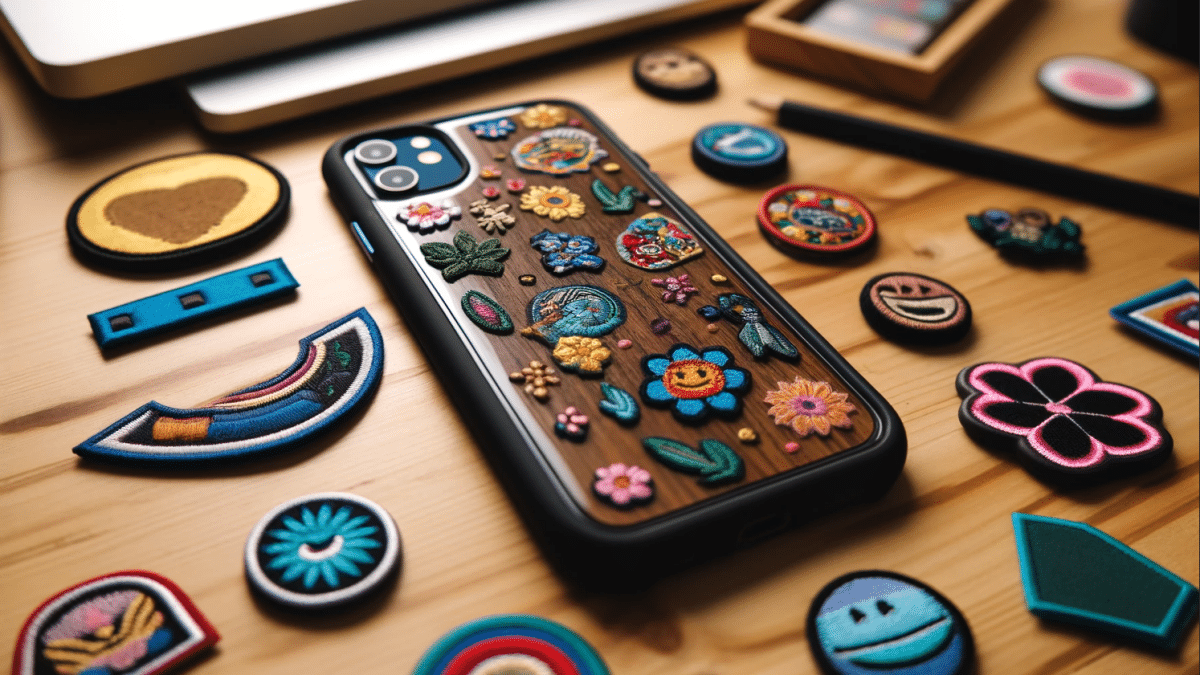
Recently, custom patches have emerged as a trendy way to spruce up your iPhone. These patches, often made of fabric or vinyl, can be adhered to phone cases, adding a unique touch. They come in various designs, including popular culture references, motivational quotes, and artistic patterns. Custom patches are a great way to make your iPhone stand out and reflect your interests.
Stylish Accessories
Beyond cases and patches, accessorizing your iPhone with stylish add-ons can enhance its look and functionality. PopSockets, for instance, provide a better grip and double as a stand. Customizable earphone holders, charging cables, and even decorative stickers can add a personal touch to your device.
Exploring Custom Wallpapers and Themes
Another exciting way to personalize your iPhone is by exploring custom wallpapers and themes. Wallpapers can set the mood and aesthetic of your device, whether you prefer serene nature scenes, abstract art, or pictures of loved ones. There are countless apps and websites offering a wide variety of high-quality wallpapers to suit every taste. Additionally, you can delve into themes that change the look of your icons, widgets, and overall interface. Apps like Zedge, Vellum, and Pinterest are great resources for finding unique wallpapers and themes. By frequently updating these elements, you can keep your iPhone feeling fresh and aligned with your current interests and style.
Utilizing Custom Fonts and Text Styles
Customizing the fonts and text styles on your iPhone can significantly enhance the look and feel of your device, making it truly unique to your tastes. With apps like AnyFont and Font Diner, you can install a variety of fonts that can be used across different apps and platforms. Whether you prefer elegant scripts, bold typefaces, or quirky handwritten styles, custom fonts can add a personal touch to your messages, emails, and social media posts. Additionally, Apple’s built-in text customization features allow you to adjust text size, boldness, and contrast, ensuring that your phone is not only stylish but also tailored to your reading preferences. This attention to detail can make everyday interactions with your device more enjoyable and visually pleasing.
Internal Customization: Enhancing Functionality
Vital Apps for a Customized Experience
Customizing your iPhone internally involves optimizing its functionality through a carefully curated selection of apps. Here are some must-have apps that can elevate your iPhone experience:
- Widgetsmith: This app allows you to create custom widgets for your home screen, including weather, calendar, and health data, adding a personalized touch.
- Shortcuts: Apple’s Shortcuts app lets you create custom automations and workflows, simplifying everyday tasks and enhancing productivity.
- Aesthetic Kit: Perfect for those who love visual customization, this app offers a range of icon packs, themes, and wallpapers to match your style.
- Evernote: For organization and note-taking, Evernote provides a comprehensive platform to keep your ideas and tasks in order.
- VSCO: A powerful photo editing app that lets you apply custom filters and adjustments to your photos, perfect for those who love photography.
- Express VPN: If you travel a lot and want to be able to use your Iphone wherever you go, then you’ll need an VPN like this. Think about a VPN for China or Canada or anywhere there are restrictions in place.
Personalizing Settings and Features
Customizing your iPhone isn’t just about apps and aesthetics; it’s also about making sure the settings and features align with your needs. Here are a few tips to personalize your iPhone settings:
- Custom Ringtones and Text Tones: Use your favorite songs or sound bites as ringtones and text tones to add a personal touch.
- Home Screen Layout: Arrange your apps and folders in a way that makes sense for you. Group similar apps together and keep frequently used ones within easy reach.
- Focus Modes: Customize Focus modes for different times of the day or activities, such as work, personal time, or sleep, to minimize distractions and stay productive.
Enhancing Privacy and Security
Part of internal customization is ensuring your iPhone is secure and your data is protected. Utilize features like Face ID or Touch ID for added security, and explore privacy settings to control app permissions and data sharing.
Combining Style and Function
The best part about iPhone customization is finding the perfect balance between style and functionality. Whether you’re applying custom patches to your phone case or organizing your home screen with personalized widgets, the goal is to create an iPhone experience that’s uniquely yours.
Customization Ideas for Inspiration
Here are some creative ideas to inspire your iPhone customization journey:
- Travel Theme: Use a travel-themed case, set wallpapers of your favorite destinations, and organize your apps based on travel-related categories.
- Fitness Focus: Opt for a case with a motivational quote, install health and fitness apps like MyFitnessPal and Strava, and create workout-related shortcuts.
- Artistic Expression: Choose a case featuring artwork, use apps like Procreate to create digital art, and set up widgets that showcase your latest creations.
Essential Customization Tools
Here’s a comparison of essential tools and apps for customizing your iPhone:
| Tool/App | Purpose | Features |
| Widgetsmith | Home screen widgets | Custom widgets for weather, calendar, etc. |
| Shortcuts | Automation and workflows | Custom automations for various tasks |
| Aesthetic Kit | Visual customization | Icon packs, themes, wallpapers |
| Evernote | Organization and note-taking | Notes, to-do lists, reminders |
| VSCO | Photo editing | Filters, adjustments, photo sharing |
In The End…
Customizing your iPhone both internally and externally allows you to create a device that’s not only functional but also a true reflection of your personality. From adding custom patches to your phone case to curating a selection of essential apps, there are countless ways to make your iPhone experience uniquely yours. Embrace the creativity and functionality that customization offers, and enjoy a personalized device that stands out from the crowd.











