
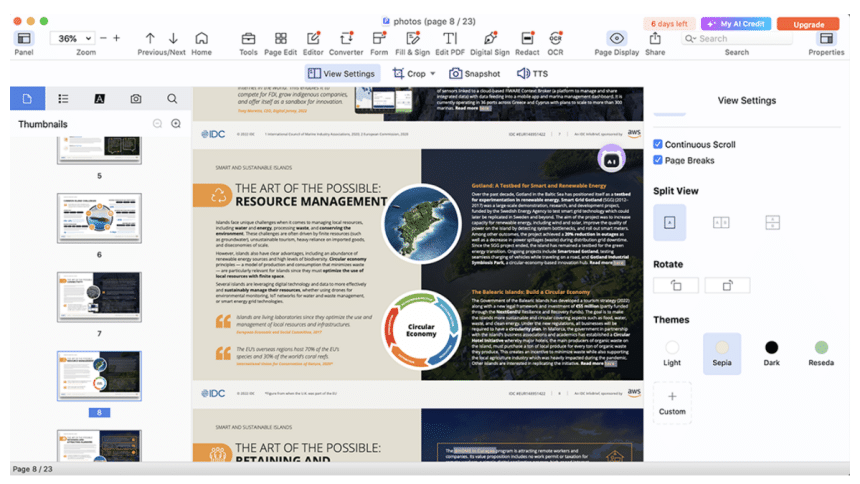
As the digitization is widely penetrating to all aspects of life, people have to deal with dozens of documents every day. Among various file formats, PDF is the most universally accepted, which is easy to view, share and print. However, it can be daunting to edit PDF files if there is not an appropriate PDF tool at hand. Rest assured! Cisdem PDFMaster comes here to streamline your workflow, an AI-driven and full-fledged PDF editor that is compatible with Windows and Mac.
Overview: Blend All Features You May Need
Cisdem PDFMaster is an all-in-one PDF editor designed in a visually pleasing interface. With a host of amazing editing features, users are able to make basic and advanced edits to PDF with much flexibility, from editing text content, adding markup and annotation to creating a digital signature and making fillable PDF forms.
Better still, PDFMaster has integrated with AI technology for smarter PDF handling like summarizing, rewriting, proofreading and translating PDF. This helps users to understand and analyze the content proficiently.
Stunning Features of Cisdem PDFMaster
- Advanced AI tools: Quickly summarize lengthy PDF files and extract valuable insights from the content. Check grammar and correct spelling to ensure PDF documents professional. Rewrite the PDF to polish the content and make expression more concise and authentic. Support translating partial or whole content in PDF into any languages accurately.
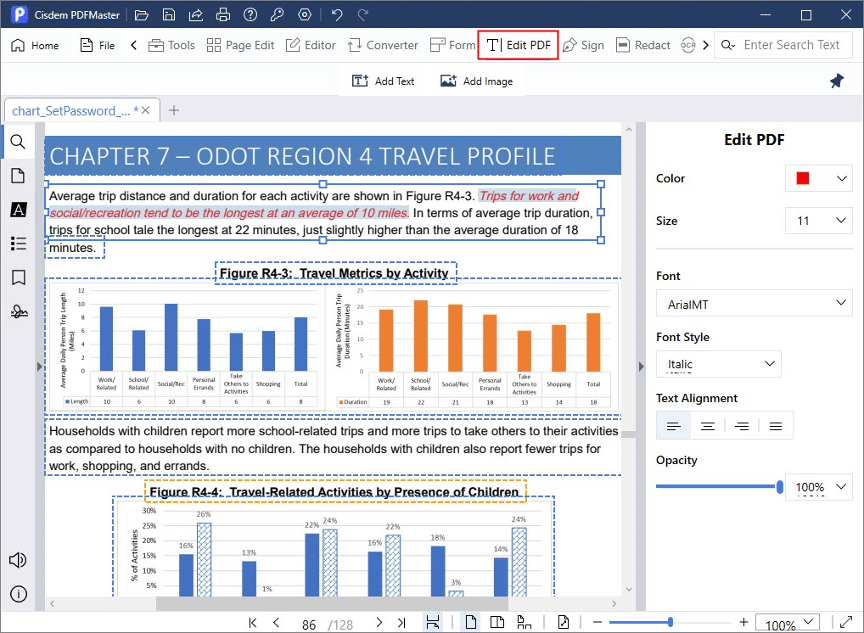
- Edit a PDF breezily like a Word: Effortlessly make changes to the original text, including setting its font style, size, color and format; Free to add or delete text; Any other parts like images and links in PDF are also editable.
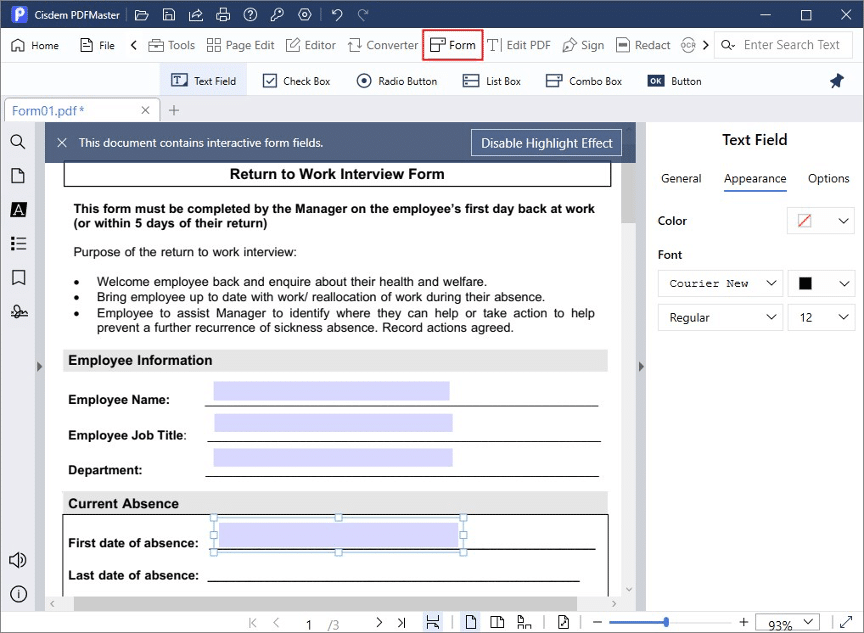
- Create and fill out fillable PDF forms: It provides 7 useful interactive form fields to make it simple to create a fillable form from an existing PDF/Word document. You can also tailor their properties as per your preference.
- Protect sensitive or crucial information in PDF: This PDF protector guarantees high security for PDF through 3 types of methods: set permission or open password to PDF to prevent unauthorized actions, redact sensitive information in PDF to avoid disclosure of confidential information, and add a digital signature to assure identity with high level.
- Convert and create PDF files (OCR included): It is capable of turning PDF to 10+ file formats and creating PDF from an extensive list of formats. In addition, it comes with a powerful OCR feature that enables to recognize scans and images in 50+ languages and make them searchable and editable with 99% accuracy.
- Annotate PDF with various tools: There are a range of tools accessible to add comments and annotations to PDF files. You can easily highlight, underline and strike through the text, along with inserting diverse shapes, notes, stamps, bookmarks, etc.
- Compress PDF without compromising quality: Thanks to its powerful compression technology, Cisdem PDFMaster can minimize the file size up to 100% while retaining the original file quality as much as possible. It also allows users to modify the ratio to be compressed as needed.
- Manipulate PDF pages orderly: As an excellent page organizer, Cisdem PDFMaster is able to insert, replace, extract, split, reverse, copy, rotate, crop and delete PDF pages, managing PDF in an order way.
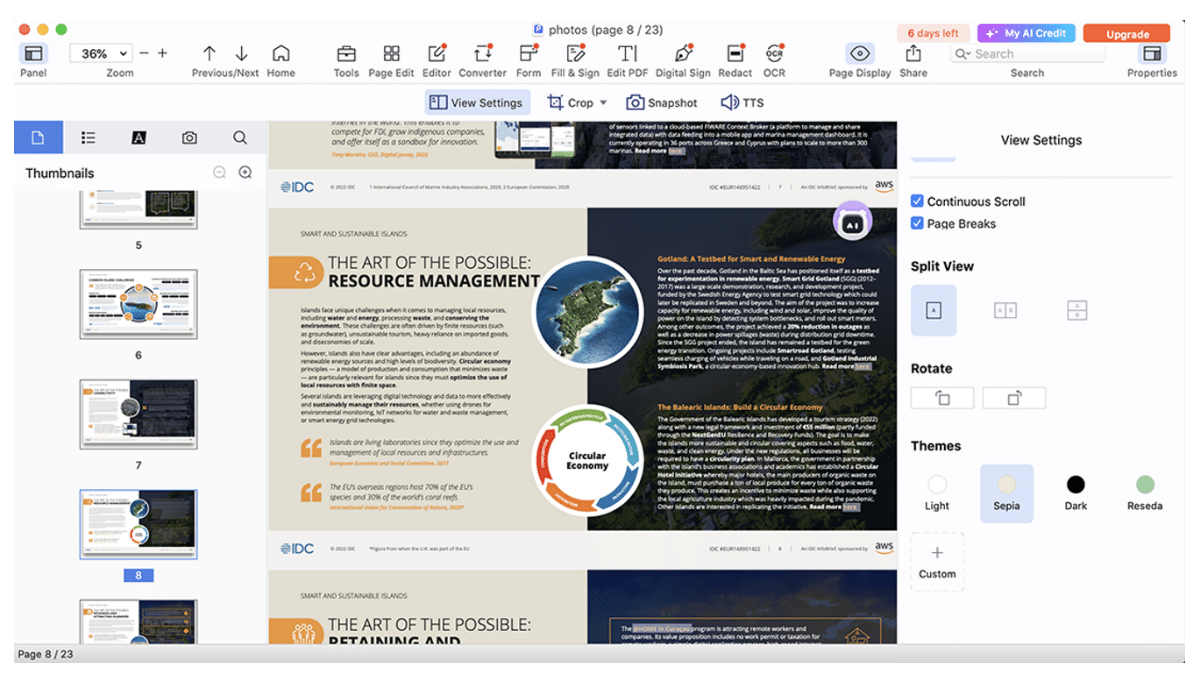
- View PDF in multiple modes: Enjoy a comfortable reading experience with versatile display modes and color themes. Navigate to a specific page or part of PDF quickly by outline, thumbnail and bookmark.
How Does It Work? A Brief Guide Provided Here
Aside from powerful features of Cisdem PDFMaster, its well-organized interface is also well received by its users. Even people who do not have much involvement in software can quickly become proficient with this application.
Here are the tutorials on how to use some of its most popular features:
Edit a PDF
Step 1: Launch Cisdem PDFMaster and drag your PDF file into the program.
Step 2: Select “Edit PDF” feature from the top toolbar, then all the text and images can be edited with ease.
Step 3: Multiple editing options are supported on the right panel to modify font color, size, style, alignment, etc.
Create a Fillable PDF
Step 1: After uploading a PDF, select “Form” tab from the top menu bar.
Step 2: There are 6 different form fields used to create a fillable PDF form. Choose a desired type, then a rectangle will appear, put it where you want to add a form field.
Step 3: You can resize, move around or delete the inserted form fields at will, even adjust its properties on the right-hand side.
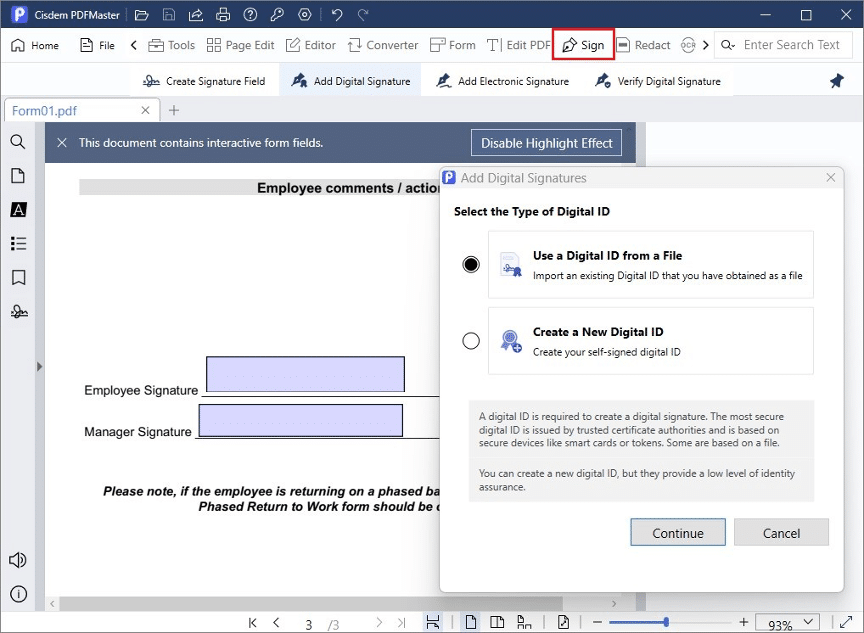
Sign a PDF Digitally
Step 1: Choose “Sign” feature from the menu bar.
Step 2: Click “Create Signature Field” to drag a signature field on the PDF page.
Step 3: Select “Add Digital Signature”. Hit on the added field, a pop up window will guide you to create a digital signature step by step.
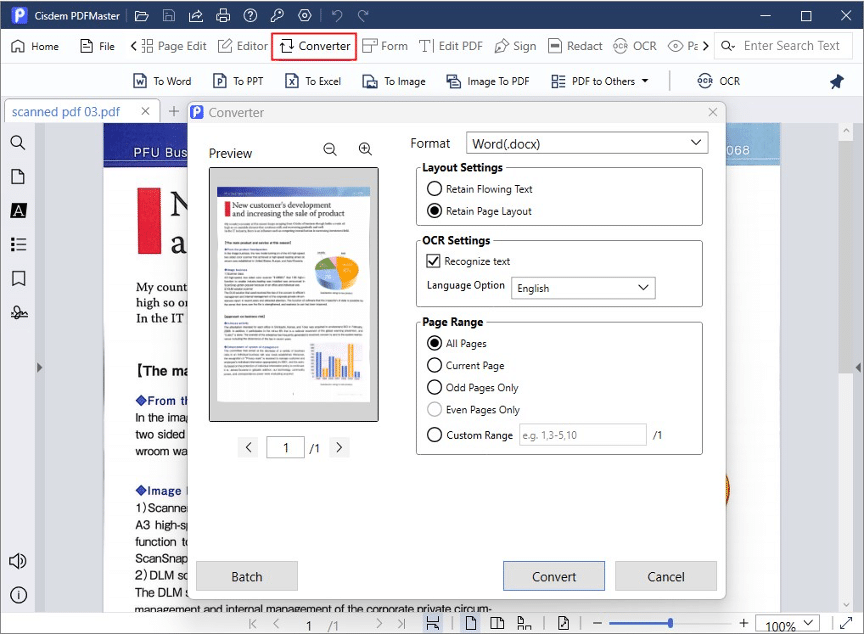
Convert Native or Scanned PDF
Step 1: Go to “Converter” tab, we take “To Word” as an example.
Step 2: In the Converter window, make adjustments to layout and OCR settings. Tick “Recognize text” if the imported PDF is scanned.
Step 3: It enables to convert PDF files in bulk by hitting “Batch”.
Step 4: When everything is done, click “Convert” to start processing.
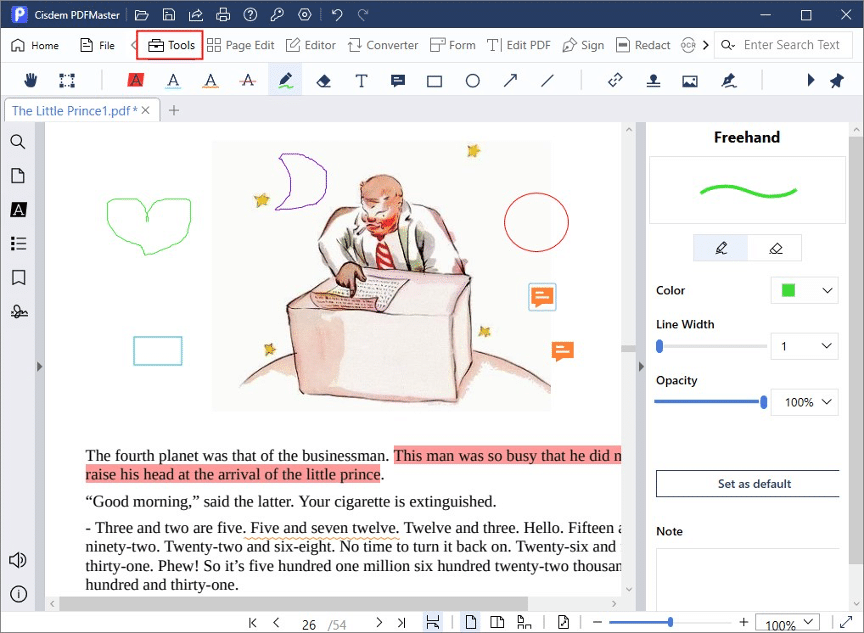
Annotate a PDF
Step 1: Go ahead with “Tools” feature at the top left.
Step 2: Select any markup tool from the sub-menu to annotate this PDF in a breeze.
Pricing Plan: Bring Robust Features at a Cheap Price
Price is usually one of the most concerned factors for users when choosing a tool. Thankfully, Cisdem PDFMaster offers an affordable price, with a 30% discount in some cases, such as if you’re a teacher or student, or if you want to purchase multiple Cisdem products.
Annual Plan: $49.99/y
Lifetime Plan: $79.99
If you want license for more than 5 devices, please contact a customer service professional.
Conclusion
With the blend of robust functions and a user-friendly interface, Cisdem PDFMaster helps to create a seamless workflow and improve efficiency for every PDF worker. No matter if you want to edit, annotate, convert, create, compress, encrypt, merge or split PDF, it can do an excellent job with no hassle.
FAQs
Is Cisdem PDFMaster safe to use?
Yes, Cisdem PDFMaster is safe to use. You’d better download and install this software directly on its official website, there will be no rogue software attached to your computer, nor will there be any viruses. In addition, when using this software, it will guarantee the security of the files, you don’t need to worry about data loss or theft.
Do we need to pay additional fees for software updates?
No, users do not need to pay any additional cost for update as long as it is within the subscription period. Besides, you can enjoy 24h/5 one to one expert support.











