
A tool that can help you transfer phone and WhatsApp data is a blessing. Yet, if you have no idea about a tool like that, this article will help you. Here, you will learn about Wondershare MobileTrans, which can help you transfer data from iPhone to Android. You can also transfer data between iPhone to iPhone, Android to Android, and Android to iPhone.
By the end of this article, you will be capable of transferring data in lossless quality. Most importantly, we will also introduce an application for data transferring.
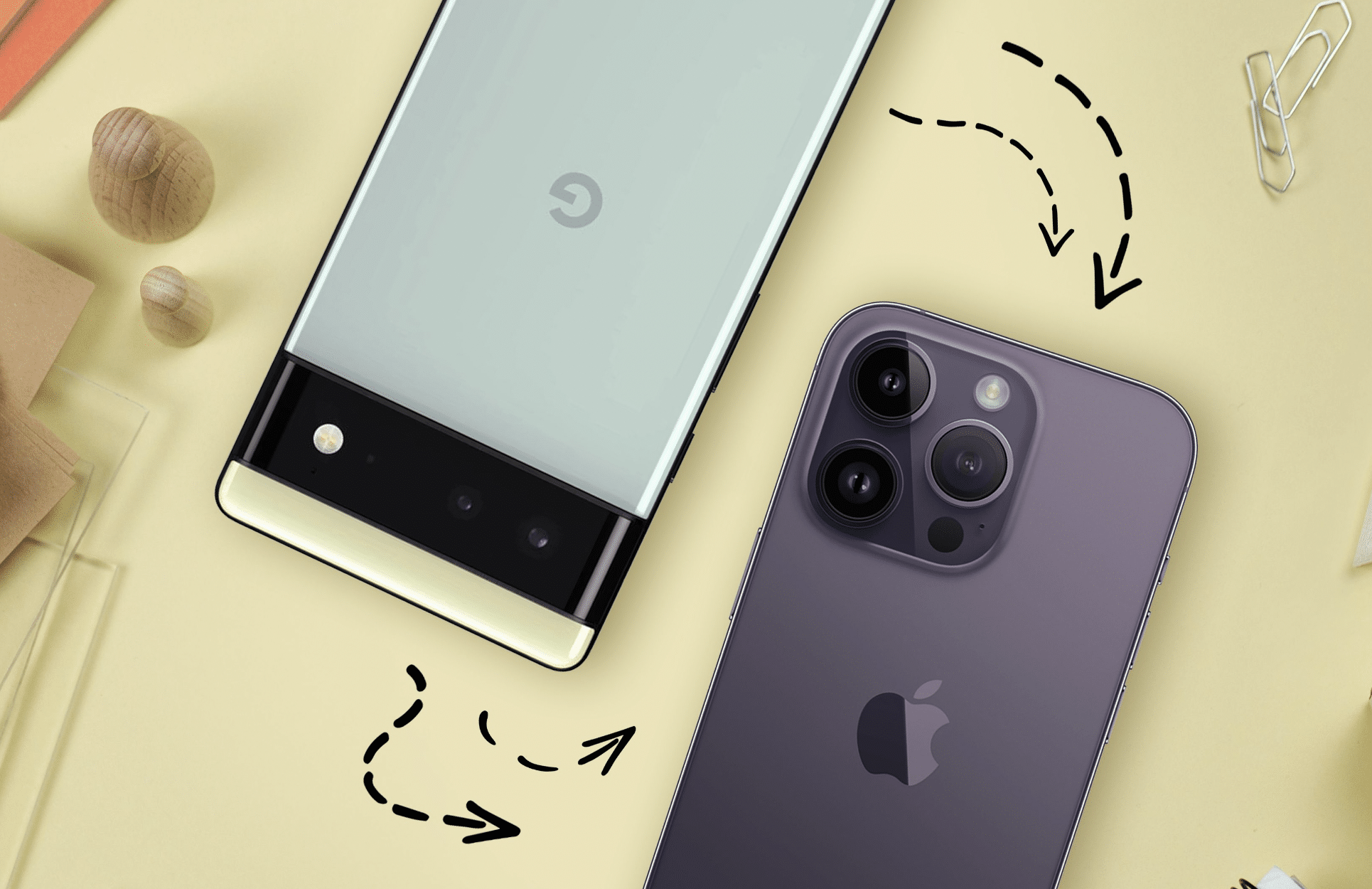
Part 1: How Wondershare MobileTrans – Phone Transfer Feature Can Help You
Wondershare MobileTrans is the most known platform for transferring data between cross-platform devices. Using MobileTrans, you switch to the latest Android devices and can also accomplish the task of iPhone to Android data transfer. The phone transfer feature of MobileTrans allows you to share 18 + types of data.
Mainly, you can also use this tool on over 6000 devices, which is wonderful. The data transferring speed of this tool is blazing fast, so you don’t have to wait several hours to move your content. Moreover, you can also synchronize the iCloud data on Android to avoid losing anything.
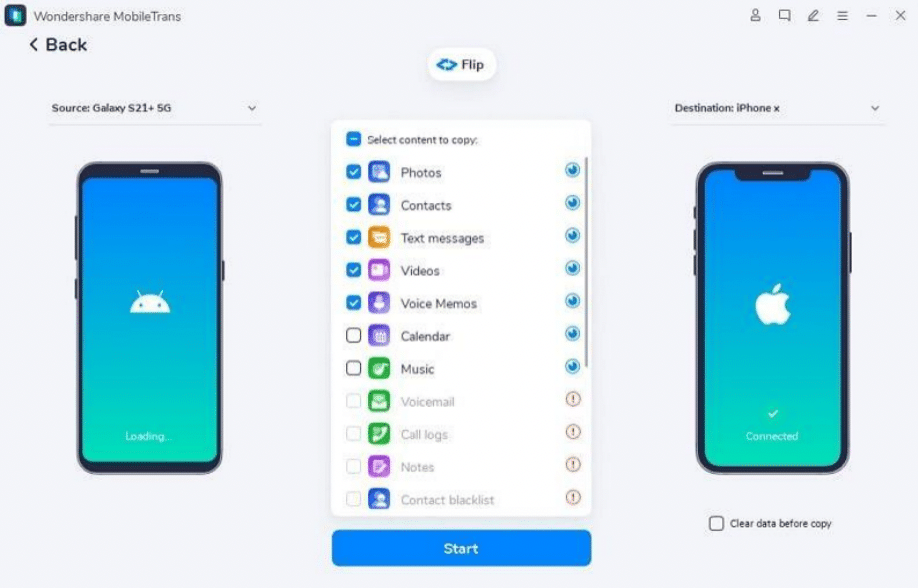
Key features of Wondershare MobileTrans
- With this tool, you can transfer all types of data with ultimate protection against the risk of overwriting in any of the files.
- You can also export your cherished data to the computer and import it into several mobile devices whenever you want.
- It supports iOS 6 and above, along with Android 4.6 and above. Thus, you can use this tool on devices running on these operating systems.
Part 2: How to Transfer WhatsApp with Wondershare MobileTrans – WhatsApp Transfer
This is one of the optimized features of Wondershare MobileTrans because it can upgrade your iPhone to Android transfer procedure. Firstly, you can migrate the whole WhatsApp from one OS to another without worrying about file size limitations. Above all, the process of WhatsApp transfer is not complicated, so you can do this even if you have no tech skills.
Using this, you can transfer WhatsApp messages, stickers, photos, videos, and other data in no time. It also lets you back up WhatsApp and other social media app data. You can also restore Google Drive WhatsApp backup on the iPhone and merge the existing WhatsApp data. Thus, you will retain new or old data from WhatsApp with MobileTrans.
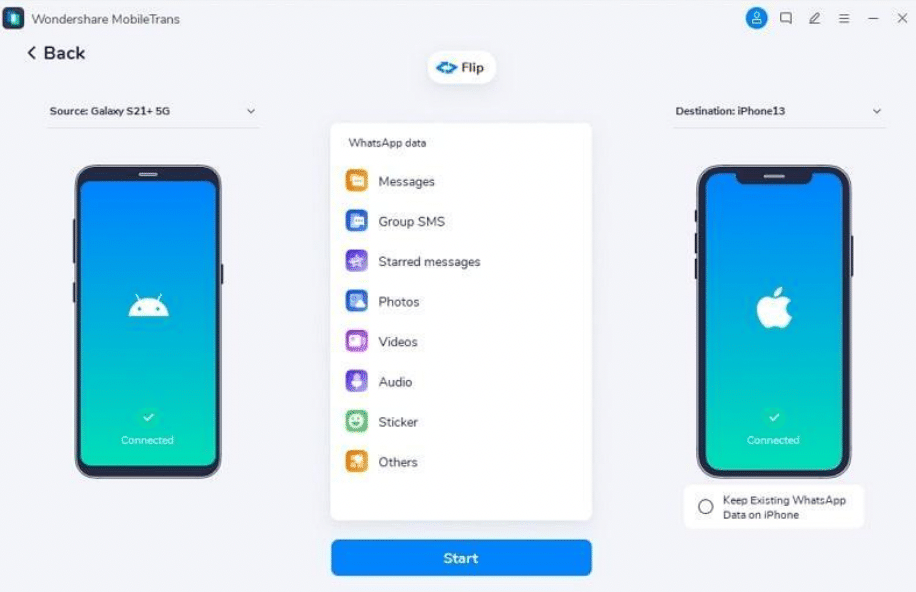
Simple and Brief Guide for Using Wondershare MobileTrans to Transfer WhatsApp
If you don’t want to lose your important WhatsApp data, then follow the steps mentioned below to transfer your complete WhatsApp data in minimal time:
Step 1: Proceed with WhatsApp Transfer Tool
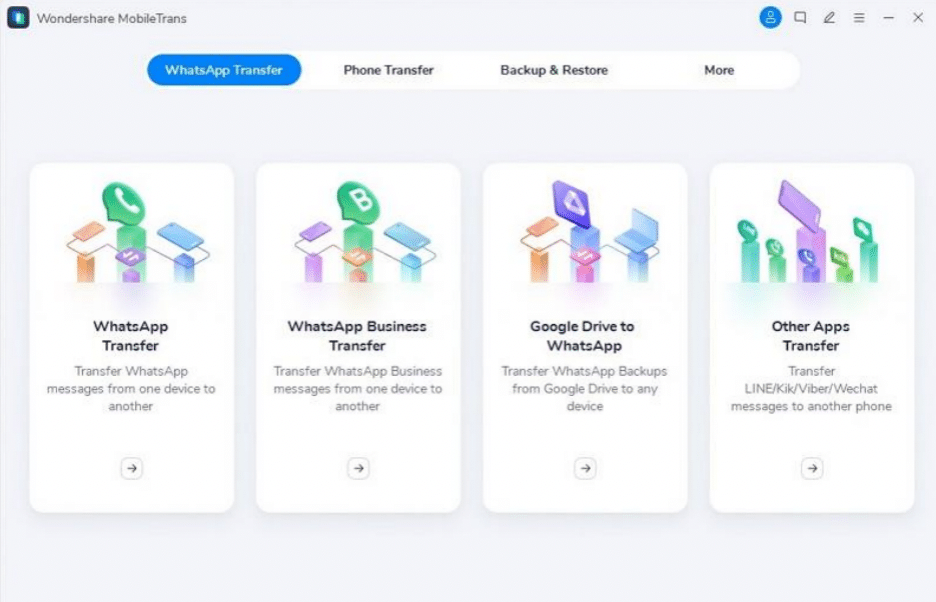
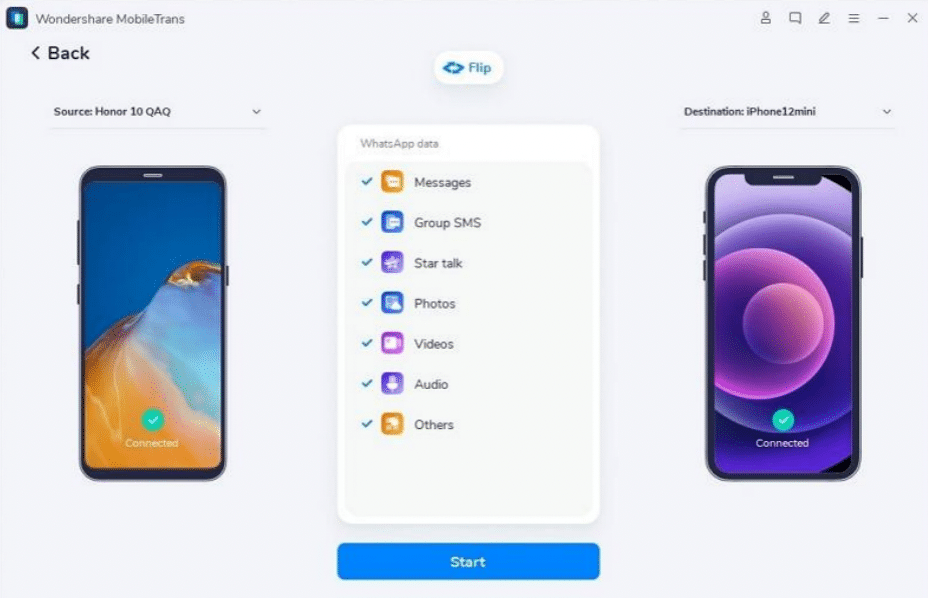
Start by launching MobileTrans and connecting both your old and new devices to the computer. After that, access the “WhatsApp Transfer” tool from the “WhatsApp Transfer” module. Next, confirm the device’s positions as source and destination.
Step 2: Start the WhatsApp Move Process
If they are incorrect, you can change them by pressing the “Flip” button. Following this, choose the WhatsApp data you want to transfer and press the “Start” button.
Part 3: Transfer Data Between Different Devices Wirelessly
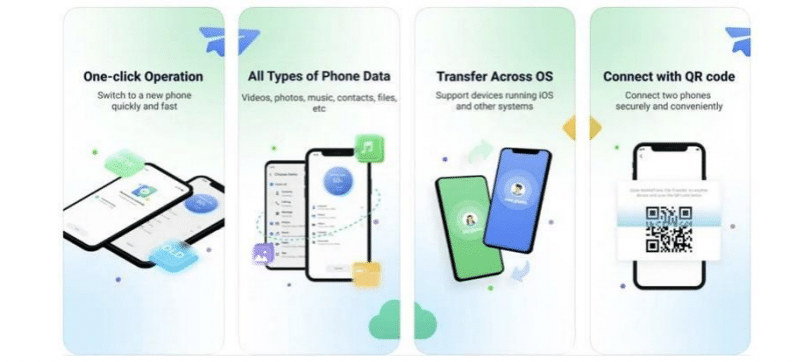
The best and most reliable app to transfer data from iPhone to Android is MobileTrans App. You can move multiple data types, such as photos, videos, documents, schedules, etc. There is no need to use cable or Wi-Fi to connect the devices, as the QR Code will assist you in this part. It also has the fastest transfer speed, which is 30M/s.
Moreover, you can also customize the status of your devices from the options of new and old devices. The procedure is simple: launching the app, selecting the module and device status, selecting data, and connecting devices. The rest is automation, so you don’t have to send every file manually. You can say it’s a one-stop solution for data transferring.
Part 4: FAQs About Wondershare MobileTrans
1. Can you also transfer a playlist with MobileTrans?
Yes, you can also transfer the playlists with MobileTrans. You can move the playlist among the online streaming services. Above all, you can transfer playlists from Apple Music, YouTube, Spotify, and many other platforms. Moreover, you can also share the playlist across platforms.
2. Can we also transfer WhatsApp business data with MobileTrans?
Yes, you can also transfer your complete WhatsApp business data with MobileTrans. This tool understands how important your business data is and transfers it with full precaution without corrupting anything.
3. Do we have to factory reset the iPhone before transferring WhatsApp data with MobileTrans?
There is no such requirement of factory resetting your iOS device before using this tool. This tool can merge your new and old WhatsApp precisely without any issues. Furthermore, it can work on all the WhatsApp versions.
Conclusion
As we end our discussion, it is clear that the best tool to transfer data between iPhone and Android is MobileTrans. With this phone transfer app, you can transfer all data types to multiple devices without waiting long. Moreover, you can also transfer WhatsApp to the new devices and merge new and old WhatsApp data. You can learn more about its higher functionality from the above discussion.











