
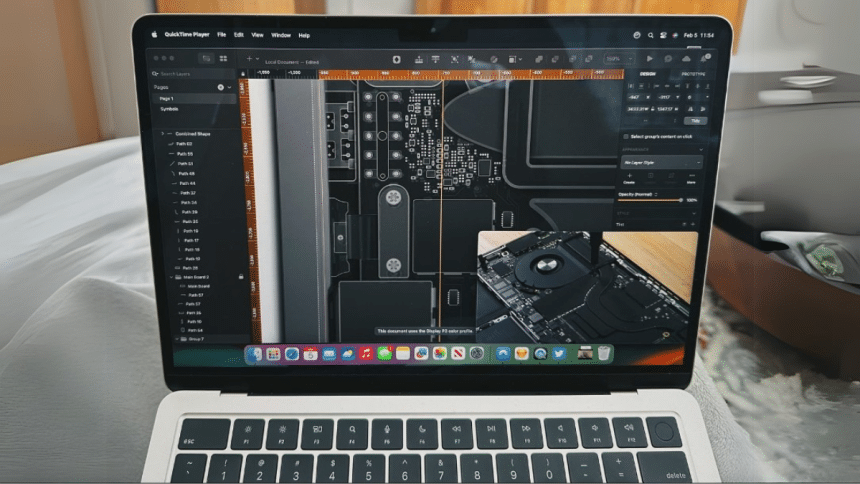
The growing digital industry of designers, digital artists, and architects prefers macOS for its seamless integration with tools like Blender and Autodesk Maya. Besides, it provides optimized performance, color accuracy, and exceptional processing power for handling intensive rendering tasks. If you intend to use it for your complex creative projects, read this article and learn about the best render farm, ensuring excellent performance for animation and 3D modeling.
Part 1. Can a Mac be Used for 3D Rendering?
Yes, with recent hardware advancements in Mac, it is considered a viable choice for professional game developers, animators, and architects for 3D rendering. The main reasons could be the latest Apple silicon chips, which offer impressive GPU and CPU performance that enables faster rendering. Besides, its chips are known for handling heavy workloads without emitting excessive heat or power consumption.
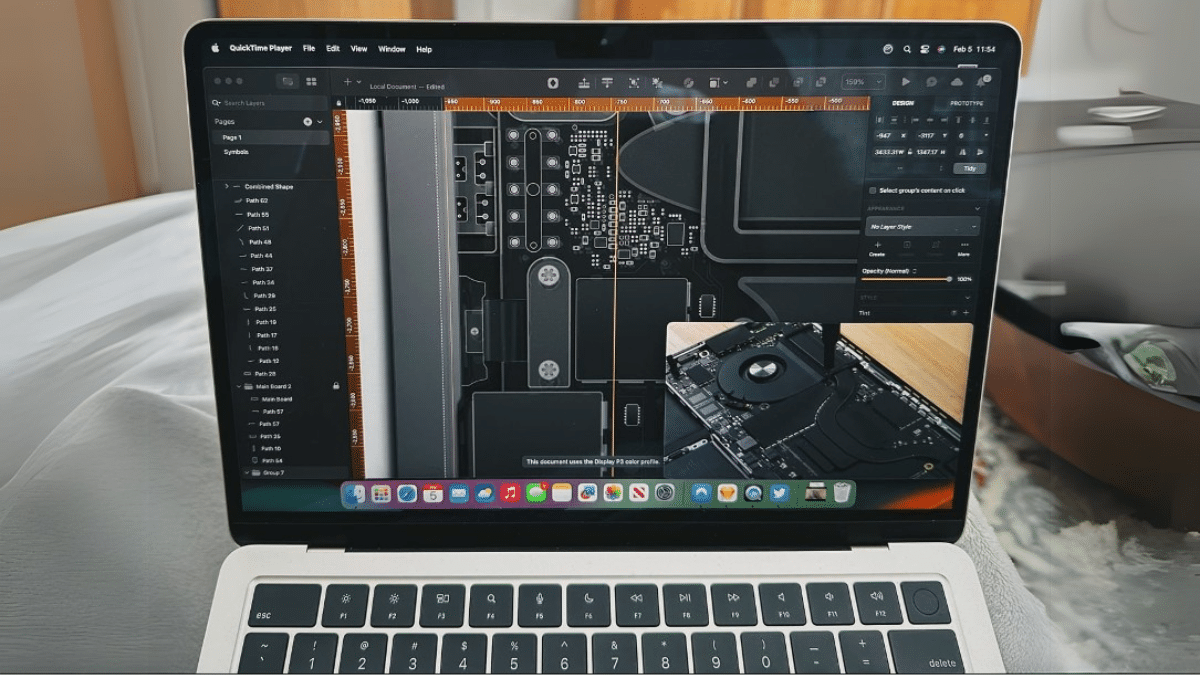
Part 2. Factors that Affect 3D Rendering Speed on Mac
Since rendering speed depends on Mac’s hardware and software factors, optimizing these can significantly impact rendering times. Before heading to improve them, let’s take a look at those factors that impact speed and create a surge for online rendering:
- CPU handles calculations during rendering, and Macs with M1, M2, and M3 Max/Ultra chips tend to perform exclusive multi-core performance and rendering speed.
- As rendering engines like Redshift rely on GPU-based engines, Macs with M3 Max or Ultra chips perform great with their metal acceleration.
- At least 32GB RAM is needed for professional work, and 64GB is suggested for heavy tasks; otherwise, 3D rendering could slow down complex scenes.
- Fast SSDs are also necessary because they cut loading times and enable quicker access to assets; thus, Macs with NVMe SSDs are preferred.
- Running multiple apps in the background while rendering could slow down the performance as they will free up CPU and RAM.
Part 3. Improve 3D Render Times on Mac Using Cloud Rendering Service
If your Mac isn’t powerful enough for 3D animation rendering and you can’t even invest in its hardware, use Fox Renderfarm and get the job done. This render farm service can fire up thousands of rendering nodes instantly and facilitates high-performance SSD storage to exclude I/O bottlenecks. Additionally, it automatically detects and analyzes the IT environment to match cloud infrastructure service.
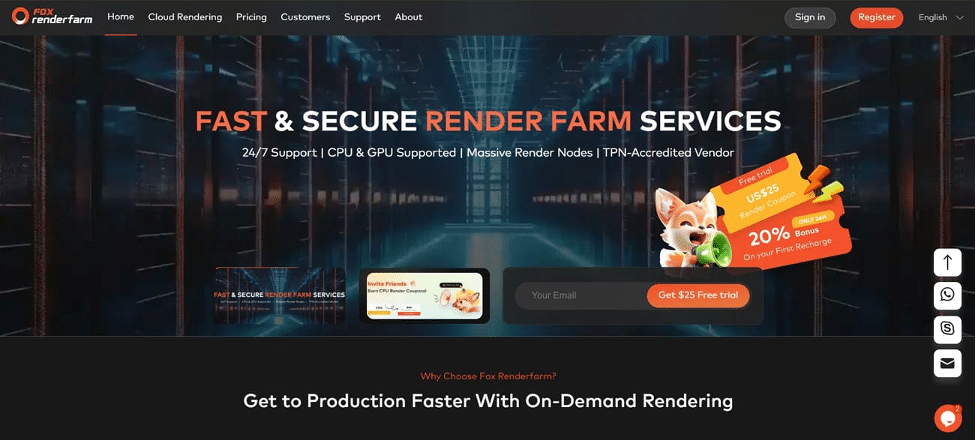
Moreover, this cloud-based rendering service supports countless plugins, renderers, and 3D software, including famous ones like Blender, 3ds Max, Maya, Cinema 4D, and Arnold. When it comes to the security of your sensitive projects, it’s a TPN-Accredited vendor that even provides a non-disclosure agreement to protect customers’ rights.
Learn How to Render Your Project with Fox Renderfarm
Having Hollywood-level production experience, this cloud render service is easy to use, which you can also witness by navigating through the following stepwise instructions:
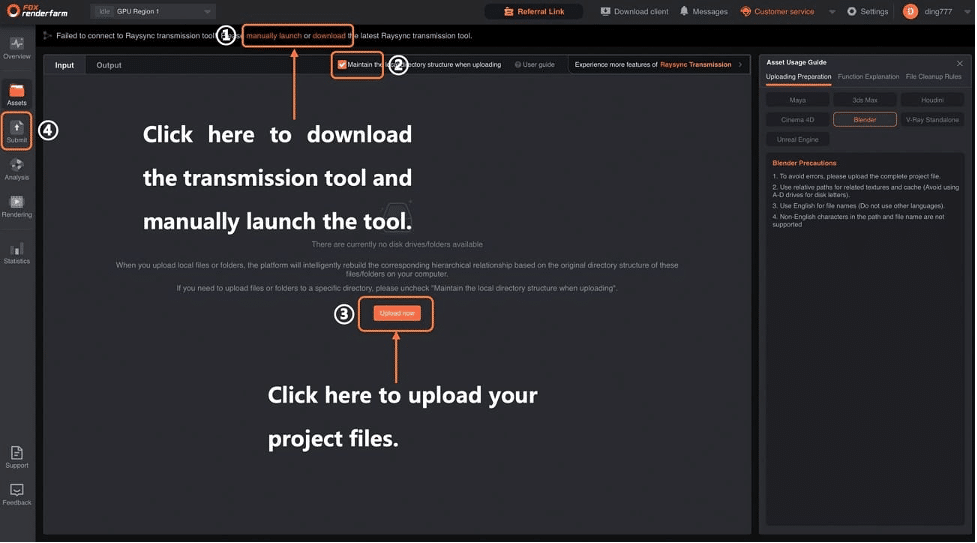
Step 1: To submit your project for rendering, log into the Fox Renderfarm web interface and access its “Assets” page to download the transfer tool. Next, select the “Maintain the Local Directory Structure When Uploading” checkbox and click the “Upload Now” button to choose and submit the project that you wish to render.
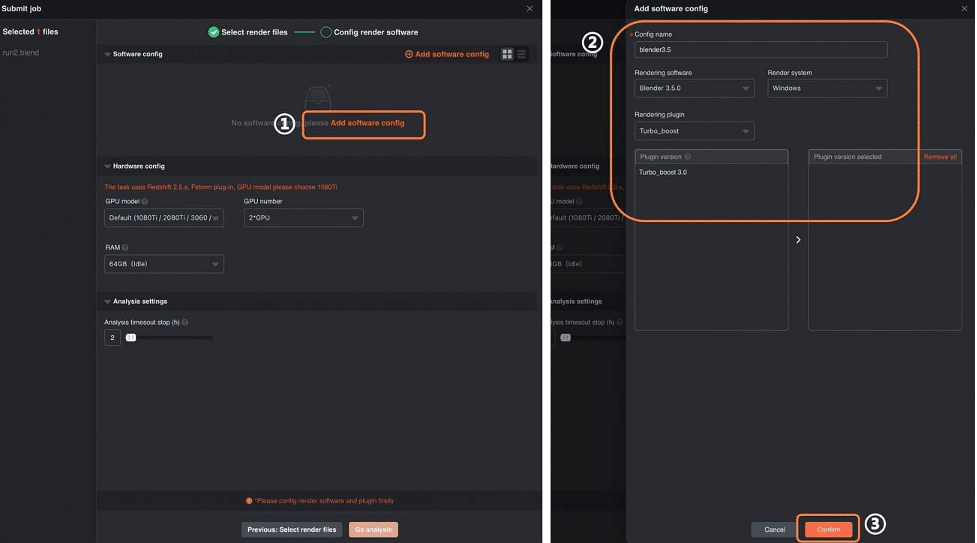
Step 2: Afterward, choose rendering files and software to continue with the “Next” button at the bottom. Using the next screen, tap “Add Software Config” and add software or plugin configurations before hitting the “Confirm” button. Later, click “Next” to enter the analysis section as you have configured render settings.
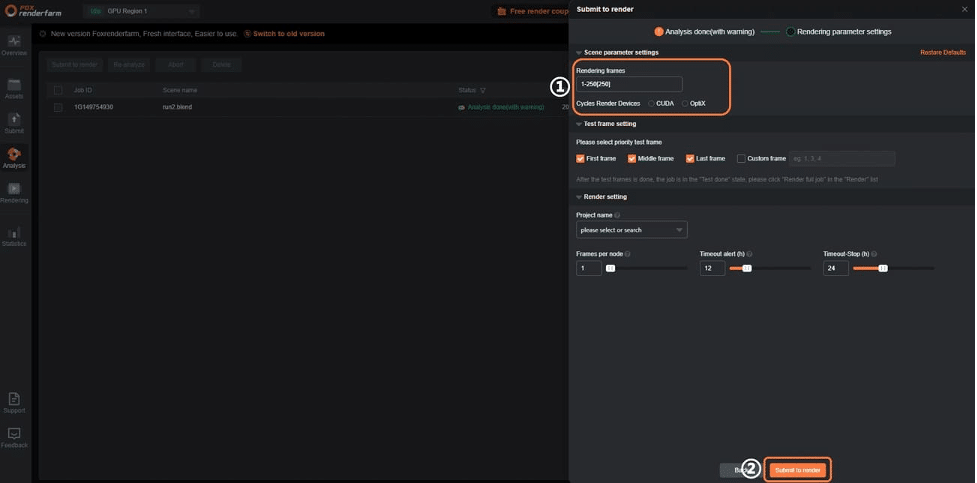
Step 3: During analysis, you can tap the project for review, and if no errors are found, click “Submit to Render” to initiate rendering. Before that, you can adjust Rendering Frames and other Scene Parameter Settings.
Step 4: In the end, access the “Task Detail” tab and press “Download” to save the project. Otherwise, you can locate the “Output Files” tab and download files after making choices.

Part 4. Advantages of Cloud Rendering for Mac Users
If you have complex scenes for rendering, but your macOS isn’t strong enough in terms of hardware, the process can take hours and even days. Therefore, it’s always a good idea to use cloud rendering services like Fox Renderfarm. Other than saving time in rendering, there are several benefits Mac users can gain from this facility, as discussed below:
- Eliminate Expensive Upgrades: By distributing workloads, cloud rendering speeds up the process even across high-performance servers. Thus, by using top-quality renders, you will never need to invest in expensive hardware with a high-end GPU.
- Scalable Performance: Such services let users choose the level of rendering powers based on project requirements, which means you can scale resources up and down as needed.
- Reduced Battery Drain: Rendering on Mac can consume significant battery, which impacts battery life over time and decreases its market value. To save your device for longer usage, using cloud 3D rendering is suggested and beneficial.
- Secure Backup & Storage: Many rendering services provide cloud storage, which means you can access your projects from anywhere, anytime, without a risk of accidental data loss risk.
Conclusion
To sum up, rendering complex 3D animations and modeling projects needs powerful hardware and processing capacity, just like innovative Mac devices. However, several factors impact its speed, and not everyone can afford hefty investment on the latest Macs.
Thus, Fox Renderfarm steps in to facilitate online rendering with an easy and secure setup for everyone. Anyone can submit their projects through the instructions given above without worrying about budgets since it offers multiple discounts.











