
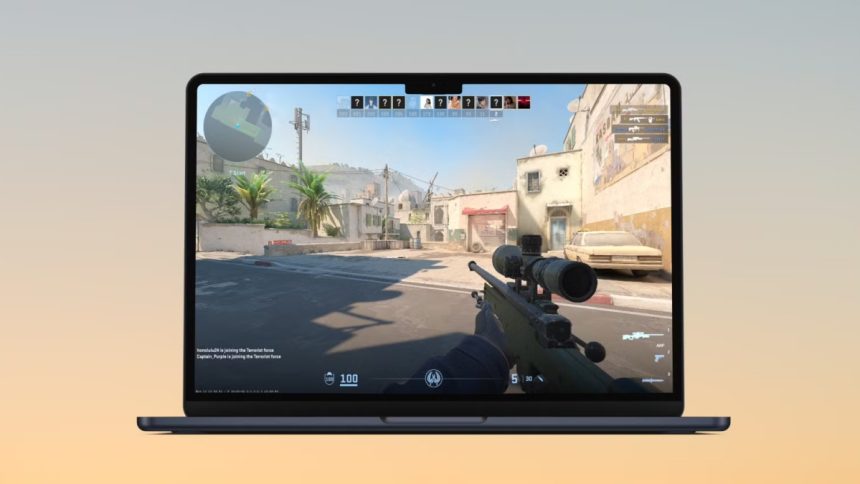
Counter-Strike 2 (CS2) has become the new standard in the Counter-Strike franchise, boasting improved graphics, updated gameplay mechanics, and a fresh take on one of the most beloved first-person shooters. But as a Mac user, you might wonder, “Can I play CS2 on my device?” Here’s a detailed look at the compatibility and options for Mac users eager to dive into the CS2 action.
Is CS2 Available Natively for Mac?
Unfortunately, as of now, CS2 is not natively supported on macOS. Valve, the developer of CS2, has focused on Windows compatibility, leaving Mac users without a direct way to run the game on their operating system.
Why Isn’t CS2 on Mac?
The lack of macOS support is likely due to:
- Market Share: Windows dominates the gaming market, making macOS a lower priority for game development.
- Optimization Challenges: CS2 uses advanced graphical technologies that may require significant resources to optimize for macOS.
- Focus on Other Platforms: Valve may prioritize supporting Windows and Linux, which are more commonly used by gamers.
How to Play CS2 on a Mac?
While there’s no native support, several methods allow Mac users to play CS2:
1. Boot Camp
Boot Camp lets you install Windows on your Mac, enabling you to run CS2 as if you were on a Windows machine.
Steps to Use Boot Camp:
- Install Windows via Boot Camp Assistant on macOS.
- Reboot into Windows.
- Install Steam and download CS2.
Pros:
- Native Windows experience for better performance.
- Access to other Windows-only games.
Cons:
- Requires partitioning your hard drive.
- macOS updates have dropped official Boot Camp support for Apple Silicon (M1/M2 chips).
2. Cloud Gaming Platforms
Services like GeForce NOW or Boosteroid allow you to stream games like CS2 to your Mac.
Steps to Use Cloud Gaming:
- Sign up for a compatible cloud gaming service.
- Link your Steam account.
- Launch CS2 via the platform.
Pros:
- No need to install Windows or worry about hardware limitations.
- Works on both Intel and Apple Silicon Macs.
Cons:
- Requires a fast, stable internet connection.
- Subscription fees may apply.
What About Skins?
Even though you can’t play CS2 natively on macOS, you can still manage your inventory and trade skins. Platforms like Skin.Land make it possible to buy CS2 skins and sell them directly from your Apple devices.
Why Choose Skin.Land?
- Accessible on Any Device: Whether you’re using a Mac, iPhone, or iPad, Skin.Land works flawlessly.
- Fast Transactions: Instantly buy or sell skins without waiting for buyers.
- Secure Payments: Support for various payment methods, including real money and crypto.
- Bonuses for Sales: Enjoy perks for selling skins valued at $10 or more.
So, while you may not be able to jump into CS2 matches on a Mac, you can still buy and sell skins effortlessly through Skin.Land.
3. Wine or Crossover
These tools let you run Windows programs on macOS without installing Windows itself.
Steps to Use Wine or Crossover:
- Download and set up Wine or Crossover.
- Install Steam within the Windows environment.
- Attempt to launch CS2.
Pros:
- No need to install a second operating system.
- Free (for Wine) or low-cost solutions.
Cons:
- Performance issues are common.
- Compatibility for demanding games like CS2 can be unreliable.
4. Virtual Machines (VMs)
You can run Windows in a virtual environment using software like Parallels Desktop or VMware Fusion.
Steps to Use a VM:
- Install a virtual machine program on macOS.
- Install Windows within the VM.
- Run CS2 via Steam.
Pros:
- Play CS2 without rebooting your Mac.
- Easy setup for less tech-savvy users.
Cons:
- Significant performance drop due to resource sharing.
- VMs may not handle graphics-intensive games like CS2 well.
Will CS2 Ever Be Available for Mac?
There’s no official word from Valve about plans for macOS compatibility. While it’s always possible they could expand support in the future, the current focus on Windows and Linux makes it unlikely in the short term.
Conclusion
While Mac users can’t natively play CS2, several options like Boot Camp, cloud gaming, and virtual machines make it possible to enjoy the game. Each method has its pros and cons, so your choice will depend on your hardware and preference for performance or convenience.
For a seamless gaming experience, using a cloud gaming service is the best bet for most Mac users, especially those with M1 or M2 chips.
And if you’re a Mac gamer with extra inventory items, consider the option to sell CS:GO skins on Skin.Land. With competitive prices, fast payments, and support for multiple platforms, it’s the perfect place to cash in on your inventory.











