
These days there are so many various formats as well as devices available that it is difficult to count them all. However, not all formats are supported by particular devices. That is why there are also so many converting apps out there. Taking all of this into consideration, we have decided to review the best video converter tools of 2019. Let’s have a closer look at what we have come up with!
Wondershare Video Converter
To begin with, it would be right to state that this is the kind of tool that has it all. The fact is that you can use the tool to convert various formats and optimize the playback on over 150 devices. We must admit, the utility is as impressive as it sounds. The app allows you to convert multiple files at once; this means that you do not need to program all the setting for every video manually.

It needs to be mentioned that the software enables you to burn converted videos to optical discs as well. Besides, the ultra-high-definition 4K video resolution is handled by the tool with no issues.
Wondershare Video Converter is programmed to fetch the metadata for videos from the internet automatically.
The only downside that we can point out is that the software is quite expensive. In case, you wish to have a look at the most complete wondershare video converter review all you need to do is to follow the link.
Leawo Video Converter
To begin with, it needs to be mentioned that Leawo Video Converter is a budget video converter version. The truth is that it is capable of performing the same tasks as more expensive software does, but the processing time is increased. This means that the tasks that some utilities perform within minutes may take this tool an hour. What is more, the outcome quality may be not that perfect, but it is fixable. On the bright side, the utility comes with an unlimited amount of editing tools to play around with.
WinX HD Video Converter Deluxe
To begin with, WinX HD Video Converter Deluxe has 400 optimization profiles to customize the videos. The utility allows you to convert your videos for third-party applications, for instance, video editing software or video sharing sites.
Despite this huge advantage, the tool is also pretty slow, which may be annoying at times. On the bright side, after such a long conversion you will have a high-quality video at hand.
Aimersoft Video Converter
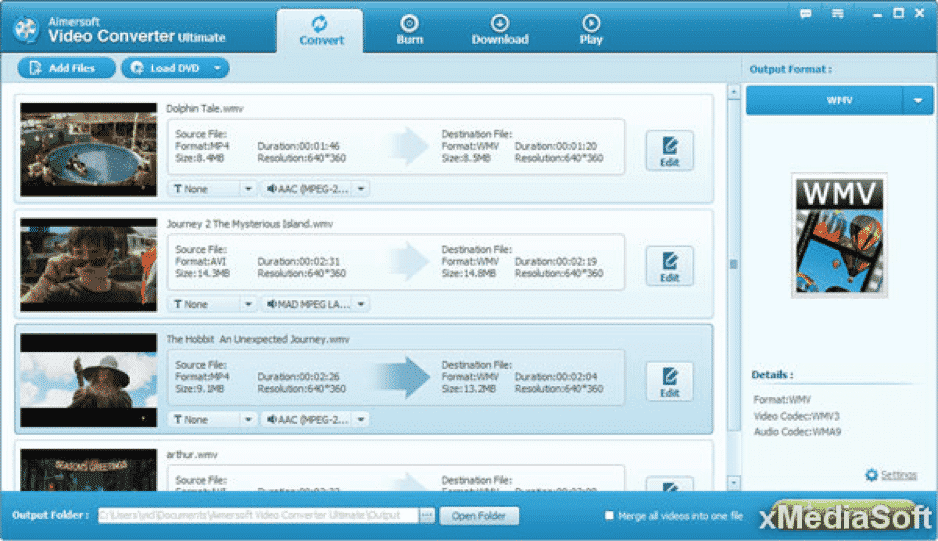
To begin with, it needs to be mentioned that Aimersoft Video Converter is the fastest converter of all the reviewed here.
Those of you who use the converter on a regular basis will surely appreciate this advantage. Apart from that, the software comes with a vast range of customization and enhancement tools. This means that the tool allows you to adjust picture values like brightness, contrast, and hue. Besides, you can also add effects, watermarks, and many other filters. However, there is one significant downside – you cannot stream converted videos to your television.
Tipard Video Converter
The truth is that all of the described above converters are focused on the most popular video formats, while such formats as 3GP, OGG, and WebM are left out. That is where Tipard Video Converter comes more than helpful. The tool offers you 27 video and 14 audio formats to choose from.
Nevertheless, this software is the slowest of all the described above. Besides, the tool does not allow you to download videos from the Internet as well as burn the converted files to a disc.
We have described five video converters that are considered to be the best in 2019. All of them possess different qualities so that depending on your preferences and needs, you can choose the best one that is suitable for you personally.











