

New businesses need to start strong. Great marketing is essential for getting your brand noticed in the most effective way possible. People need to know you exist.
Online forms are vital for gathering customer insights, processing registrations, and enhancing engagement. These digital forms help you engage with your audience while maintaining the efficiency of your operations.

Choosing the right form creator is key to determining the outcome of a launch—it can either lead to success or a missed chance. Finances are crucial for new businesses; you aim for the most value for your money.
We listed the best online form builders for marketing new businesses and how to give you an overview of what to expect. Let’s get to it.
1. TIGER FORM
Best User Access and Form QR Code Generator
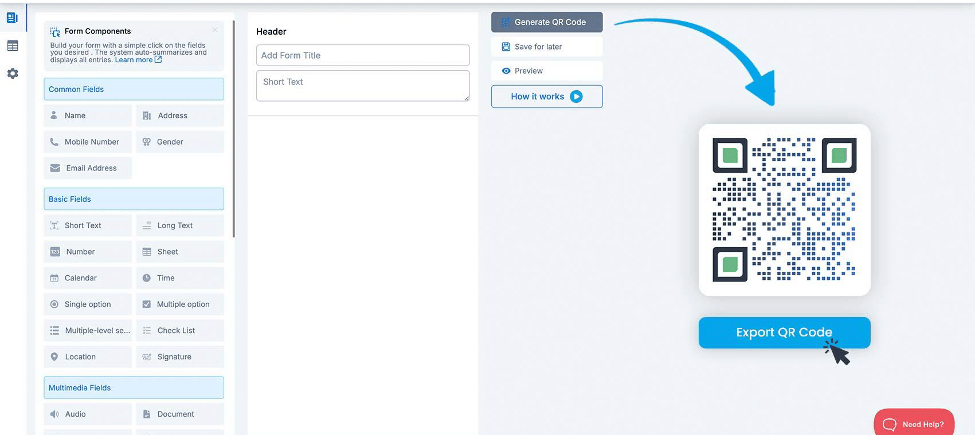
TIGER FORM is an innovative online form creator gaining traction for its user-friendly interface and advanced features. Its automatic Form QR code generator truly sets it apart, allowing businesses to share forms seamlessly across digital and print platforms.
With a focus on innovation, TIGER FORM helps companies connect effectively with their audience. Its features streamline marketing efforts by simplifying data collection and enhancing user engagement.
The Form QR code feature allows businesses to share forms easily at events or through printed materials, making it simple for users to access information. The branding options reinforce business identity at every interaction, helping build customer trust and recognition.
TIGER FORM Free Plan
The free plan allows you to create one form, accommodate up to 100 submissions and 1,000 viewers per month, and store 100 MB. It includes dynamic QR code functionality, allowing you to track the number of scans, when they were scanned, where they were scanned, and what device was used.
TIGER FORM First Paid Tier
The first paid plan significantly enhances your capabilities, enabling the creation of 25 forms, with a monthly limit of 1,000 submissions and 10,000 viewers, alongside 1GB of storage space. This plan removes the minor TIGER FORM ad, ensuring your forms’ polished and professional appearance.
Additionally, you gain access to advanced QR code features, including unlimited scans, editable URLs, and the ability to save form templates, all of which streamline your marketing efforts.
TIGER FORM Last Tier
The final paid plan further expands your options, allowing for up to 130 forms, 6,000 submissions per month, and an impressive 1 million viewers, with 100GB of storage.
In addition to the benefits of the first tier, this level provides API access, bulk QR code generation, and Google Analytics integration—key components for implementing sophisticated marketing strategies.
With retargeting tools and scan notifications, businesses can execute highly targeted campaigns while effectively tracking engagement. This tier is an excellent choice for those looking to leverage forms as a pivotal element in their growth strategy.
An Enterprise plan is also available for established companies. Interested businesses can book a demo call to discuss their specific needs.
Key Features
- Automatic QR Code Generation: Each form has a unique QR code for easy sharing.
- Customizable Branding: Users can add logos and colors to maintain brand consistency.
- Dynamic QR Codes: Any changes made to the form are instantly updated in the QR code, eliminating the need for new codes.
- Analytics Tracking: Get insights on where and when QR codes are scanned, plus device type data.
- Multiple Form Types: Create surveys, feedback forms, order forms, and more.
- Data Export Options: Export collected data in CSV and Excel for easy analysis.
Pricing Details
Free plan: Available and perfect for starters
Paid plans:
- Starter: $29/month
- Business: $39/month
- Professional: $128/month
- Enterprise: Book a call for custom pricing
2. Fillout
Best Free Plan
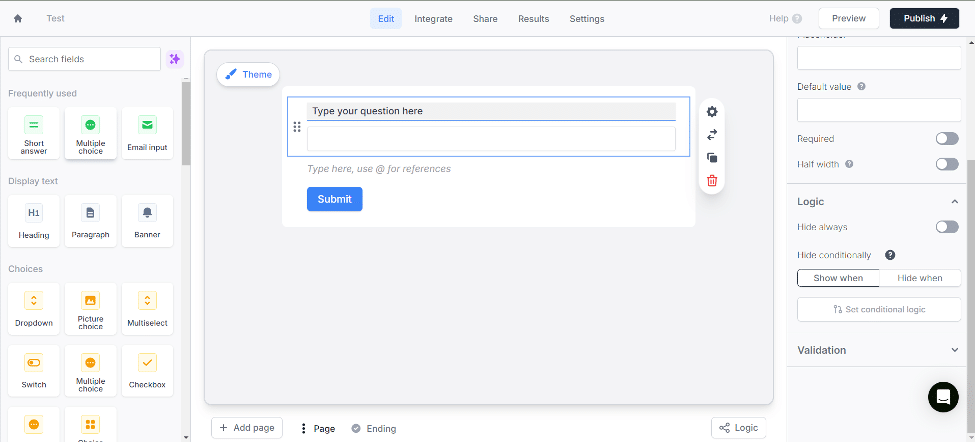
Fillout stands out for offering one of the most comprehensive free plans available. This makes it a top choice for new businesses looking for a form builder without upfront costs.
While many form builders lock crucial features behind paywalls, Fillout’s free plan provides impressive functionalities.
One rare perk is the unlimited seats feature, allowing teams to collaborate without upgrading. Features like payment collection and unlimited file uploads are included in the free version, which is uncommon among free plans. However, detailed analytics are only available with paid plans.
Fillout Free Plan
The free plan offers unlimited forms and seats and the ability to collect up to 1,000 monthly responses. Users can create multi-page forms and embed them easily while also taking advantage of features such as payment collection, scheduling forms, and conditional logic.
Additional capabilities like PDF document generation, answer piping, and calculations enhance the form experience.
With mobile optimization and integration with over 50 applications, including Airtable and Notion, this plan’s extensive features clearly illustrate why it has earned the title of best free plan in the market.
Fillout First Paid Tier
The first paid plan builds upon the free version, allowing all question types and increasing the response limit to 2,000 per month. This tier introduces custom endings and themes, enabling businesses to tailor the form experience to their branding.
Additionally, users can set up redirects upon completion, enhancing user engagement by guiding them to relevant pages or offers after submission.
Fillout Last Tier
The final paid plan offers comprehensive features for serious marketers. It allows for up to 5,000 responses per month while removing all branding for a fully customized experience.
Users can create custom share links and CSS, providing greater flexibility in form design. This tier also includes form analytics, unlimited responses, custom domains, and the ability to capture partial submissions.
With priority support, businesses can ensure prompt assistance, making this plan ideal for those looking to leverage forms extensively in their marketing efforts.
Key Features
- Comprehensive Free Plan: A well-rounded set of features without upgrading.
- Organized UI: Create an easy and intuitive form with a clean, user-friendly interface.
- Robust Integrations: Works seamlessly with popular tools, making it adaptable for different workflows.
Pricing
Free plan: Yes
Paid plans:
- Starter: $19/month
- Pro: $49/month
- Business: $89/month
3. QuestionScout
Best User Engagement
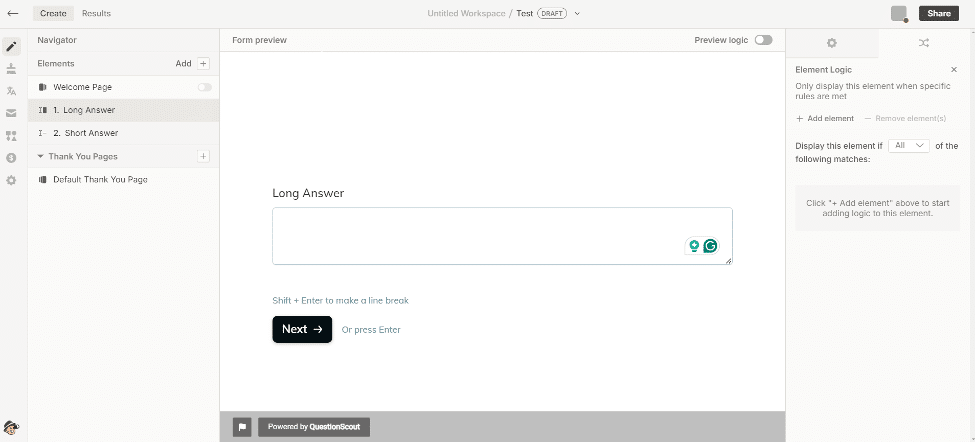
QuestionScout is a budget-friendly alternative to other digital form creation platforms. It presents single questions one at a time for engaging conversations. Users who appreciate simplicity will enjoy its clean, easy-to-use interface.
QuestionScout offers robust templating and customization features, allowing users to personalize their forms with custom domains and conditional logic. However, a notable drawback is customer support.
Many user reviews express frustration with the support team’s responsiveness and effectiveness, which could concern businesses needing quick assistance.
14-Day Free Trial
QuestionScout provides a 14-day trial period for all its paid plans. Ultimately, you decide whether this brief timeframe is sufficient to determine whether to purchase the webform builder.
QuestionScout First Paid Tier
The first paid plan introduces significant enhancements. It allows the creation of up to 10 forms with a limit of 500 monthly responses. Users also receive 250MB of monthly file uploads, payment collection capabilities, and access to integrations that streamline workflows.
This tier includes customizable thank you and welcome pages, along with custom messaging, providing a more personalized experience for respondents.
QuestionScout Final Paid Tier
The final paid plan is designed for businesses needing robust functionality. It features teamwork capabilities and custom SEO settings to optimize form visibility.
Users can customize email content, utilize URL parameters, and set up redirects upon completion to guide users effectively. Unfortunately, the removal of QuestionScout branding is only available at this level, which may deter some users.
Additionally, this tier includes the ability to capture partial responses, enable real-time collaboration, and utilize custom domains.
Simple Mail Transfer Protocol (SMTP) settings and saving responses in an external database further enhance its utility, making it a solid choice for businesses that leverage forms for extensive data collection. Priority support ensures that assistance is readily available for any inquiries or issues
Key Features
- Single Question Format: Keeps users focused and engaged with one question at a time.
- Clean UI: Intuitive interface that makes form creation a breeze.
- Extensive Customizable Themes: Various themes help reinforce brand identity.
- Analytics Tracking: Gain insights into form performance and user engagement.
Pricing
Free plan: Yes
Paid plans:
- Personal: $5/month
- Starter: $10/month
- Pro: $20/month
4. Cognito Forms
Best for Complex Forms
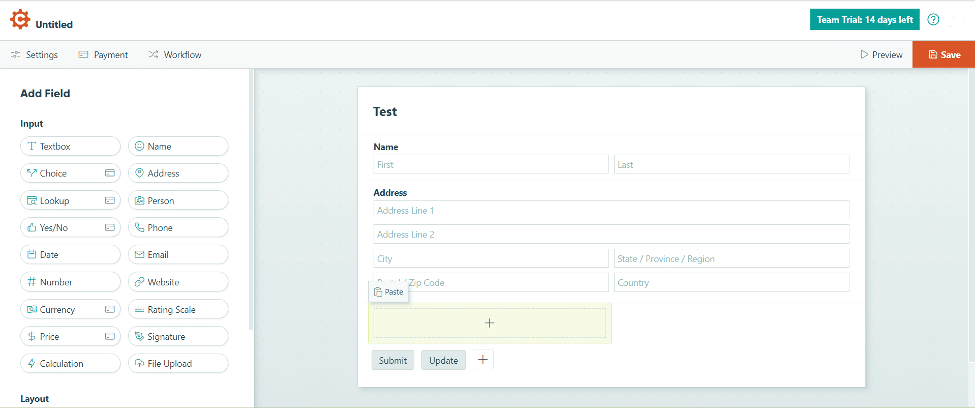
Cognito Forms is the top choice for businesses needing strong functionality in their online forms. It excels at providing necessary features for forms that include complicated elements, such as calculations, conditional logic, or multiple payment options.
The user-friendly design enables you to produce intricate forms that match your brand identity. The standout feature is its capability to receive payments directly through forms, even in the free version, simplifying payment procedures.
Moreover, Cognito Forms integrates easily with various third-party apps, increasing flexibility for different business requirements.
Cognito Forms Free Plan
The free plan for Cognito Forms allows users to access all essential features, making it an excellent option for newcomers. You can create unlimited forms and handle up to 500 entries per month, which is helpful for small-scale data collection.
This plan also supports payment collection and offers 100MB of storage. It’s an excellent way to kickstart your online forms without any financial commitment.
Cognito Forms First Paid Tier
The first paid plan takes it up a notch, accommodating two users and boosting the monthly entry limit to 2,000. With 1GB of storage, this plan offers more space for your growing data needs.
This tier still includes all the valuable features from the free plan, making it ideal for small teams looking to collaborate effectively on form creation and data management.
Cognito Forms Final Paid Tier
The final paid plan is perfect for businesses that require extensive data collection capabilities. It allows for unlimited entries and provides seamless payment acceptance.
With a substantial 100GB of storage, this plan can effortlessly handle high volumes of submissions. This level is designed for those who need robust solutions to manage their forms efficiently, ensuring you have the tools to scale your operations without a hitch.
Key Features
- Accept Payments: Even with the free plan, you can collect payments through forms using various gateways like PayPal and Stripe.
- Calculations: Automatically calculate fields (e.g., totals, taxes) based on user inputs, ideal for order forms or invoicing.
- File Uploads: Allow users to upload files with adjustable limits based on the plan.
- Workflow Automation: Set triggers that initiate actions based on form submissions, like sending emails or updating data.
Pricing
Free plan: Yes. Also, there is a 14-day free trial of the team plan
Paid plans:
- Pro: $15/month
- Team: $35/month
- Enterprise: $99/month
5. Zoho Forms
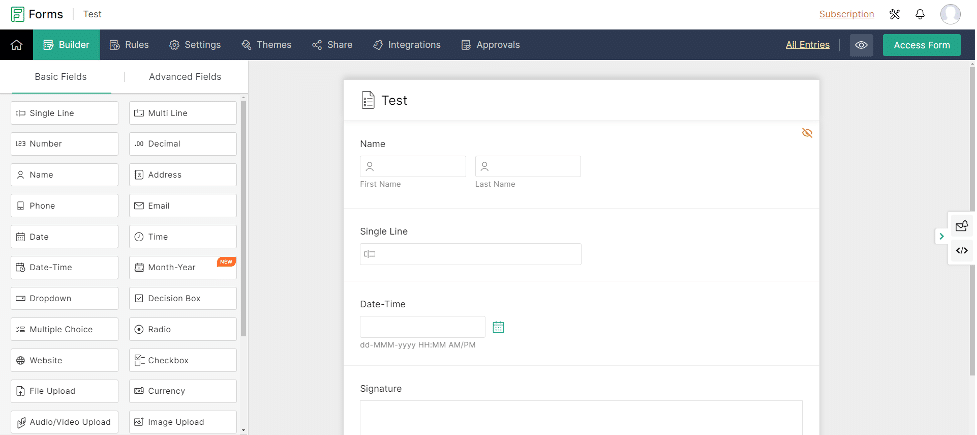
User-Friendly and Versatile
Zoho Forms features an intuitive, no-code form builder interface that allows anyone to create personalized forms easily. Its integration with Zoho CRM ensures smooth data management and effective tracking of customer relationships.
The conditional logic feature presents only relevant questions based on prior answers, enhancing the user experience. Automation tools in Zoho Forms save time by enabling notifications, reminders, and auto-responses, streamlining workflows.
The mobile app allows users to manage forms on the go, ensuring uninterrupted data collection. Comprehensive analytics help track submissions and responses efficiently, supporting informed decision-making.
Zoho Forms First Paid Tier
The first paid plan is designed for growing businesses. It allows one user to create unlimited forms with unlimited views. This plan significantly increases submission capacity to 10,000 monthly and provides 500MB of file storage.
It also includes payment gateway integrations, which streamline transaction processes. Additionally, this tier offers branding options and custom form themes, allowing for a personalized touch.
Including custom PDFs, webhooks, integrations, UTM tracking, Google Tag Manager, an email audit feature, and an advanced email editor makes it a strong choice for businesses looking to enhance their form functionality.
Zoho Forms Last Paid Tier
The final paid plan is built for larger teams and enterprises, supporting up to 100 users. It features unlimited forms and views and a whopping 150,000 submissions per month. With 10GB of file storage, businesses can manage substantial amounts of data.
This plan maintains payment gateway integrations and branding options, plus it introduces advanced features like approvals and HIPAA compliance for those in regulated industries.
Auto-trash submissions, record audits, SMTP support, report scheduling, and the advanced email editor add further value, ensuring that businesses can operate smoothly and securely while maximizing their data collection efforts.
Key Features
- Intuitive Form Builder: User-friendly interface making the form creation process easier
- Integrations through forms: Link up with apps such as Google Sheets, Mailchimp, and CRM platforms.
- Security: Strong capabilities to safeguard your data and guarantee adherence to regulations.
- Automated Workflows: Establish automated procedures triggered by form submissions to simplify processes.
Pricing
Free plan: Yes
Paid plans:
- Basic: $12/month
- Standard: $30/month
- Professional: $60/month
- Premium: $110/month
6. Google Forms & Microsoft Forms
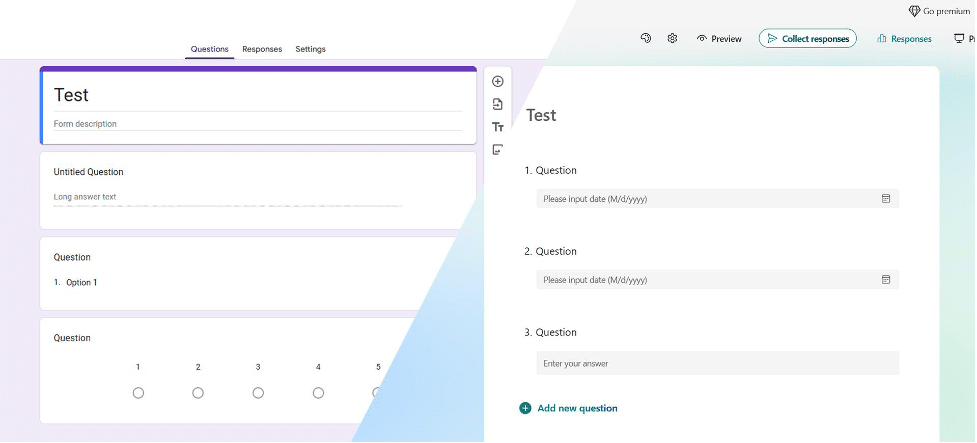
Great for Basic Needs
Google Forms and Microsoft Forms are often grouped together due to their similar functionality and accessibility. Both platforms provide straightforward solutions for users looking to create simple forms at no cost.
Even though they lack advanced capabilities, they are more than adequate to handle complex forms. Users already using their workspace or suite are more than satisfied with these builders.
The user-friendly interface and easy integration with Google Workspace and Microsoft 365 are designed for users familiar with these platforms.
Key Features of Google Forms
- Easy-to-use interface: Build forms rapidly using drag-and-drop functions.
- Integration with Google Workspace: Connect effortlessly with Google Sheets and other applications through integration with Google Workspace.
- Collaborate in real-time with team members: Engage in teamwork together instantly.
- Automatic Data Collection: Responses are automatically collected in a Google Sheet for easy analysis.
Key Features of Microsoft Forms
- Intuitive Form Builder: A simple interface for creating surveys and quizzes.
- Integration with Microsoft 365: Connect forms to Excel and other applications.
- Real-Time Analytics: Monitor responses with built-in analytics.
- Themes and Customization: Customize forms with different themes.
Pricing:
Google Forms: 100% free with all features included.
Microsoft Forms: Basic features are free; Microsoft 365 starts at $6 per month.
Why TIGER FORM Leads the Pack for Marketing New Businesses
When it comes to form builders, we’ve evaluated each one based on how they serve new businesses with marketing goals in mind. From basic data collection to advanced engagement strategies, the form builders in this list offer varying strengths in usability, functionality, and pricing. But TIGER FORM stands out above the rest.
What sets this form creator apart is its unique ability to generate QR codes automatically for each form, simplifying the way businesses share their forms in digital and print formats.
Its focus on branding, analytics, and seamless integration with marketing tools makes it the best choice for new businesses looking to make a strong first impression. Whether you’re looking to track customer interactions or boost engagement at an event, TIGER FORM covers it all.
Simply put, TIGER FORM gives businesses a clear advantage by combining innovation with ease of use, making it the top recommendation for marketing-driven growth.











