
iLoungeiLounge
  • News
    • Apple
      • AirPods Pro
      • AirPlay
      • Apps
        • Apple Music
      • iCloud
      • iTunes
      • HealthKit
      • HomeKit
      • HomePod
      • iOS 13
      • Apple Pay
      • Apple TV
      • Siri
    • Rumors
    • Humor
    • Technology
      • CES
    • Daily Deals
    • Articles
    • Web Stories
  • iPhone
    • iPhone Accessories
  • iPad
  • iPod
    • iPod Accessories
  • Apple Watch
    • Apple Watch Accessories
  • Mac
    • MacBook Air
    • MacBook Pro
  • Reviews
    • App Reviews
  • How-to
    • Ask iLounge
Font ResizerAa
iLoungeiLounge
Font ResizerAa
Search
  • News
    • Apple
    • Rumors
    • Humor
    • Technology
    • Daily Deals
    • Articles
    • Web Stories
  • iPhone
    • iPhone Accessories
  • iPad
  • iPod
    • iPod Accessories
  • Apple Watch
    • Apple Watch Accessories
  • Mac
    • MacBook Air
    • MacBook Pro
  • Reviews
    • App Reviews
  • How-to
    • Ask iLounge
Follow US

Articles

Articles

Best Apps for Macbook Pro in 2021

Last updated: May 19, 2021 11:48 am UTC
By Lucy Bennett
Best Apps for Macbook Pro in 2021

Looking for the best apps for Mac? Follow the below list and find out which are the best tools and applications for macOS in 2021.


macOS devices come with premium in-built applications and perform very well. Apps like Xcode, Final Cut Pro, and iMovie work seamlessly with the hardware and provide faster results. But for those, Who want to install third-party apps that are useful for daily work routine, the below listed apps can be very useful.
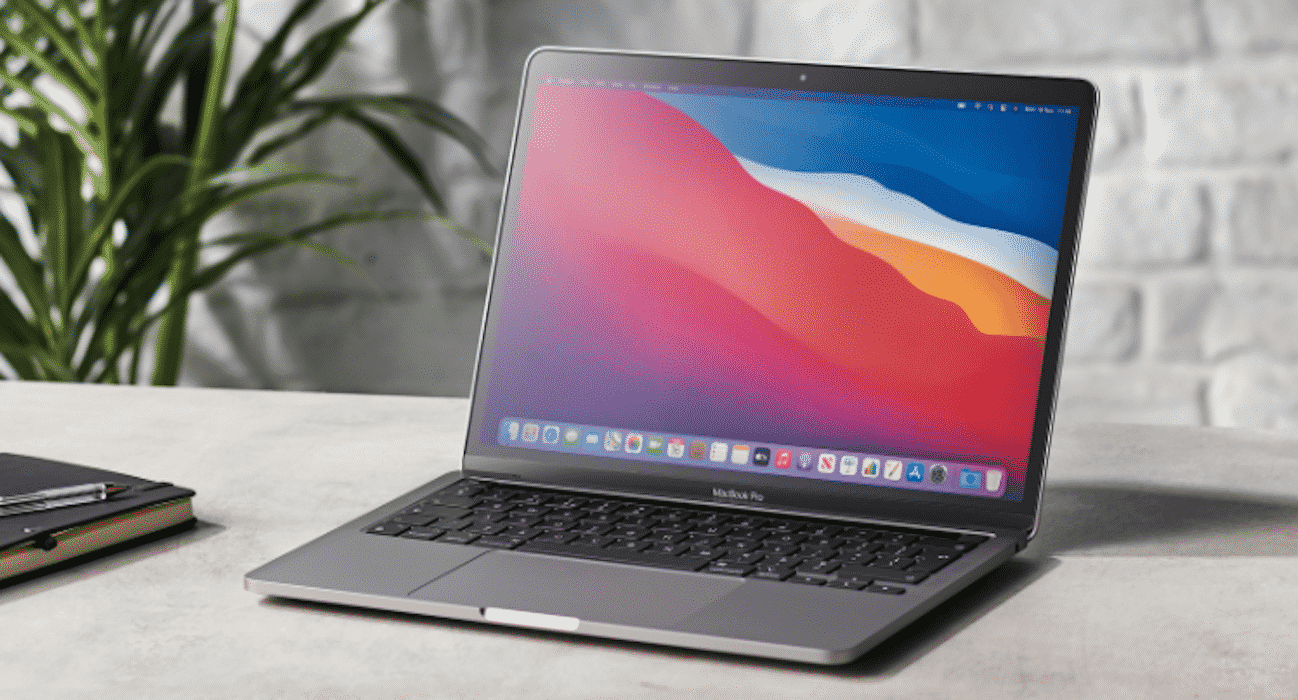
Best Apps for Macbook Pro in 2021

Amphetamine

This app from William Gustafson, is one of the best apps that i am using on my MacBook Air. This tool allows you to prevent your MacBook from sleeping when you are not using it. If you are downloading some files and want to lock the screen of your Mac but don’t want to stop the downloading then this is the app for you.


You can set different timings for minutes, hours and even days. It is also very highly rated on the app store because of its usability and how well it performs.

Microsoft 365

It is one of the best apps for students and professionals. The cross platform feature works great and you can easily use Microsoft 365 on both macOS and Windows Operating Systems. Apple does provide pages and other tools for creating documents and spreadsheets, but those are not standard in the market.


Microsoft 365 works on older MacBooks. But the newer version is more stable and works faster on new Mac’s. You can check this best macbook for college guide on themacios to buy an up to date MacBook Air or MacBook Pro.

Microsoft 365 includes all the popular services like: Microsoft Word, Excel, PowerPoint, Outlook, OneNote, and OneDrive. An all-in-all tool for Students.

Magnet

It is quite a simple app but improves the workflow. It declutters the Mac screen and improves the work efficiency. If you work with multiple apps at the same time then this is the multi-tasking app that you can buy. Although, this is not a free app but for $8, you are getting a very valuable utility app that can Organize Your Workspace in no time. 


You can adjust the size of the windows, drag and drop the windows to any corner of the screen.  From horizontal to the vertical positioning of the screen, you can fill half or the whole Mac Screen, according to your preference.

1Password

We all know that macOS is one of the secure Operating systems out there and it also comes with an in-built password manager. But, I personally use 1Passwordapp to generate and save all my online passwords. It is a highly trusted password manager, which encrypts and stores the password in an encrypted vault. You have to set a master passcode to get to the saved passwords on your Mac. 1Password manager works seamlessly with iOS and Mac devices.

Little Snitch

I love this app. You can restrict the incoming and outgoing connection of any app on your MacBook. If you don’t want to update an app or just want to work offline in a certain app then this is the best bet. You can black a certain app for a single instance or can also disable the internet connection forever.



Latest News
The Apple Watch Series 11 42mm GPS is $100 Off
1 Min Read
Apple Launching A New Education Hub In India Teaching Robotics and Swift Programming
1 Min Read
Women’s and Men’s Golf Added to Apple Sports
1 Min Read
Apple Adding Civilization VII and Other Games To Apple Arcade
1 Min Read
AirPods 4 ANC Is $59 Off
1 Min Read
Apple Using 2NM Process For Their M6 and A20 Chip
1 Min Read
iPhone 18 Models Will Not Have a Big Redesign
1 Min Read
Launch of MacBook Pro M5 Pro and M5 Max Models is Approaching
1 Min Read
Get the iPad Mini 7 256GB Wi-Fi at $99 Off
1 Min Read
Mozilla Now Allows Turning AI Features Off
1 Min Read
Barcelona Passeig de Gràcia Apple Store Temporarily Closing
1 Min Read
Apple’s Plans to Enter the Smart Glasses Market is Changing the Industry
1 Min Read

iLounge logo

iLounge is an independent resource for all things iPod, iPhone, iPad, and beyond. iPod, iPhone, iPad, iTunes, Apple TV, and the Apple logo are trademarks of Apple Inc.

This website is not affiliated with Apple Inc.
iLounge © 2001 - 2025. All Rights Reserved.
  • Contact Us
  • Submit News
  • About Us
  • Forums
  • Privacy Policy
  • Terms Of Use
Welcome Back!

Sign in to your account

Lost your password?








