
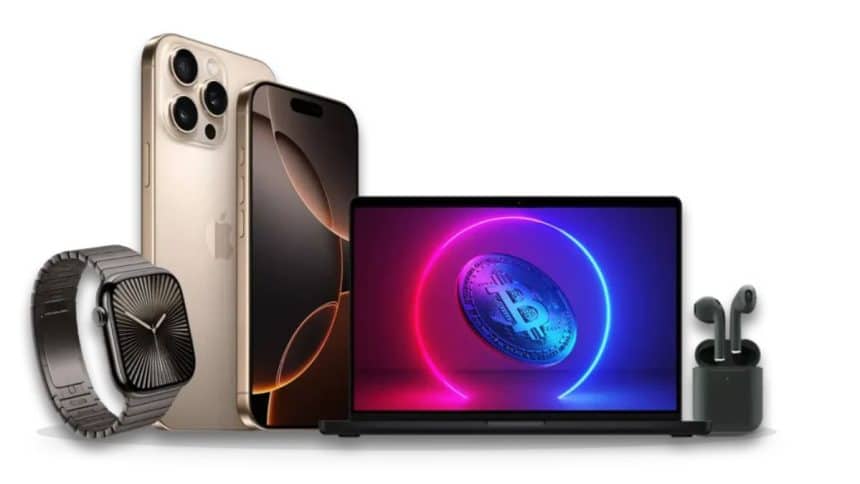
Want to trade Bitcoin using your Apple gear? Here’s how your iPhone, Mac and other Apple devices can help you trade more securely and efficiently in 2025. Don’t worry if you’re feeling overwhelmed by crypto. You’re not alone, and your Apple ecosystem might be exactly what you need.
Picture this: the BTC to USD rate just spiked 15%, and you’re holding your iPhone with your morning coffee getting cold. Your Apple devices, such as iPhone, Mac, and Apple Watch, can actually tame some of that crypto market chaos. If you’re already deep in Apple’s world, this integration gives you better security and convenience than you might realize.
Everything connects smoothly, your protection activates without thinking about it, and suddenly, trading doesn’t feel like such a nightmare. What if your Apple tech could completely transform how you handle Bitcoin this year? Time to explore what’s possible.
Turn Your iPhone Into Command Central
That iPhone or iPad with iOS 18? It becomes your go-to trading weapon. The App Store’s loaded with approved crypto apps, such as wallets for storing Bitcoin, portfolio trackers, and price alerts for market moves, all built for those crazy-fast market changes. Apps like CoinCap or Delta pull exchange data quickly, giving you insights when you need them most.
Live prices pop up on your screen, helping you make faster decisions. Alerts hit your Notification Centre without even unlocking your phone. Face ID locks down every transaction, stopping those phishing scammers who are constantly after your info. Here’s the thing—some Android devices struggle with inconsistent security patches, but Apple’s Secure Enclave chip encrypts your wallet keys rock-solid. When Bitcoin jumps 10% during lunch, your assets stay protected.
Juggling charts, news feed, and trades gets messy fast. iOS connects your apps to your Mac and Watch, smoothing out the whole process. A trader I know lost hours last year to a buggy Android app that kept crashing. Apple’s design helps you avoid that nightmare. Every second counts when you’re trading, right?
Turn Your Mac Into Market Analysis Central
Your MacBook running macOS Sequoia becomes your Bitcoin analysis headquarters. TradingView or Delta from the Mac App Store display detailed charts that actually make sense. Stage Manager helps organize your workspace. Crypto charts on one side, technical indicators on the other. Laptops win with bigger screens and solid performance, but Macs really shine with that seamless iPhone connection.
Back in 2021, a colleague missed a major price drop because it got buried under twenty browser tabs. Continuity fixes this headache: start analyzing a chart on your Mac, then pick up where you left off on your iPad during your commute. Gatekeeper and FileVault protect your API keys—those critical codes that connect your apps to exchanges—plus all your backup files. Bitcoin’s wild swings attract plenty of bad actors, but Macs hold their ground.
Sharpen Your Analysis Game
New to this? Delta offers straightforward portfolio tracking, while TradingView provides advanced tools like Bollinger Bands for spotting price volatility patterns. Both tap into macOS’s power, helping you spot market trends before they hit you. When complex charts demand your full attention, your Mac becomes your anchor. What analytical approaches will take your trading to the next level?
Apple Watch Keeps You Connected
Your Apple Watch with watchOS 11 delivers subtle market updates right to your wrist. You get buzzes from those CoinCap or Delta applications whenever the price of Bitcoin changes. Stuck in a boring meeting? You’re already preparing your next deal when a quick wrist check reveals that the BTC price is declining. What’s crucial? Keeping yourself updated without telling everyone what you’re doing.
Your watch keeps those alerts locked down with wrist detection and passcodes. A Series 9 notification saved a trader from a 5% loss last year—small device, big impact. Paired with iOS, your iPhone handles the heavy lifting while your Watch stays alert. It’s not built for actual trading, but it excels as your market watchdog.
Set alerts for 3% drops to catch opportunities without staring at your phone constantly. RSI indicators don’t work well on tiny screens, but those quick buzzes reduce your phone-checking habit. Timing makes or breaks crypto decisions. How will you stay ahead of the curve?
Spend Crypto with Apple Pay Integration
Apple Pay lets you purchase things with a simple tap. Bitcoin transactions are still limited in 2025, but BitPay enables crypto spending at Apple Pay merchants. Connect your wallet, pay with confidence, all secured by Face ID’s biometric verification.
Here’s where things get interesting—crypto adoption isn’t slowing down. Security.org’s latest research reveals 28% of American adults now own cryptocurrency, and get this: 67% are planning to buy more. That’s not just a trend, that’s momentum. BitPay bridges the gap by converting your Bitcoin into spendable money for shopping or online buys when markets go haywire. Sure, we’re not there yet with full adoption, but this option actually works.
Give BitPay a test run at your neighbourhood coffee shop—see how crypto works in real life. Market volatility draining your regular accounts? Apple Pay steps in as your financial backup. Things are moving forward steadily, and we might see that seamless crypto future sooner than expected.
Lock Down Your Bitcoin Security
Security determines trading success—period. iCloud Keychain syncs wallet passphrases across your devices safely. Two-factor authentication adds that extra security layer to Exchange accounts. An Android user lost $10,000 to hackers in 2023; Apple’s ecosystem avoided that mess.
Android’s open system tends to invite more problems, while Apple’s thorough app vetting helps keep malware at bay. Kaspersky recently spotted SparkCat, a sophisticated Trojan that zeroes in on crypto wallet details. What’s notable? It’s the pioneering optical recognition virus to surface on the App Store, marking a new challenge for security. That said, Apple’s sandboxed apps isolate threats, and frequent updates block security holes. Store your passphrases in Keychain, not on sticky notes, for better protection.
App Tracking Transparency stops exchanges from sharing your data around. Your iPhone, Mac, or Watch acts like a security barrier, protecting your Bitcoin investments completely. Worried about security risks? Apple’s built-in measures let you focus on what matters—trading smart.
Master Bitcoin Trading with Apple
Your Apple devices become genuine trading assets. iOS apps track BTC to USD movements, Macs provide detailed chart analysis, Apple Watches deliver timely alerts, and Apple Pay enables crypto spending. The security stack—iCloud, 2FA, Secure Enclave—builds a fortress around your investments.
Success in crypto comes down to getting your timing right in 2025. Get CoinCap downloaded, turn on 2FA, and dive into those Mac charts. That coffee you accidentally knocked over? No big deal. Missing a major market move because you weren’t paying attention? That’s the real problem.
Apple’s ecosystem backs up your trading approach from multiple angles. Pick one cryptocurrency to start with and build your expertise step by step. Think you’re ready to nail Bitcoin trading? Your tech setup is already there waiting.











