

iLoungeiLounge
  • News
    • Apple
      • AirPods Pro
      • AirPlay
      • Apps
        • Apple Music
      • iCloud
      • iTunes
      • HealthKit
      • HomeKit
      • HomePod
      • iOS 13
      • Apple Pay
      • Apple TV
      • Siri
    • Rumors
    • Humor
    • Technology
      • CES
    • Daily Deals
    • Articles
    • Web Stories
  • iPhone
    • iPhone Accessories
  • iPad
  • iPod
    • iPod Accessories
  • Apple Watch
    • Apple Watch Accessories
  • Mac
    • MacBook Air
    • MacBook Pro
  • Reviews
    • App Reviews
  • How-to
    • Ask iLounge
Font ResizerAa
iLoungeiLounge
Font ResizerAa
Search
  • News
    • Apple
    • Rumors
    • Humor
    • Technology
    • Daily Deals
    • Articles
    • Web Stories
  • iPhone
    • iPhone Accessories
  • iPad
  • iPod
    • iPod Accessories
  • Apple Watch
    • Apple Watch Accessories
  • Mac
    • MacBook Air
    • MacBook Pro
  • Reviews
    • App Reviews
  • How-to
    • Ask iLounge
Follow US

Articles

Articles

AnyRecover Review: How to Recover Formatted Hard Drive Without Backup

Last updated: Apr 30, 2024 1:10 am UTC
By Lucy Bennett
AnyRecover Review How to Recover Formatted Hard Drive Without Backup

1. Introduction

Once you discover that you’ve lost vital data because you formatted your hard drive, it’s natural to feel panicked. But don’t fret! Even if your hard drive is now formatted and contains important files, there’s still hope for recovery. In this article, we’ll guide you through a formatted hard drive Recovery.


2. Things you need know About Formatted Hard Drive Recovery

2.1 Is it possible to Unformat a hard drive?

Typically, you can recover data from a formatted hard drive, but a few things matter: Drive Type: Whether it’s a hard disk drive (HDD) or solid-state drive (SSD) affects how you recover data. HDDs use magnetic storage and are easier to recover from.

AnyRecover Review How to Recover Formatted Hard Drive Without Backup

2.2 Why do we need to format a hard drive?

  • File System Corruption: If the file system of your hard disk is corrupted, you’ll need to format it to regain access.
  • Malware or Viruses: Connecting your hard drive to an unsafe computer or storing infected files on it may require formatting to remove malware.
  • Power Interruption: Sudden power loss while your computer is accessing the hard drive may necessitate formatting to recover.

3. How to Restore a Formatted Hard Drive Without Having a Backup

To recover the files, the most efficient way is to find a user-friendly and high-success rate tool, today I’ll recommend the best hard drive recovery tool that totally meets the requirements, AnyRecover. It makes recovering simple with its easy 3 steps, and it’s 98% high 98% recovery rate.


When you format a hard drive, USB drive, or any storage, it erases all data, making the space available. If you’ve formatted the hard drive, just stop using it right away to avoid overwriting the original files. trust me, if the data isn’t overwritten, formatted hard drive recovery is totally possible. Now let’s try AnyRecover

So, first make sure you download AnyRecover on your computer.

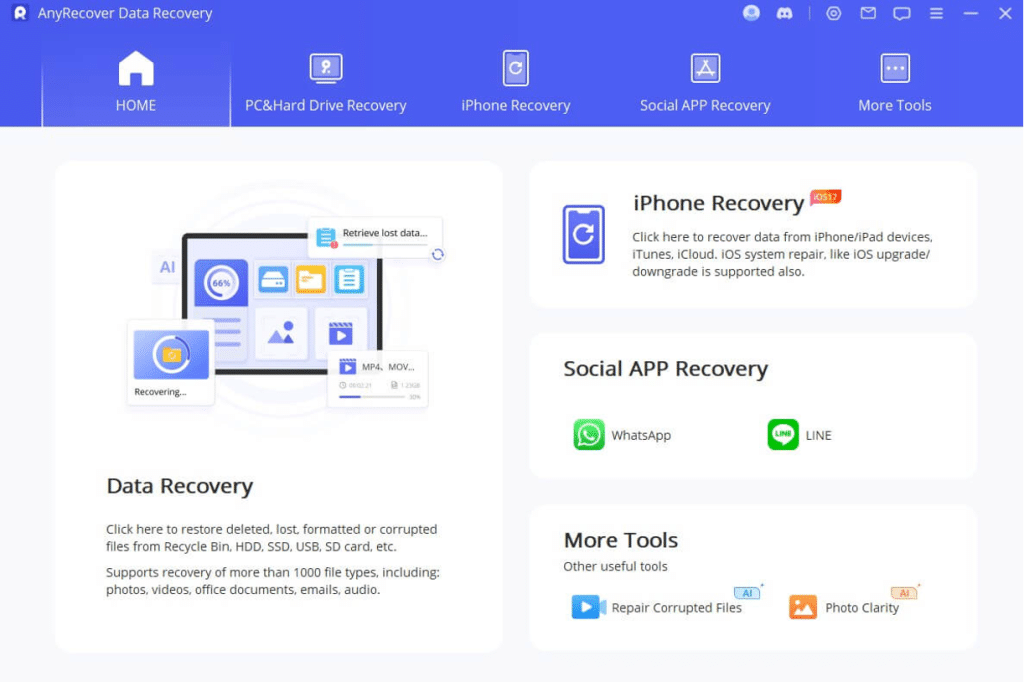
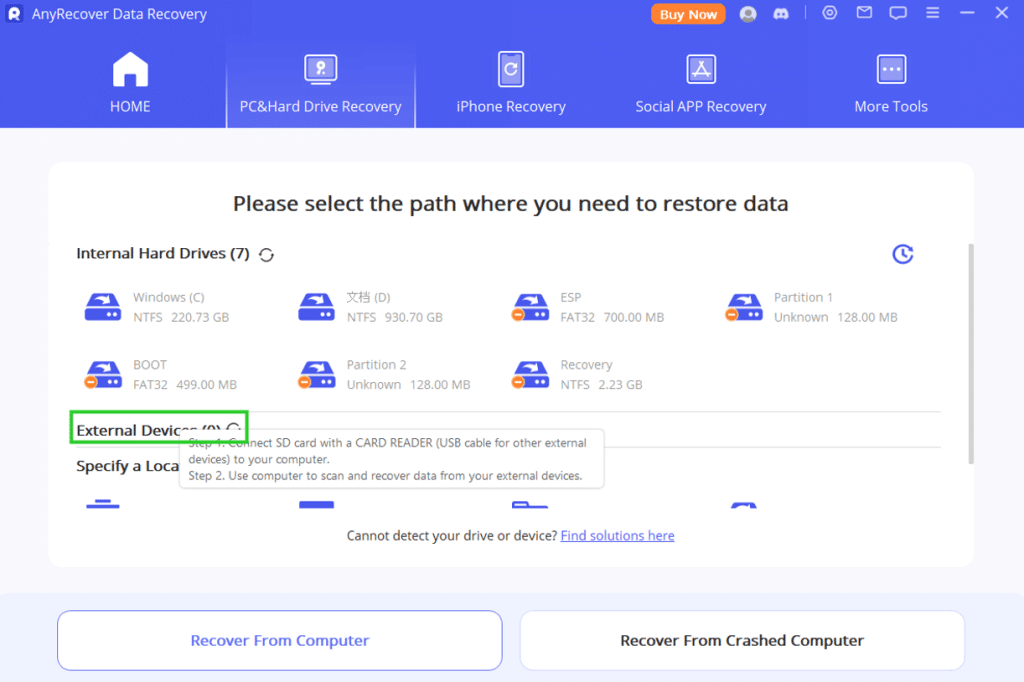
Step 1: After installing AnyRecover, open the application.Then, click on “PC & Hard Drive Recovery” and select your formatted hard drive.
AnyRecover Review: How to Recover Formatted Hard Drive Without Backup

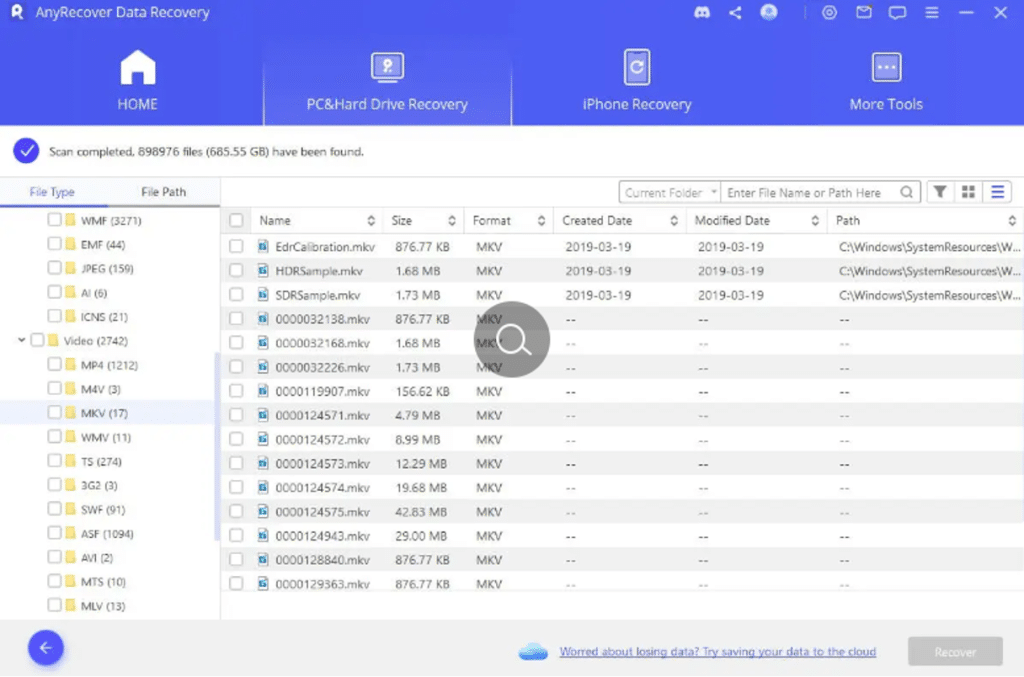
Now, AnyRecover will scan your hard drive for all the data that were stored before it was formatted.
AnyRecover Review: How to Recover Formatted Hard Drive Without Backup

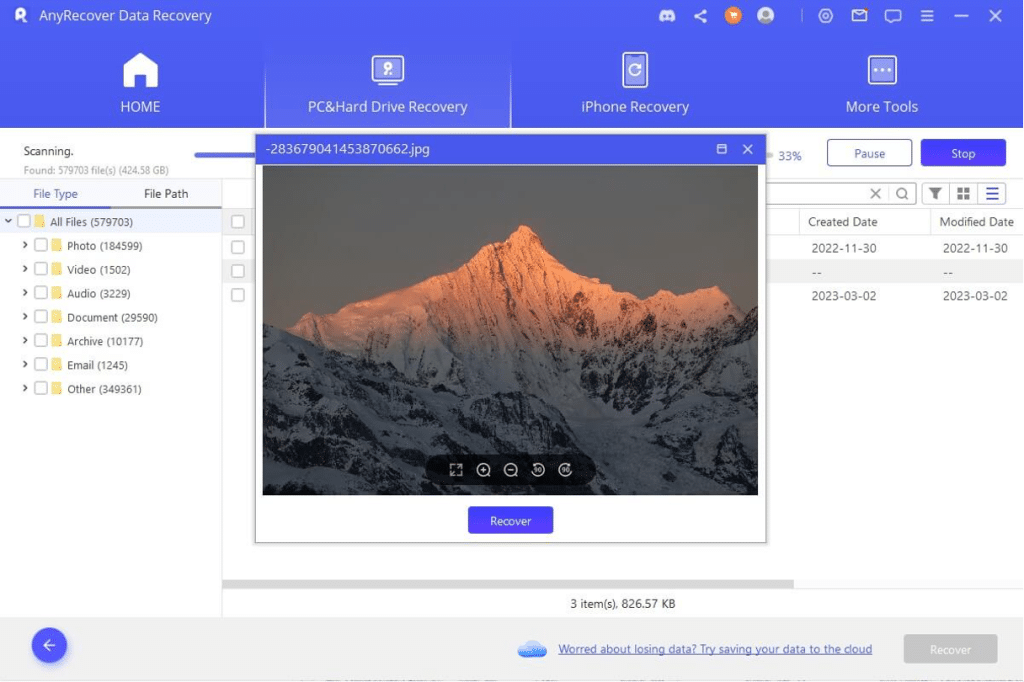
Once, the process completes, Select the files that you want to recover and the location to store them, then click on the recover button.
AnyRecover Review: How to Recover Formatted Hard Drive Without Backup

4. Conclusion

Don’t worry if you’ve formatted your hard drive without a backup. You can easily recover your formatted hard disk drive using AnyRecover. It retrieves all your data in just a few minutes without overwriting your existing files. Also, remember to regularly back up the devices to protect your data. If you’re sure that there is a backup, things will be easier. But if not, no big deal, try AnyRecover to get all files back, it has a free trial version, so try without loss!



Latest News
The AirPods Pro 3 is $20 Off
1 Min Read
Exynos 2600 Chip 2nm Process Revealed by Samsung
1 Min Read
New Celebrity Ad Campaign Featuring Travis Scott Released by Beats
1 Min Read
Australia Getting Hypertension Notification Feature
1 Min Read
The 14-inch MacBook Pro with M5 Chip 16GB RAM/512GB is $250 Off
1 Min Read
Noise and Static on AirPods Pro 3 Still Unfixed
1 Min Read
New iMac with 24-inch OLED Display May be Brighter With 600 Nits
1 Min Read
The 15-inch M4 MacBook Air 256GB Is $250 Off
1 Min Read
Internal Kernel Debug Kit from Apple Reveals Tests for a MacBook with A15 Chip
1 Min Read
Apple Currently In Talks With Suppliers for Chip Assembly & Packaging of iPhones in India
1 Min Read
Apple Allows Easier Battery Replacement For M5 MacBook Pro with 14-inch Display
1 Min Read
The Apple Watch SE 3 44mm GPS is $50 Off
1 Min Read

iLounge logo

iLounge is an independent resource for all things iPod, iPhone, iPad, and beyond. iPod, iPhone, iPad, iTunes, Apple TV, and the Apple logo are trademarks of Apple Inc.

This website is not affiliated with Apple Inc.
iLounge © 2001 - 2025. All Rights Reserved.
  • Contact Us
  • Submit News
  • About Us
  • Forums
  • Privacy Policy
  • Terms Of Use
Welcome Back!

Sign in to your account

Lost your password?








