
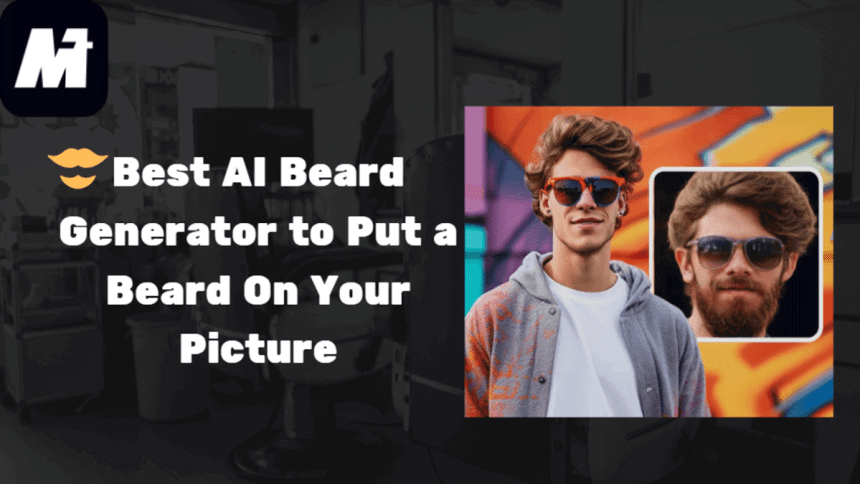
You may want to try a bold new beard style, but hesitate because you weren’t sure how it would look? An AI beard generator lets you experiment with different facial hair styles in seconds.
With so many AI tools available, finding the best AI beard generator can be overwhelming. We’ve tested the leading AI facial hair apps to help you make the perfect choice. If you’re ready to explore the top options, keep reading!

A Comparison of Best AI Beard Generator
With so many AI beard tools flooding the market, testing them all would take forever. After trying dozens of options, we narrowed it down to the 3 best AI beard generators worth your time. Below, you’ll get a clear breakdown of each tool’s interface, strengths, weaknesses, pricing, and overall rating. Hope this comparison can help you pick the perfect match in minutes.
| Media.io | Fotor | Pollo AI | |
| Main Interface | name: media-main-interface Image alt: Main Interface of Media.io | ||
| Pros | Offer different beard stylesPut a beard on your picture naturally with just one clickAdjust various facial features easilyEasy to useSupport all operating systems | Offers diverse AI beardCreates beard styles that blend naturally with facial featuresWorks directly in the browser with no software downloads required | Provides unique artistic facial hair filters beyond conventional optionsNo watermarksProcesses images quickly with minimal loading time |
| Cons | Have to pay for long-term useRequires account creation | Some beard styles may appear artificialOccasional lag when processing high-resolution imagesRequire account log-in | Fewer beard style variationsThe mobile interface is less optimized than the desktop versionA bit expensiveAccount log-in required |
| Pricing | $6.99/mo | $8.99/mo | $15/mo |
| Rating | 4.8/5 | 4.5/5 | 4.3/5 |
After comparing features, results, and pricing across multiple tools, Media.io AI beard generator consistently comes out on top. In the next section, we’ll walk through its outstanding features and operation steps. Let’s explore why Media.io is the best beard filter for adding facial hair to pictures.
Overview of Media.io AI Beard Generator
WonderShare Media.io offers a professional AI beard generator that adds realistic facial hair to photos instantly. This online tool works directly in your browser with no downloads needed. It supports common image formats like JPG and PNG, offering various beard styles from moustaches to cheek beards. The simple interface lets you apply perfect beards with one click.
Beyond basic edits, it preserves original image quality and allows fine-tuning of beard density and position for natural-looking results. Perfect for social media, costumes, or just experimenting with new looks.
Main Features of Media.io AI Beard Generator
Media.io AI beard generator has become a go-to tool for effortlessly enhancing photos with realistic facial hair. Its smart technology and user-friendly design make it ideal for everyone. Whether you’re testing a new look or simply want to have a bread filter on, this tool delivers natural results in seconds. Let’s explore what makes it stand out.
1. Support Multiple Formats
Media.io accepts JPG, PNG, JPEG, WebP, BMP, and other common image formats. You can easily upload the photo from your phone, computer, or social media. This excellent beard filter app can smoothly blend different beard styles onto any face while keeping the original photo quality.
2. Offer Various Facial Features
If you would like to try different facial hair styles, Media.io can do you a big favor. With Media.io, you can easily put a beard on your picture, no matter whether you want goatees, moustaches, or cheek beards. Plus, you can also adjust other facial expressions, such as age appearance, gender looks, or even add glasses. It’s like having a virtual makeover studio for your photos. Perfect for fun transformations or serious style experiments.
3. Easy to Use
Media.io AI beard generator keeps things simple. Its clean interface lets anyone add realistic beards in simple steps. All you need to do is upload your photo and choose a beard style. Then you get instant results without technical skills. It’s perfect for beginners who want quick transformations or professionals needing efficient edits. The whole process takes seconds from start to finish.
4. 100% Privacy Guaranteed
Privacy matters when editing photos online. Media.io protects your uploaded images with secure encryption. Re-downloading your edited file using the original link is valid for 24 hours, ensuring your pictures never stay on the server. All uploaded files and generated content on Media.io are automatically deleted from our servers within 7 days. This facial hair app processes your photos without storing personal data, so you can experiment with beard styles worry-free.
How to Add Facial Hair to a Picture with Media.io AI Beard Generator
By now, you have grasped the information and main features of Media.io AI Beard Generator. You may wonder how to utilize this facial hair app to put a beard on your picture. In the next section, we will show you how to use it. Just keep reading.
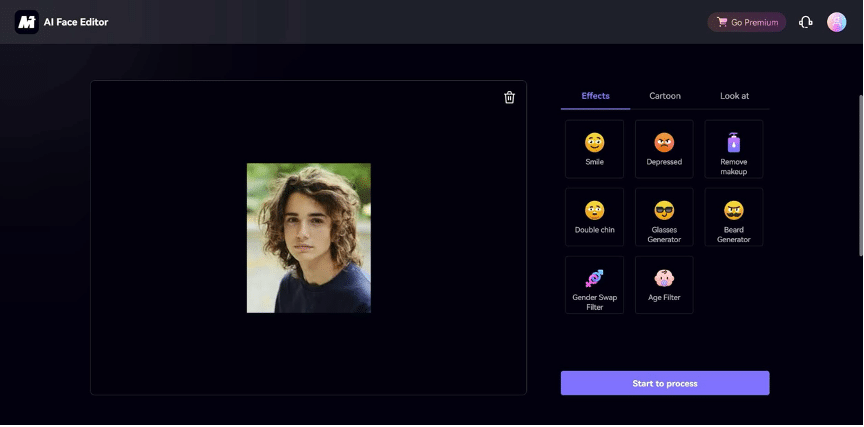
Step 1. Upload an Image
Access the Online Beard Filter on your browser. Click “Apply Bread Now” > “Upload Image” to upload an image. Make sure the image size is under 10MB.
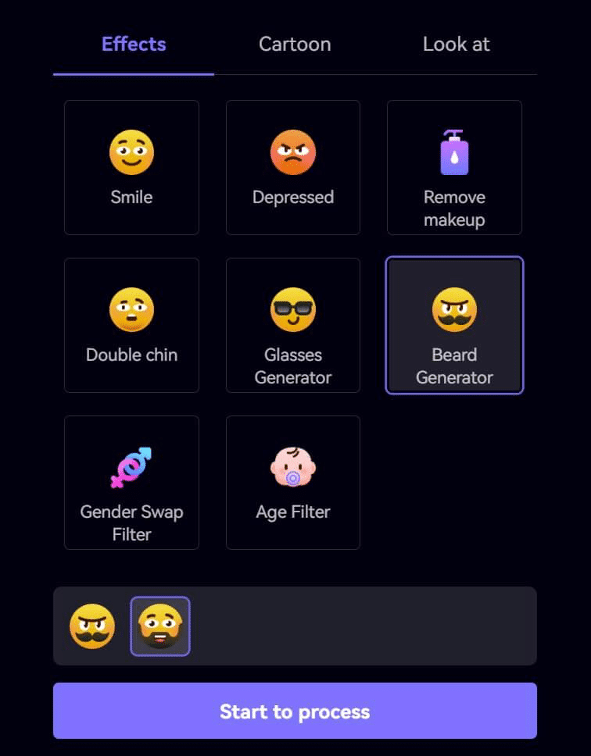
Step 2. Choose a Beard Filter for Your Pic
Then click on the “Beard Generator” icon and choose your preferred beard style, such as cheek beards and moustaches. Then click “Start a process” to put a beard on your picture.
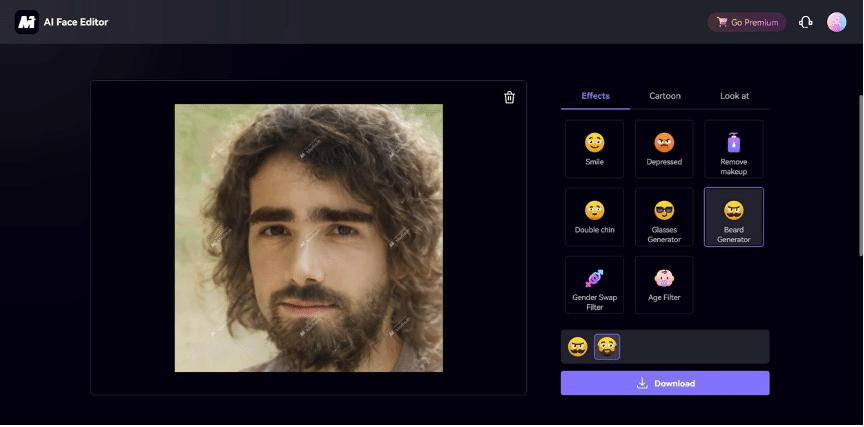
Step 3. Preview and Save the Bearded Photo
You can change the beard filter online if you would like to try another style. If you’re satisfied, you can simply click “Download” to save the picture with facial hair to your computer.
Conclusion
This guide has highlighted the best AI beard generators to easily add facial hair to any photo. Among these options, Media.io stands out as the top choice, as it offers one-click beard filters and a variety of natural-looking styles. Whether for fun, style testing, or professional use, it delivers quality results every time. Ready to transform your look? Try Media.io beard generator and see the difference for yourself.











