
iLoungeiLounge
  • News
    • Apple
      • AirPods Pro
      • AirPlay
      • Apps
        • Apple Music
      • iCloud
      • iTunes
      • HealthKit
      • HomeKit
      • HomePod
      • iOS 13
      • Apple Pay
      • Apple TV
      • Siri
    • Rumors
    • Humor
    • Technology
      • CES
    • Daily Deals
    • Articles
    • Web Stories
  • iPhone
    • iPhone Accessories
  • iPad
  • iPod
    • iPod Accessories
  • Apple Watch
    • Apple Watch Accessories
  • Mac
    • MacBook Air
    • MacBook Pro
  • Reviews
    • App Reviews
  • How-to
    • Ask iLounge
Font ResizerAa
iLoungeiLounge
Font ResizerAa
Search
  • News
    • Apple
    • Rumors
    • Humor
    • Technology
    • Daily Deals
    • Articles
    • Web Stories
  • iPhone
    • iPhone Accessories
  • iPad
  • iPod
    • iPod Accessories
  • Apple Watch
    • Apple Watch Accessories
  • Mac
    • MacBook Air
    • MacBook Pro
  • Reviews
    • App Reviews
  • How-to
    • Ask iLounge
Follow US

Articles

Articles

6 iPhone Tips You Should Know

Last updated: Nov 29, 2019 3:33 pm UTC
By Lucy Bennett
6 iPhone Tips You Should Know

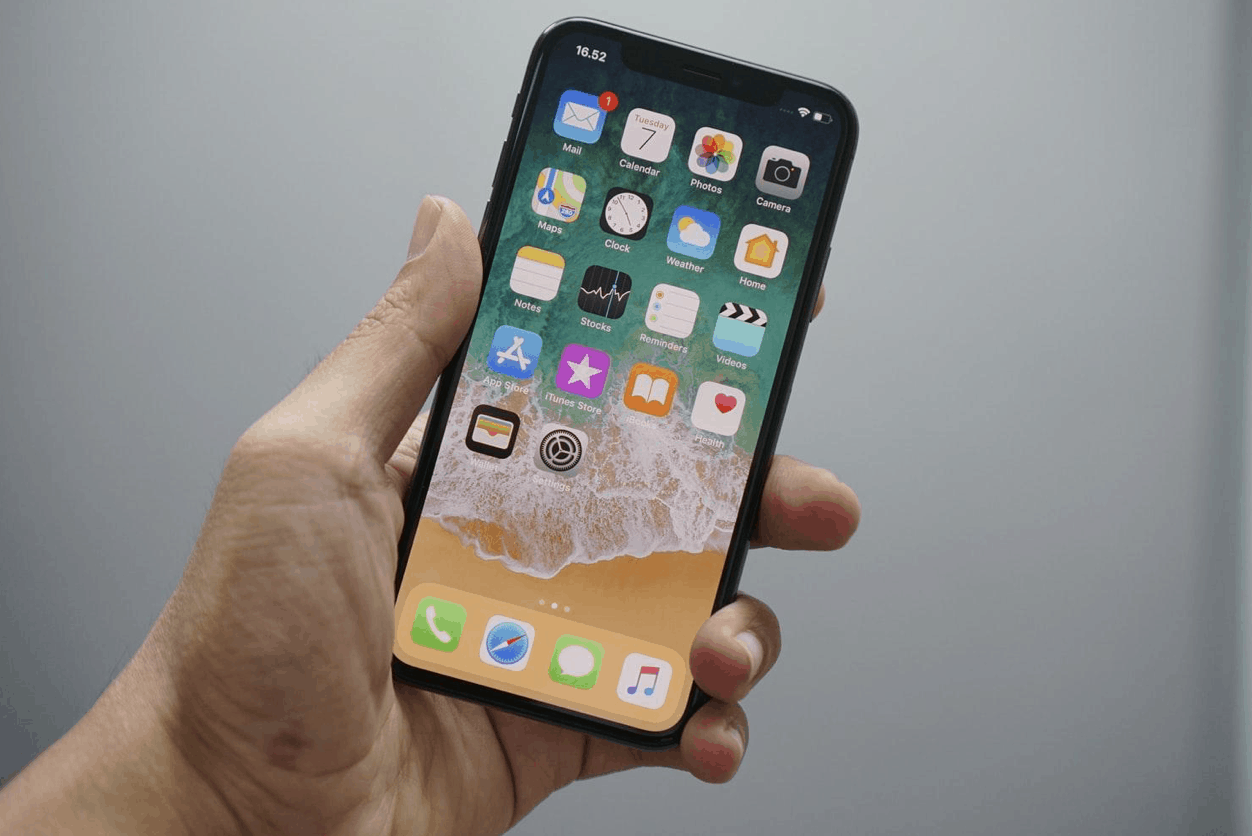
Most of us who own an iPhone know how to use it. But there are a few life hacks that will make it even easier to use your phone. Such as how to move your marker efficiently when you’re texting, or how to scan documents using the Notes app.


In this article, we want to show you how you can be more productive with your iPhone.
6 iPhone Tips You Should Know

1. Scan Documents in Notes

Did you know that you can scan documents with your phone? To do so, open a new note in the Notes app. Tap the camera button, press “Scan document” in the pop-up menu, then place your document in front of the camera. Take a picture, and adjust the image by dragging the corners to fit the page. Tap Save when you’re done.


2. Delete Last Digit in Calculator

Many of us have experienced getting very frustrated over not being able to delete digits in the calculator app, resulting in having to start all over again. Luckily, you can delete digits instead of deleting the whole number. So, the next time you’re working on your budget and trying to find out if refinancing is a good idea, this tip will come in handy.

Put your finger by the last digit, and swipe from right to left!


Bonus tip! Want to access the calculator faster? Go to the search bar on the top by swiping to the left. Then insert your calculations, and your answer will pop up.

3. Make Your Keyboard “One-Handed”

If you have an iPhone 8+ or one of the larger models, you know the struggle of typing a text without having both of your hands free. By setting your keyboard to one-handed, texting with one hand will be much easier!

To do so, press the globe icon until you see a menu. Select right or left-handed keyboard, and voila! To go back to the regular keyboard, simply press the arrow on the right or left side.


4. Battery Health

Did you know that charging your phone up to 100%, and letting it stay in the charger on 100% for a long period of time could actually hurt your phone battery? Apple has done something about this!

The tool called Optimized Battery Charging (available on IOS 13) uses machine learning to fully understand your charging routine. If you tend to let your phone stay in the charger at 100% at a certain point of the day, for instance when charging at night, your iPhone won’t let it charge at this stage for long, but rather use a longer period of time to get there.


Go to Battery in settings, then Battery Health, and then turn it this feature on.

5. Emoji Shortcuts

Trying to find the correct emoji can, sometimes, take a while. By creating shortcuts to your favourite emojis, you won’t have to spend time searching!

Go to Settings, General, Keyboard, Text Replacement, then tap the + icon on the right.

6. Find Photos More Easily

Your iPhone is getting smarter – meaning it can recognize faces, animals and other things. This means that if you want to find a specific photo, you can actually search for it.

Open up your Photos app, click the Search tab on the bottom, and search for any words that may describe your photo. The app is also able to recognize the faces of the names in your contact list.



Latest News
The 14-inch MacBook Pro with M5 Chip 16GB RAM/512GB is $250 Off
1 Min Read
Noise and Static on AirPods Pro 3 Still Unfixed
1 Min Read
New iMac with 24-inch OLED Display May be Brighter With 600 Nits
1 Min Read
The 15-inch M4 MacBook Air 256GB Is $250 Off
1 Min Read
Internal Kernel Debug Kit from Apple Reveals Tests for a MacBook with A15 Chip
1 Min Read
Apple Currently In Talks With Suppliers for Chip Assembly & Packaging of iPhones in India
1 Min Read
Apple Allows Easier Battery Replacement For M5 MacBook Pro with 14-inch Display
1 Min Read
The Apple Watch SE 3 44mm GPS is $50 Off
1 Min Read
20th Anniversary iPhone May Launch in Two Years
1 Min Read
Better Image Generation Capabilities and Apple Music Integration Coming to ChatGPT
1 Min Read
A20 Pro Chip Coming to Next Gen iPad Mini OLED
1 Min Read
Amazon has the AirTag 4 Pack Marked $29 off
1 Min Read

iLounge logo

iLounge is an independent resource for all things iPod, iPhone, iPad, and beyond. iPod, iPhone, iPad, iTunes, Apple TV, and the Apple logo are trademarks of Apple Inc.

This website is not affiliated with Apple Inc.
iLounge © 2001 - 2025. All Rights Reserved.
  • Contact Us
  • Submit News
  • About Us
  • Forums
  • Privacy Policy
  • Terms Of Use
Welcome Back!

Sign in to your account

Lost your password?








