
Kiosks are an essential part of modern customer-facing businesses. Whether it’s self-checkouts in retail stores or patient check-in stations at hospitals, these kiosks are helping to improve efficiency, reduce operational costs, and enhance overall user experience. However, to get the most from these systems, you need to ensure you are using the best kiosk software possible.
The right kiosk software will keep your devices secure, ensure smooth performance, and allow you to customize the interface to meet your needs. However, knowing the right options for your devices can be tough. That’s why, if you are searching for the best kiosk app for Android or the best kiosk software for Windows 10, we have put together this guide of six of the leading solutions available.
Part 1. What is kiosk software?
Kiosk software is a specialized tool that locks down a tablet, computer, or smartphone into “kiosk” mode. This is a mode that restricts users to a specific app or function, creating a secure and controlled environment, and core functions include:
* App and browser lockdown
The devices are setup so that users are only able to undertake one specific action, and only approved apps and websites are accessible.
* Remote management
IT admins can monitor, update, and troubleshoot issues from anywhere in the world.
* Branding and customization
Businesses can display logos, themes, and tailored user interfaces.
* Security controls
These will prevent misuse, unauthorized access, or accidental configuration changes.
These highly versatile solutions can be used across a broad range of industries, including retail, catering and hospitality, healthcare, education, and corporate events.
Android vs. Windows
When it comes to the best kiosk software, it’s important to know the key differences between Android apps and Windows software. The best kiosk apps for Android are typically a mobile-first, lightweight solution that is ideal for retail displays and restaurant ordering, with a focus on mobility, ease of use, and app restrictions.
On the other hand, the best kiosk software for Windows 10 is usually a robust, enterprise-grade solution that is able to support a wide range of business applications. They typically have a focus on high-level security, IT integrations, and compatibility with desktop applications.
Part 2. 6 Best Kiosk Software Solutions for Android & Windows
With many options available, we’ve narrowed down the best kiosk software solutions for 2025. Below, you’ll find three excellent choices for Android and three for Windows 10.
3 of the best kiosk apps for Android
1. AirDroid Business
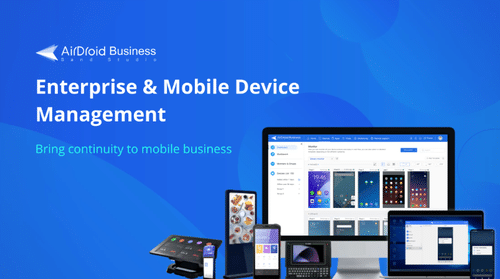
AirDroid Business is not just an industry-leading kiosk app for Android. It’s a comprehensive, enterprise-grade solution that seamlessly blends powerful device management with robust kiosk functionality. It’s designed to meet the complex needs of businesses by offering unparalleled remote control and streamlining the deployment and maintenance of Android devices at any scale.
Key features include:
- Ability to lock devices into single-app or multi-app kiosk mode
- Remote monitoring and troubleshooting
- Content distribution for ads or educational material
- Device location tracking and geofencing
Use cases
When it comes to finding the best kiosk app for Android, the AirDroid Business software is perfect for retail stores, logistics companies, and education providers that use Android tablets or handheld devices.
Pricing
Prices start from $1 per device per month, with a free trial available.
Pros
- Easy to deploy at scale
- Intuitive & powerful management dashboard
- Strong remote management features
- Deep Android integration
Cons
- Best suited for Android devices rather than cross-platform compatibility.
- Learning curve for new IT admins
2. Miradore
Miradore is a cloud-based mobile device management (MDM) solution that includes kiosk capabilities and it is well-regarded for being lightweight and cost-effective.
Key features include:
- Single-app and multi-app kiosk mode
- Device encryption and security policies
- Remote configuration and control
- Reporting tools for compliance
Use cases
Miradore is a good choice for small and medium-sized businesses looking for an affordable Android kiosk app that does not require complex IT infrastructure.
Pricing
Miradore offers a structured pricing plan depending on the number of devices and the features and support you require.
Pros
- Simple to set up
- Free trial available
- Good for smaller teams
Cons
- Limited advanced features compared to enterprise-focused alternatives
- May not scale as well for larger numbers of devices
3. SiteKiosk
SiteKiosk is a robust solution that turns Android devices into secure kiosks. It offers extensive customization options, making it suitable for public-facing environments.
Key features include:
- Browser lockdown for safe internet use
- Full-screen mode for apps and websites
- Reporting and analytics dashboard
- Advanced customization for UI/UX
Use cases
Ideal for libraries, hotels, and public institutions requiring user-friendly kiosks with robust browsing controls.
Pricing
SiteKiosk offers a one-time license fee per device, with optional annual service contracts.
Pros
- Highly customizable
- Strong public kiosk controls
- Reliable security
Cons
- One-time licensing fee is costly compared to other software
- More technical setup required
3 best kiosk software for Windows 10
1. KioWare
KioWare has long been considered one of the best kiosk software for Windows 10. It provides a secure environment for public access computers and business kiosks.
Key features include:
- Browser lockdown with full HTML5 support
- Virtual keyboard for touchscreens
- Remote management tools
- Session resets to protect user data
Use cases
KioWare is frequently used across museums, libraries, airports, and government offices.
Pricing
Annual licensing model, varying by features and deployment size.
Pros
- Excellent for high-security environments
- Mature and reliable solution
- Supports multiple kiosk types
Cons
- Windows only
- UI is not as modern as other options
2. AirDroid Business
While AirDroid Business is widely known for Android, it also offers a solid kiosk software for Windows 10 solution.
Key features include:
- Single-app and multi-app kiosk modes
- Centralized device management
- Remote troubleshooting and updates
- Usage monitoring and reporting
Use cases
Organizations needing a cross-platform kiosk solution across both Android and Windows environments.
Pricing
A flexible subscription pricing that starts from as little as $1 a device a month.
Pros
- Unified solution for mixed device fleets.
- Easy-to-use dashboard.
- Frequent updates and strong support.
Cons
- Some advanced Windows features are still in development.
- Works best in hybrid Android + Windows setups.
3. Microsoft Intune
As part of Microsoft Endpoint Manager, Intune is a powerful enterprise tool that includes kiosk management for Windows 10 devices.
Key features include:
- Multi-app kiosk mode for Windows
- Deep integration with Microsoft 365 and Azure AD
- Conditional access policies
- Device compliance monitoring
Use cases
Large enterprises already invested in Microsoft ecosystems. Perfect for corporate kiosks, education environments, and government organizations.
Pricing
Pricing is licensed per user or device, with a range of options available.
Pros
- Strong integration with Microsoft services
- Robust security and compliance features
- Excellent for enterprise IT teams
Cons
- Steeper learning curve
- Overkill for smaller businesses
Final thoughts
Choosing the best kiosk software depends on your devices, scale, and industry needs. If you’re looking for the best kiosk app for Android, solutions like AirDroid Business, Miradore, and SiteKiosk offer flexibility, affordability, and security.
For those seeking the best kiosk software for Windows 10, KioWare, AirDroid Business, and Microsoft Intune are powerful choices, especially in enterprise environments.











