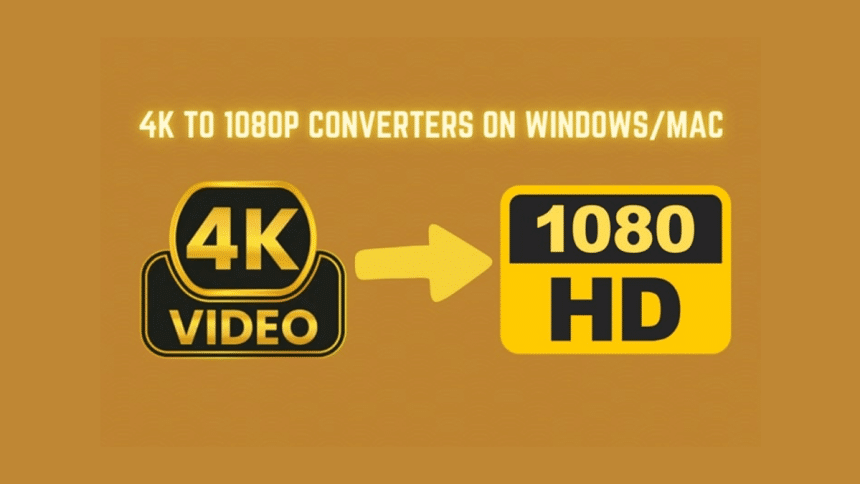
With the rise of HD video content, creators strive to capture and share high-clarity content. While it offers incredible clarity and detail, it also has drawbacks. Large file sizes and higher processing power requirements can challenge handling ultra-HD content. The biggest problem is compatibility, as some devices and media players do not support 4K resolution. Even when they do, the absence of proper hardware makes the videos run sluggishly.
In such cases, you may need atool to accommodate your video-playing device without compromising quality. Whether you’re on Windows or Mac, the right converter can make it easier to create high-quality videos regardless of their size. Therefore, this article explores the best 4K to 1080p converters to downscale your videos effortlessly.
Part 1. The Best Free 4K 1080p Converter — Wondershare UniConverter
If you’re a content creator or an everyday user trying to edit videos more efficiently, converting them to FHD can be a lifesaver. That’s where Wondershare UniConverter MP4 Compressor comes in to make video scaling easy while preserving quality. Plus, the tool supports nearly every video format you can think of, ensuring flexibility no matter what you’re working with.
Additionally, you can trim and crop the video according to your desired needs. The software also helps users add subtitles to their videos to reach a global audience. You can convert your video by changing the frame rate and resolution, which makes it the best 4K to 1080p video converter.
Key Features About UniConverter’s Conversion System
- Output Format: The software supports a wide variety of output formats, including MP4 and MOV, to ensure compatibility with any device or platform.
- Add Effects: You can enhance your videos by adding effects such as filters and adjusting brightness that gives your converted files a polished and professional look.
- Batch Converting: This feature allows users to convert multiple videos to FHD simultaneously by saving time and effort, especially when handling large video libraries or files.
- Add Metadata: Users can easily add or edit metadata, such as titles and artist names, which can help organize their files and improve searchability across platforms.
Guide to Use Wondershare UniConverter to Convert Videos in 4K to 1080p
Follow the comprehensive guidelines below to understand how to use this advanced tool and convert your videos into FHD format:
Step 1. Access the Tool to Initiate the Converting Process
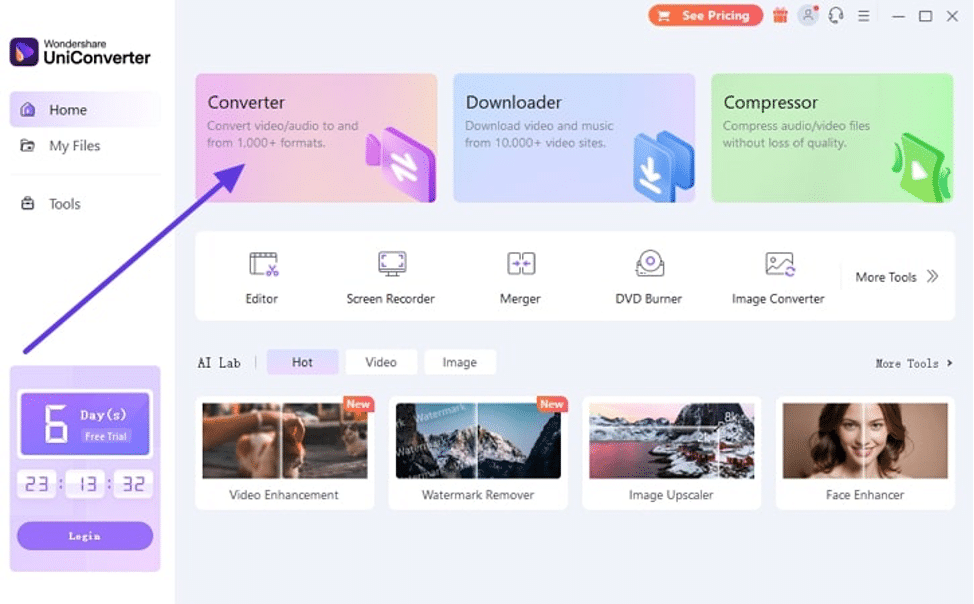
To begin, download the latest version of this dedicated software in your computer and open it. Upon accessing its main interface, you need to click the “Converter” feature in order to proceed.
Step 2. Choose the UHD Video from Your Computer
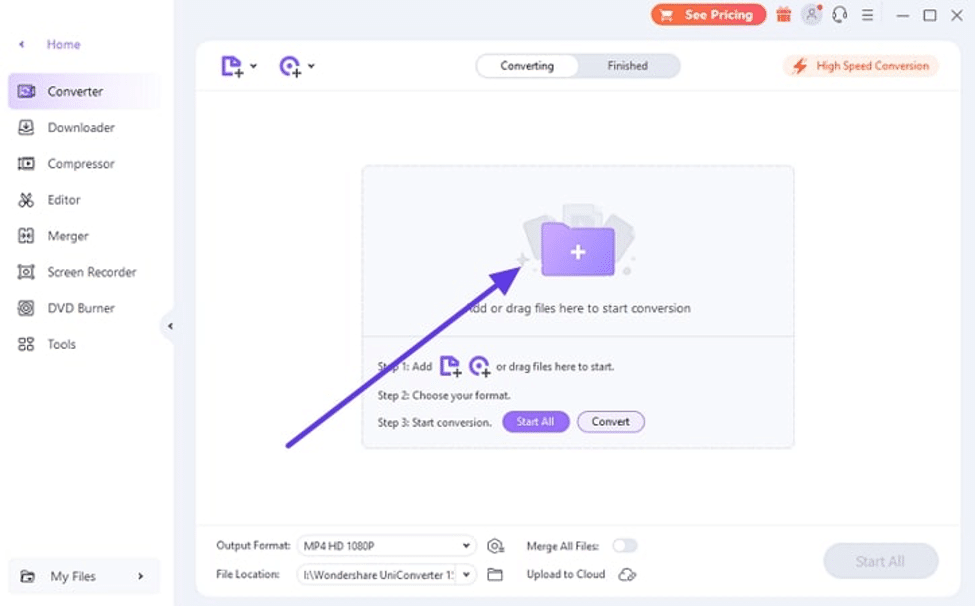
Moving forward, a new window will appear where you must hit the “Folder” icon. This will allow you to select the video that you want to convert into FHD format.
Step 3. Choose Your Preferred Output Format to Convert the Video
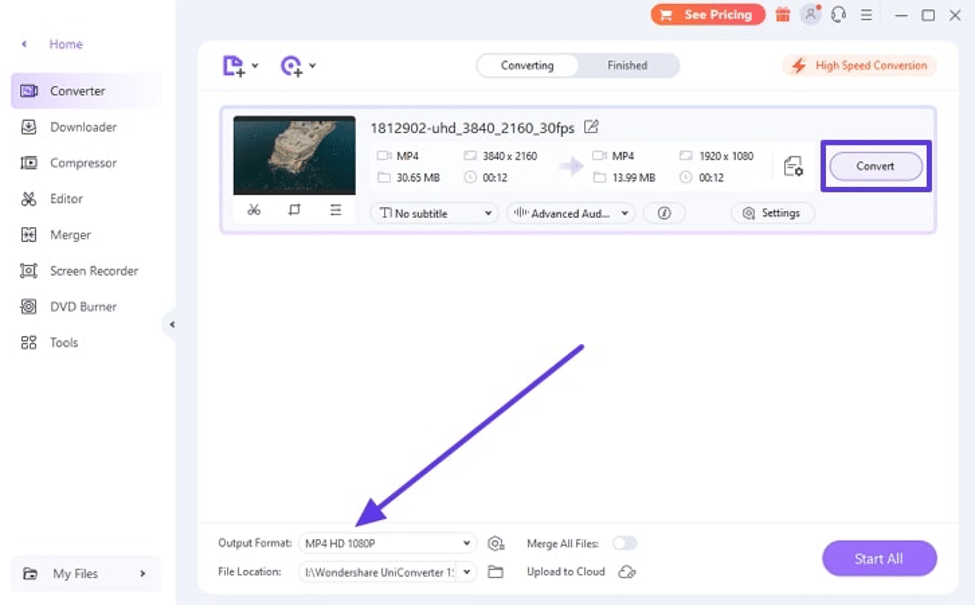
As your video is imported successfully, navigate to the “Output Format” and choose 1080p or any other according to your preferences. You can also make some more edits, like adding subtitles and changing the exported file location. Finally, utilize the “Convert” button to start the conversion process across UniConverter.
Step 4. Apply the Video Enhancer Feature
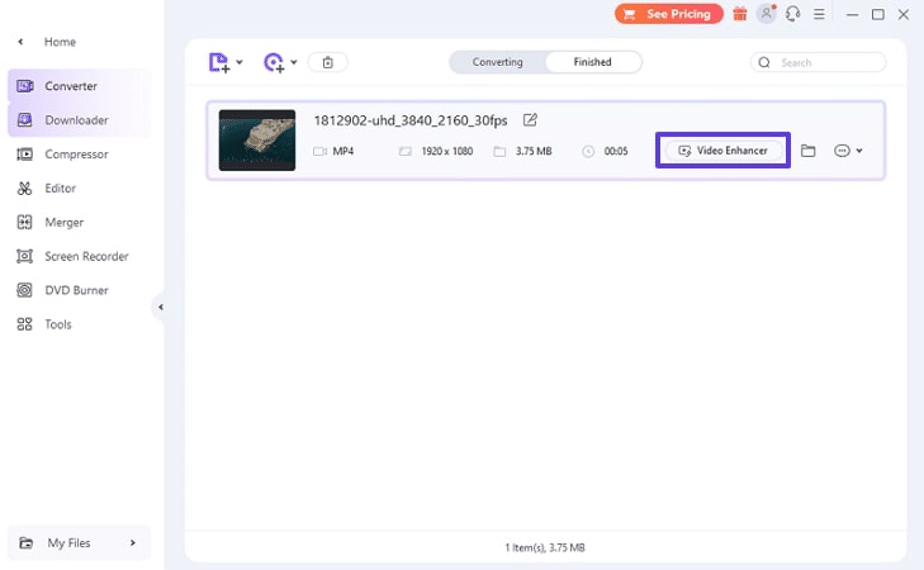
Now, the software will take time and automatically download your converted video to your selected location. Optionally, access the “Video Enhancer” button to enhance the output quality of your converted video.
Part 2. Other 4K Video to 1080p Converters
While UniConverter stands out for its rich features, several other tools are available for different user preferences. Let’s explore some of the best alternative 4K video to 1080p converters that work seamlessly on both Windows and Mac:
1. VLC
VLC media player allows users to effortlessly convert UHD videos to FHD by supporting a wide range of input and output formats. The conversion process is straightforward, and users can customize the output by adjusting the video quality and file destination file. While VLC might lack advanced features like batch processing, it’s an excellent choice for users looking for a 4K to 1080p converter free tool.
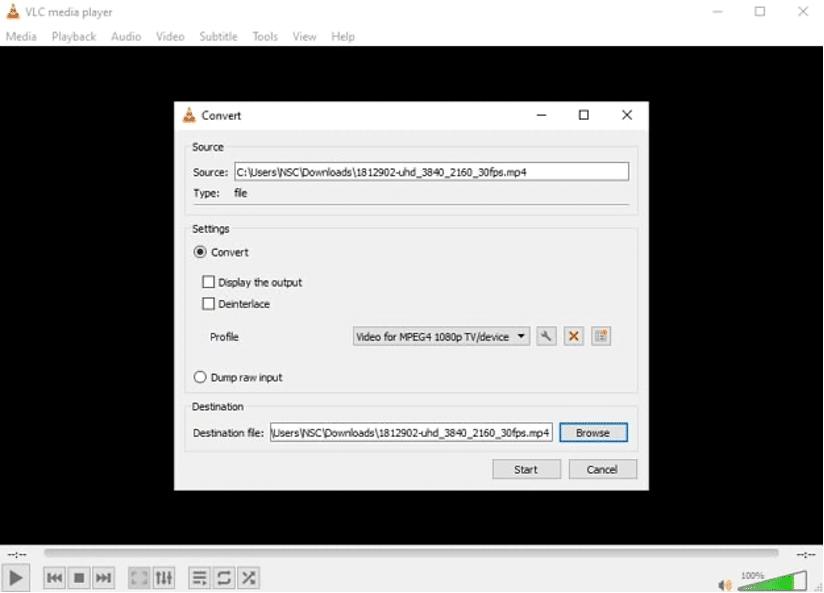
Supported OS: Windows, macOS, Linux, iOS, Android, Smart TV, ChromeOS, various BSD-based systems, Solaris, BeOS, OS/2, and Syllable.
Pros
- An open-source media player that is completely free to use with no hidden costs or premium versions.
- The tool handles various video and audio formats, making it highly versatile for conversions.
Con
- VLC media player doesn’t offer advanced video editing or effects during conversion.
2. HandBrake
Another open-source video converter, known as HandBrake, offers advanced customization options to fine-tune video output. It also supports batch processing, enabling the simultaneous conversion of multiple files. While its interface can seem complex for beginners, it can convert 4K video to 1080p for both Windows and Mac users.
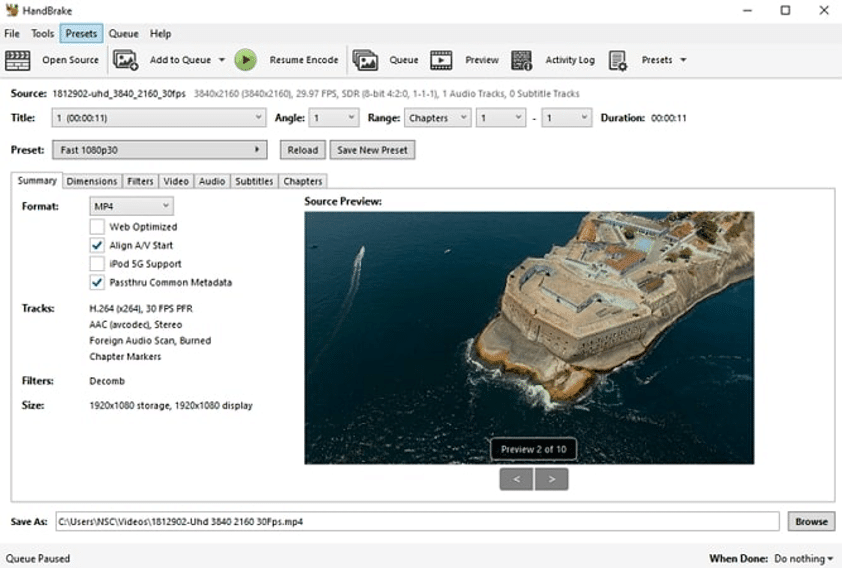
Supported OS: Windows, Mac, Ubuntu, Fedora and more
Pros
- HandBrake previews your video and makes necessary edits before the conversion is finalized.
- This converter is completely free to use, which makes it accessible to everyone.
Con
- Depending on the settings and file size, it can sometimes convert videos more slowly than other tools.
3. VideoProc
VideoProc is a versatile video processing tool known for its powerful video converting features including downscaling 4K to 1080p. It supports over 370 input codecs and 420 output formats, which lets users to convert videos to various file types. Furthermore, it includes a built-in DVD converter that allow users to convert DVDs into digital formats for easier storage.
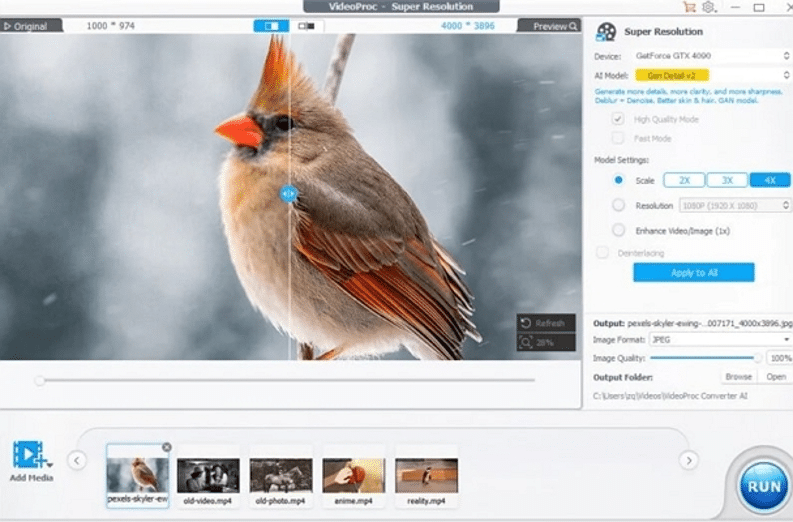
Supported OS: Windows and macOS
Pros
- Users will be able to split large videos into smaller segments or merge multiple clips into one.
- The tool uses full GPU acceleration to speed up video conversions faster without sacrificing quality.
Con
- The free version has a 7-day trial period, so you must upgrade to the paid version for full functionality.
4. Adobe Premiere Pro
This professional video editing software allows users to convert videos into different formats and is well-suited for various devices. It provides various customization features such as frame rate and codec options to optimize the videos for specific needs. Alongside that, the tool’s high-quality output and flexibility makes it a good 4K to 1080p video converter.
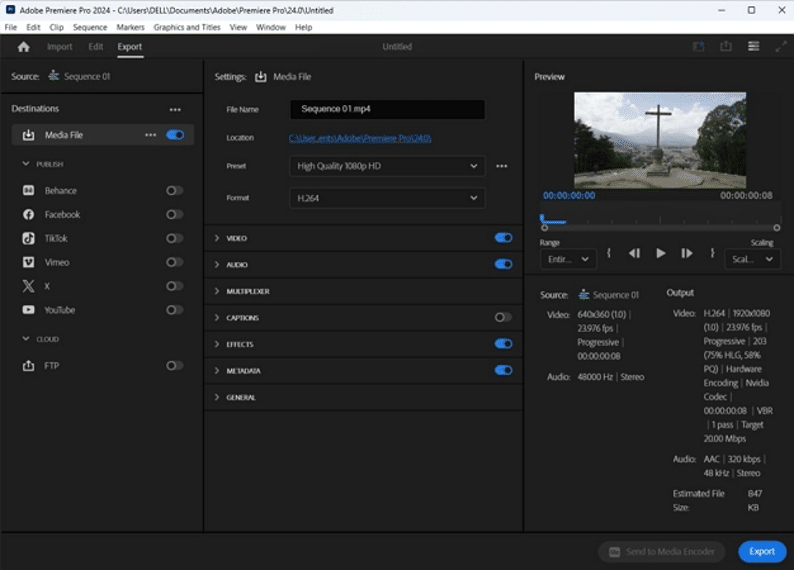
Supported OS: Windows and macOS
Pros
- Users can convert multiple videos at once to streamline the conversion process for large projects.
- The software provides excellent control over export settings and is tailored to specific resolutions.
Con
- Premiere Pro requires a monthly or yearly subscription, which makes it costly compared to one-time purchase tools.
5. HDconvert
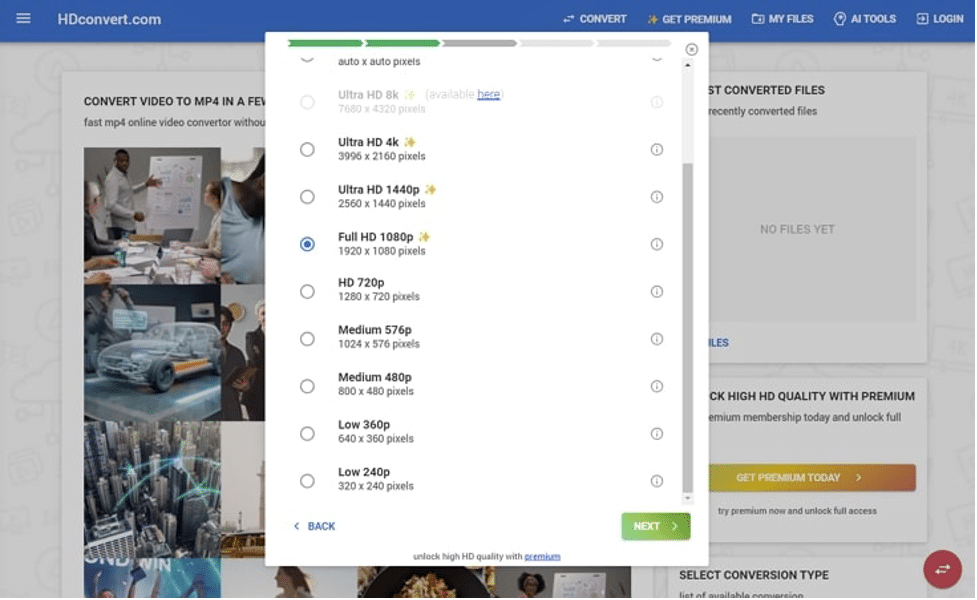
Content editor can convert videos online quickly and easily with HDconvert’s free options. The tool offers flexibility across numerous formats like MP4 and MOV. Whether you need to compress a large video file or convert 4K to 1080p online free, this tool makes the process seamless. Furthermore, its fast conversion speeds up to 60 times faster, which does not require downloading any software.
Supported OS: Web-Based Tool
Pros
- Users can convert their videos to Full HD and even compress large files without losing much quality.
- The platform is an easy-to-use interface that lets you convert videos in just a few clicks.
Con
- Since it’s primarily a video converter, it lacks other video editing or enhancing tools.
FAQs about 4K to 1080p Converter
1. Can I convert 4K to 1080p?
You can convert UHD videos to FHD using various online video converters, such as UniConverter. These tools easily downscales your videos without compromising quality. This makes it convenient to create smaller files suitable for playback on devices that do not support high resolutions.
2. How do I change my display from 4K to 1080p?
To change your display from UHD to FHD, access your computer’s display settings. From there, you can select the desired resolution from the available options. After making the selection, your screen will adjust to the new resolution.
3. How to convert 4K to 1080p on iPhone?
Users can use video editing apps like iMovie or third-party apps to convert their videos or image quality. You just need to open the app and import the file to save it in the desired output resolution.
4. What is the best 1080p to 4K converter?
The best converter for upgrading videos from 1080p to 4K should offer excellent quality and high speed. It is important to choose a tool that supports various formats and includes features like batch processing. For a reliable option, UniConverter stands out for its powerful conversion process for your video projects.
Conclusion
To wrap up, downscaling 4K to 1080p can greatly enhance compatibility with various devices and easier to share. The converters discussed in this article offer a range of features, from basic conversions to advanced editing capabilities. Among the options available, Wondershare UniConverter stands out as a top choice for offering high quality conversions along with a comprehensive set of editing and enhancement tools.