
If your Mac is stuffed with duplicate files, you’re not just wasting space. You’re probably dealing with a slower and cluttered computer. So, finding a good duplicate file finder isn’t just a nice idea. It’s kind of a must. But the problem is how to find duplicate files on MacBook with the best tool that’s right for you, as there are way too many apps out there.
So, we decided to roll up our sleeves and test a number of top tools in 2026 against certain criteria. So, you can pick the best duplicate file finder on Mac for your needs. You’ll see both free and paid picks here, along with what each tool does best, where it falls short, and the main features!
Part 1: Why You Need a Duplicate File Finder for Mac?
Using a duplicate file finder on Mac helps free up storage space and reduce confusion caused by multiple copies of the same files. While macOS features like APFS cloning and Time Machine deduplication lessen performance impact, duplicate files still take up valuable storage.
Duplicate files mainly cause three problems. They waste storage by filling your drive, and create clutter that makes it hard to find the right file. Also, they can slow down your system or apps when storage is low, or folders contain too many copies.
Part 2: How We Tested These Duplicate File Finders?
To know how to find duplicate files on MacBook with the best tool, we looked for the top duplicate finders of 2026. We initially picked around 10 tools and tested them against certain criteria before finalizing 5 options from them. Here are our evaluation variables, which we tested each tool against:
- Accuracy: Checked how well each tool found exact and similar duplicates.
- Safety: Made sure files were sent to Trash and could be restored if needed.
- Ease of Use: Tested how simple the interface and cleanup process were for beginners.
- Scan Speed: Compared how fast each app scanned small and large drives.
- Features: Reviewed tools like photo scanning, folder merging, filters, and auto-selection.
- Compatibility: Tested support for internal drives, external drives, and Apple Photos/Music.
- Free vs. Paid Limits: Evaluate what you can do for free and what requires payment.
Part 3: 5 Best Duplicate File Finder for Mac in 2026
The following are the top 5 software to find duplicate files on Mac in 2026, including their core functionalities, pros, and cons:
Top 1: Tenorshare Cleamio
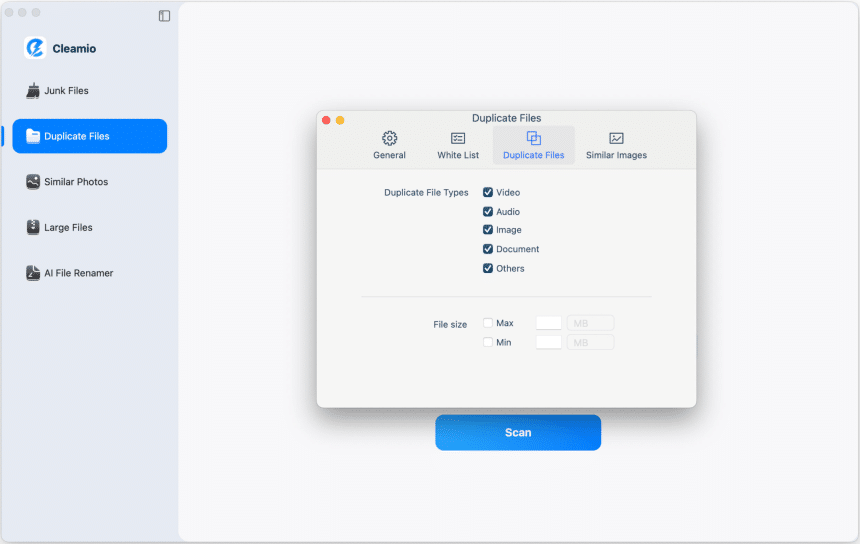
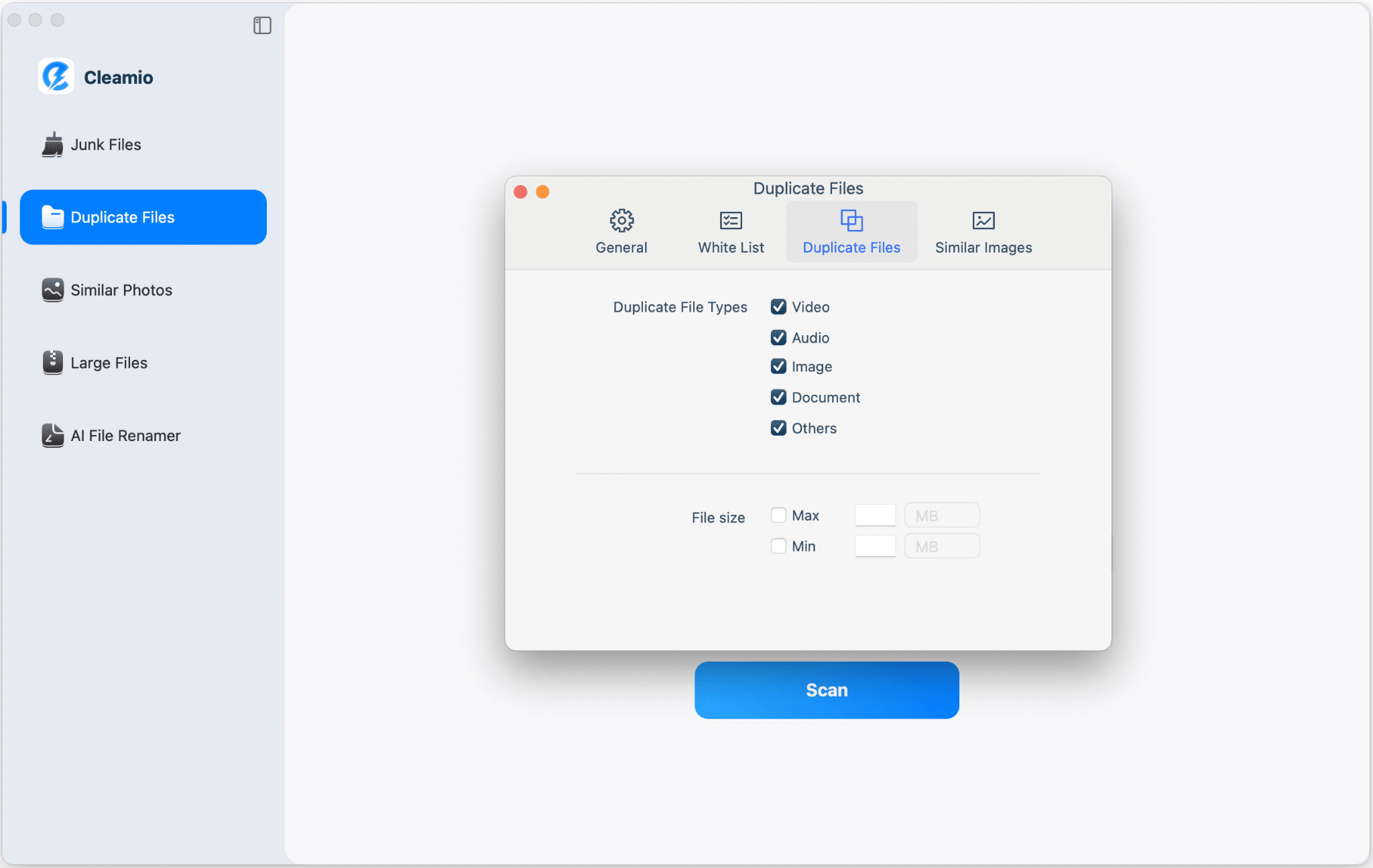
Tenorshare Cleamio is the best duplicate file finder software for Mac and an AI-powered cleaner designed to boost performance and free up storage. It offers one-click cleanup of junk files, system caches, app leftovers, logs, DMGs, and hidden clutter to instantly reclaim gigabytes of space and improve speed. Cleamio finds and delete duplicate files on Mac using MD5 technology, cleans duplicate and similar photos.
Moreover, it can search for duplicate files on Mac that are large, like 4K videos and RAW images, and help organize files with AI-based batch renaming. It also fully uninstalls Mac apps, and manages app updates. This best duplicate file finder for Mac also includes real-time monitoring of CPU and memory usage, disk space, network activity, and startup items to keep your Mac functional.
| Pros | Cons |
|---|---|
|
|
Top 2: Duplicate File Finder by Nektony
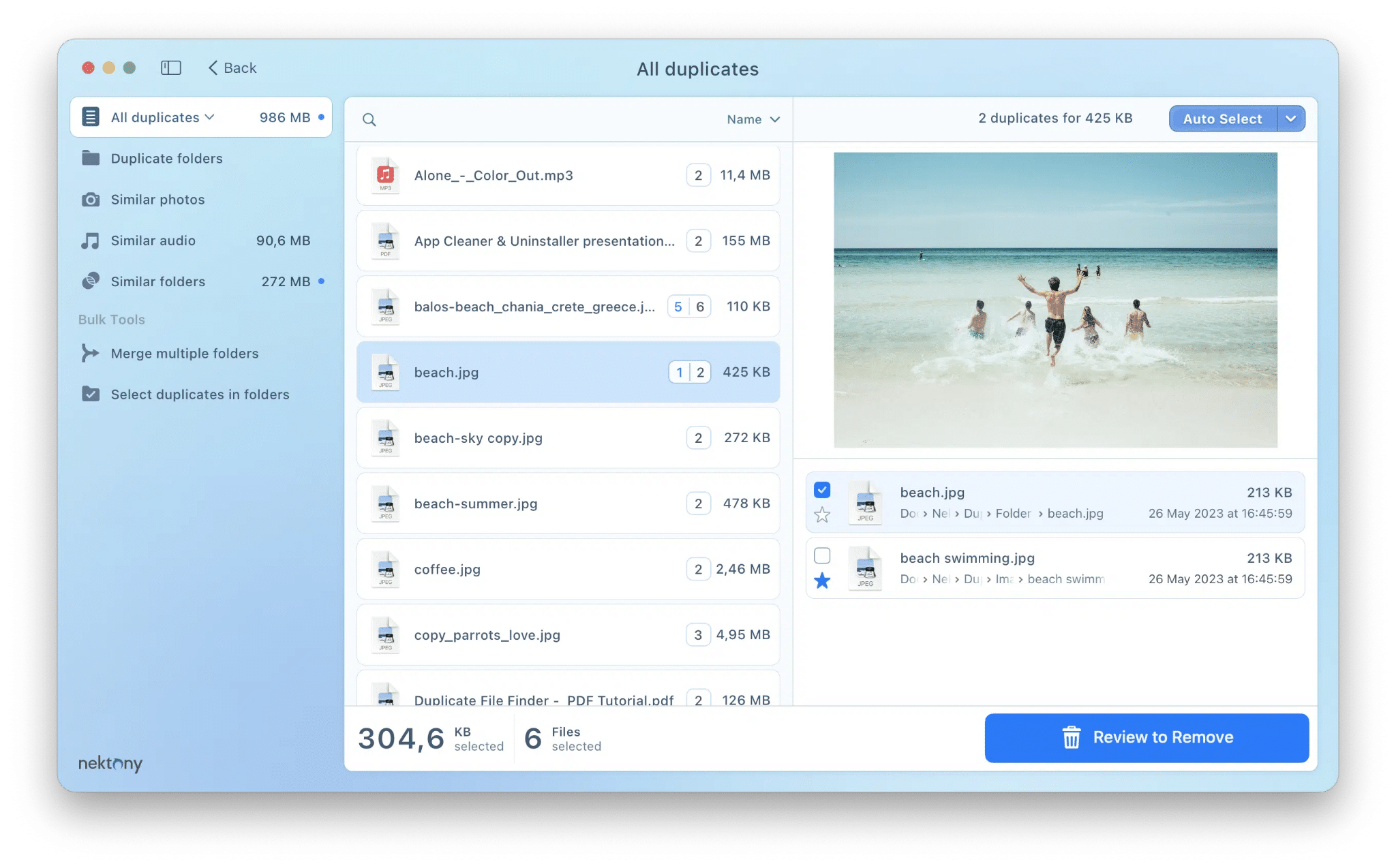
This best duplicate file finder software for Mac has a free version to scan drives for duplicate files, including your Photos Library, and preview files before erasing. It uses auto-select rules like keeping the newest.
But the Pro version includes all free features. This best duplicate file finder for Mac has the ability to remove duplicate folders, merge similar folders, select duplicates in bulk, and restore removed files from Trash using a log. Free users get standard support, while Pro users receive prioritized premium support.
| Pros | Cons |
|---|---|
|
|
Top 3: dupeGuru
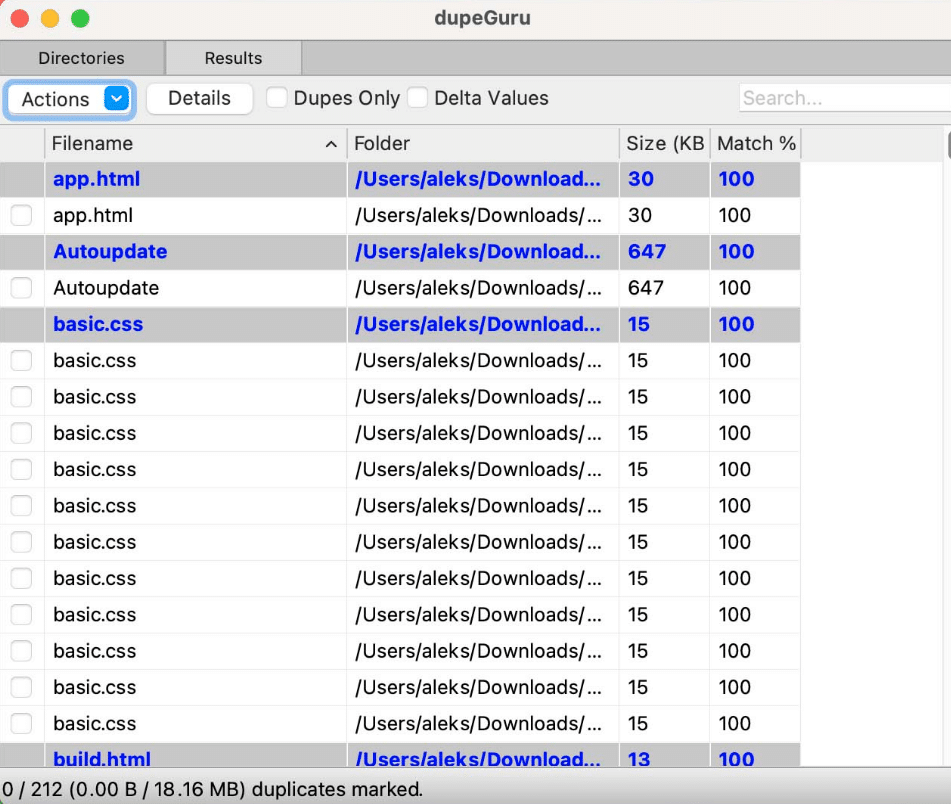
dupeGuru is free, open-source software to find duplicate files on Mac, Windows, and Linux. The app offers three scan modes. Standard for general files, Music for audio using tags and sound data, and Picture for images using content and EXIF data. It uses fuzzy matching to find similar file names and content-based scanning for accurate results. Users can delete duplicate files on Mac, move, copy, or rename them, with erased files safely sent to the Trash.
| Pros | Cons |
|---|---|
|
|
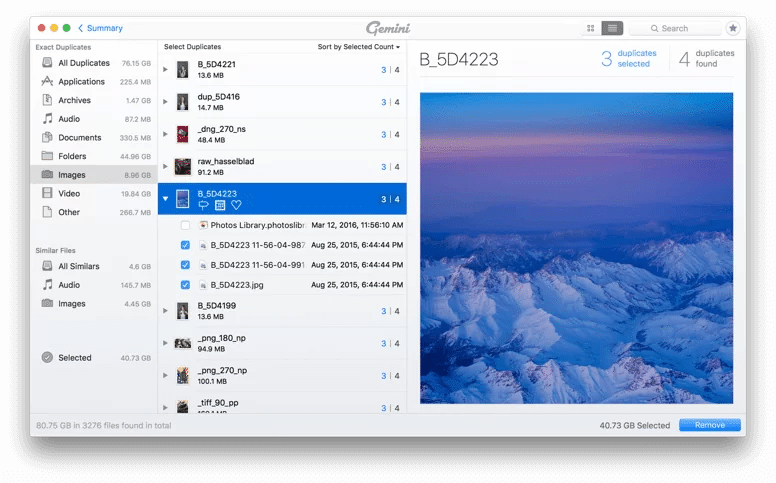
Top 4: Gemini 2
Gemini 2, built by MacPaw (the team behind CleanMyMac X), is an AI-powered software to find duplicate files on Mac and remove them. It learns your choices and automatically selects duplicates. This best duplicate file finder for Mac scans your internal/external drives, and network volumes for exact and similar photos, music, and documents.
It also includes deep scans of Photos and Apple Music libraries. A Duplicate Monitor helps prevent new clutter, and safety features like Trash recovery, previews, folder exclusions, and custom rules keep you in control.
| Pros | Cons |
|---|---|
|
|
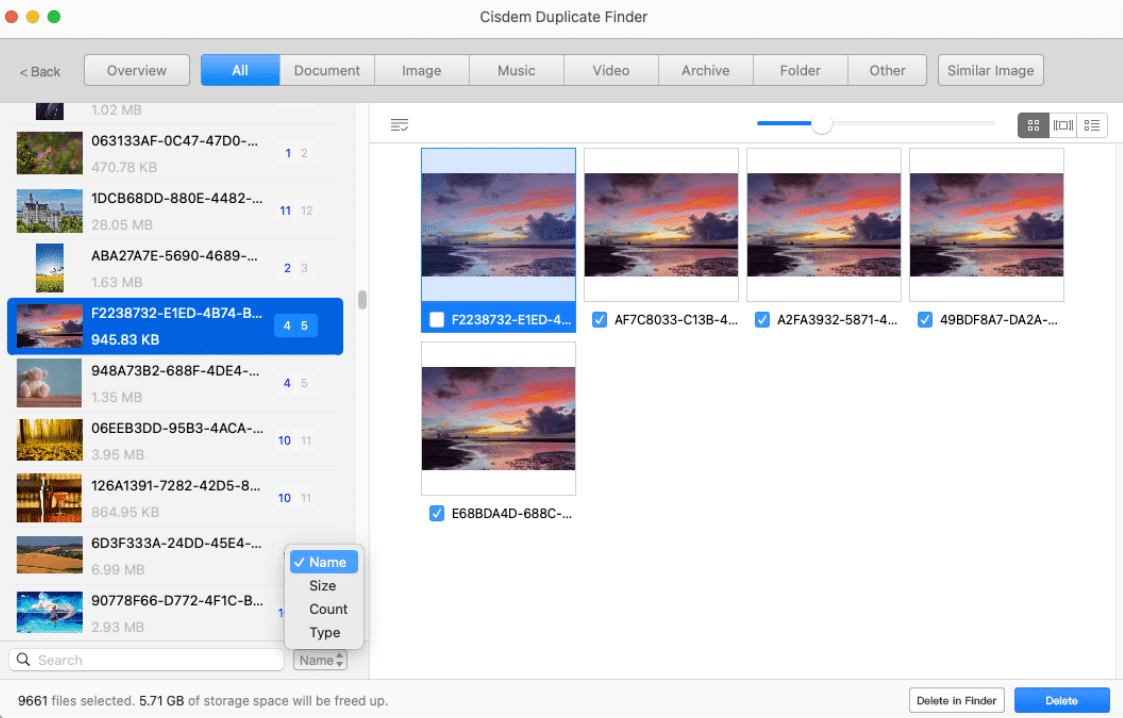
Top 5: Cisdem Duplicate Finder
Cisdem is a powerful software to search for duplicate files on Mac by comparing real file content for accurate results. It uses AI to find exact duplicates and similar photos, with adjustable similarity settings.
The app scans internal and external drives, SD cards, and network volumes, and it supports Apple Photos and Music (iTunes). This best duplicate file finder software for Mac includes auto-select rules like keeping the newest or oldest files, manual review, and flexible delete options. It also includes easy previews with file-type grouping and sorting.
| Pros | Cons |
|---|---|
|
|
Part 4: Quick Comparison of 5 Duplicate File Finder for Mac
If you’re short on time and can’t go through the entire post, here’s a quick comparison of all the top 5 tools to delete duplicate files on Mac we’ve mentioned earlier:
| Software | Platform | Price | Free Trial | Speed | Usability |
|---|---|---|---|---|---|
| Tenorshare Cleamio | macOS (10.13+) | $24.95/month, $69.95/lifetime. | 7‑day free trial, and some free cleanup features. | Very fast (AI scan & cleanup). | Easy & beginner‑friendly. |
| Duplicate File Finder (Nektony) | macOS (10.13+) | Free + Pro (in‑app purchase). | The free version removes duplicates. | Fast scan algorithm. | Good usability with drag‑and‑drop scan. |
| dupeGuru | macOS, Windows, Linux | Free (open‑source). | Fully free to use. | Moderate to fast, depending on setup. | Functional but basic UI. |
| Gemini 2 | macOS (10.10+) | $4.95/month (1 Mac), $44.95/one-time (1 Mac). | A 7-day free trial allows you to view duplicates only. | Good, but sometimes slower scans. | Very polished UI. |
| Cisdem Duplicate Finder | macOS (10.11+), Windows 10+. | $19.9/year (one Mac) | The free trial shows duplicates, but you may not delete them without the paid version. | Moderate scans (AI help). | User‑friendly organization tools. |
Conclusion
We’ve made it easier for you to learn how to find duplicate files on MacBook with the best tool by testing the top contenders in 2026. While all five options, Tenorshare Cleamio, Nektony Duplicate File Finder, dupeGuru, Gemini 2, and Cisdem, have their strengths, Cleamio stands prominent.
This duplicate file finder on Mac combines AI-powered duplicate detection, one-click cleanup of junk files, duplicate photos, large files, and app leftovers, along with real-time Mac performance monitoring. For a fast, safe, and all-in-one solution to free up storage and boost your Mac, Tenorshare Cleamio is our top recommendation.











