
Can Permanently Deleted Photos Be Recovered?
Do you love to capture precious moments in photos and preserve memories? Well, we all do! Whether it’s a family event or an adventure trip, we want to capture photos and preserve our most cherished memories for years to come. But what if you end up accidentally deleting all those precious memories? Does that mean you have lost them for good? No, just don’t panic! You can still recover deleted photos even if you have removed them permanently from your Android device, iPhone, or Windows PC. Wondering how you can get your precious memories back? Let’s find out!
How To Recover Permanently Deleted Photos? 3 Ways
While deleting photos from your device takes them to recycle bin from where you can restore them in a given period, sometimes you end up deleting them permanently. But don’t worry if you can’t find your photos in the recycle bin. You can still recover them with the D-Back data recovery tool.
Here are 3 proven ways to recover deleted photos from your Android, iOS, or Windows device.
Recover Permanently Deleted Android Photos with D-Back for Android
iMyfone D-Back for Android is the best Android Data Recovery Software, and you can use it for recovering your permanently deleted photos from Android devices. All it takes is 3 simple steps to recover your permanently deleted photos from Android.
D-Back for Android – Key Features
- Multiple recovery modes to recover deleted photos in different scenarios
- Preview feature to let users preview recoverable files before they could choose which ones to recover
- Support for data recovery on both rooted and non-rooted devices
- Compatible with more than 6000 Android devices
- Fast and risk-free data recovery
How to Recover Deleted Photos From Android With iMyFoneD-Back?
You don’t need any prior technical experience to recover your deleted photos with D-back for Android. Follow the simple steps below to get your data back.
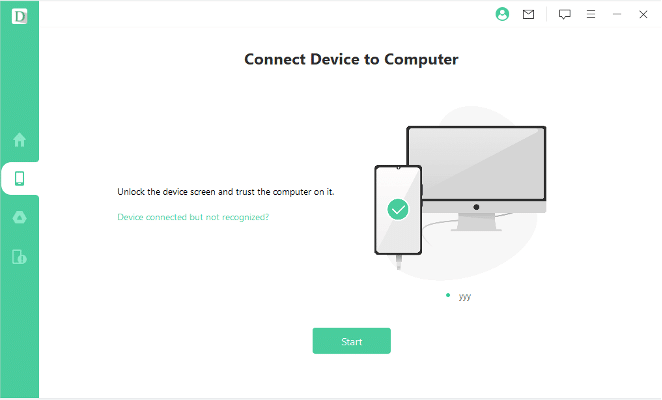
- Launch D-Back for Android and connect your device to your PC using a USB cable.
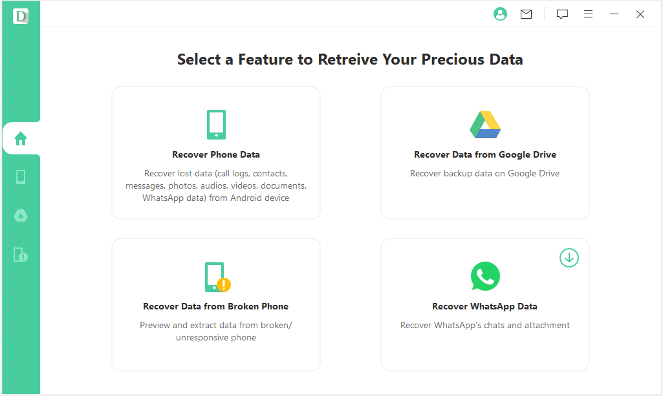
- Select a D-back feature for recovering your lost data. If you don’t have a backup, choose Recover Phone data to recover it directly from your device.
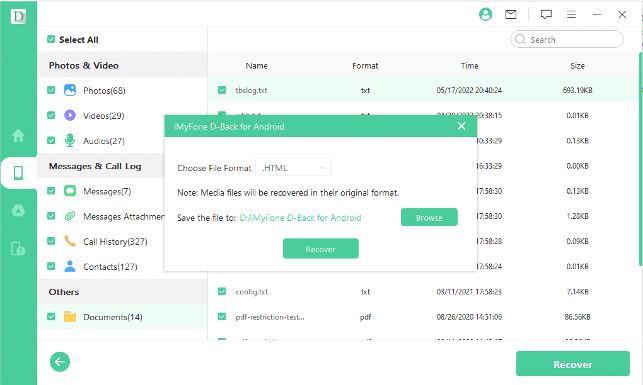
- Run a scan to find all the deleted files and preview them
- Choose the files you want to recover and click Recover to save them to your PC
Whether you accidentally deleted photos from your Android device or want to recover photos from a broken Android phone or tablet, D-back data recovery is the most reliable and feature-rich option you have.
Recover Permanently Deleted iPhone Photos with D-Back (iOS Device, iTunes/iCloud/Third-party Program Backup)
iMyfone D-back is an all-in-one solution for recovering deleted photos from your iOS devices. Whether you want to recover photos directly from your iOS device or use an iTunes/iCloud/Third-party Program backup, you can do it without any trouble using the D-back data recovery tool.
D-Back for iOS Devices – Key Features
- Efficient Data recovery in a number of scenarios, including accidental deletion, factory reset, iOS error, lost iPhone, broken iPhone, and more.
- Recover deleted photos from iTunes/iCloud/Third-party program backup.
- Preview deleted data and recover selective photos without overwriting your existing data.
- Compatible with a range of iOS devices running on iOS 9 up to iOS 16.
- Support for more than 18 data types, including various photo formats.
How to Recover Deleted Photos From iOS Devices With iMyFone D-Back?
Regardless of how you lost your photos on your iPhone, follow the steps below to recover them.
- Download and install D-back on your PC.
- Select iPhone data recovery mode.
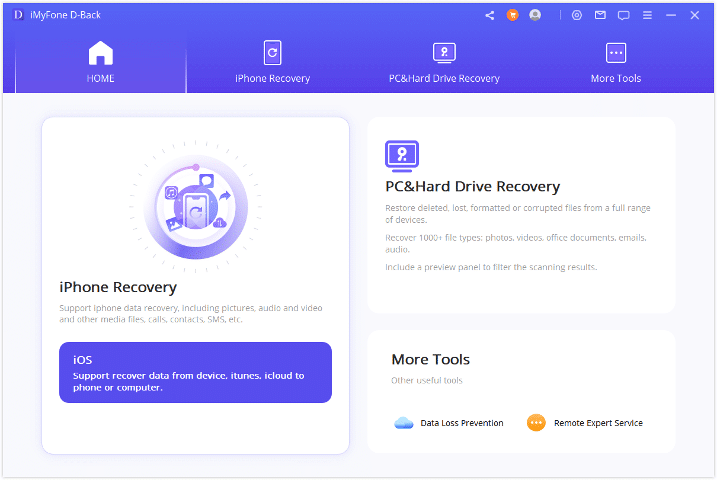
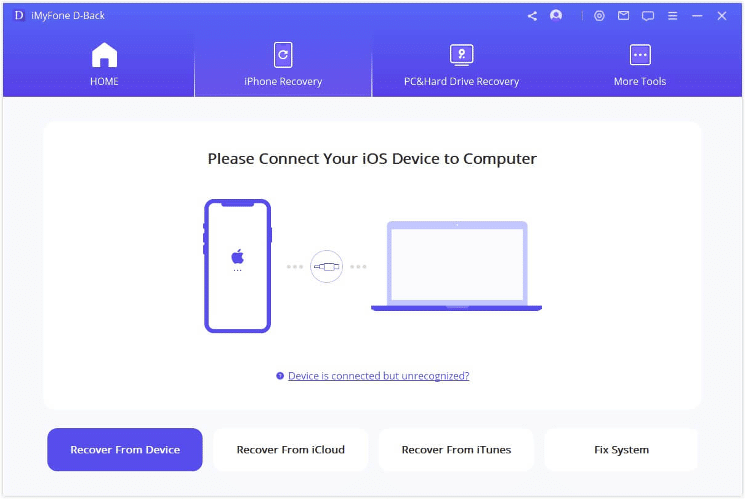
- Connect your iOS device to your PC using a USB cable
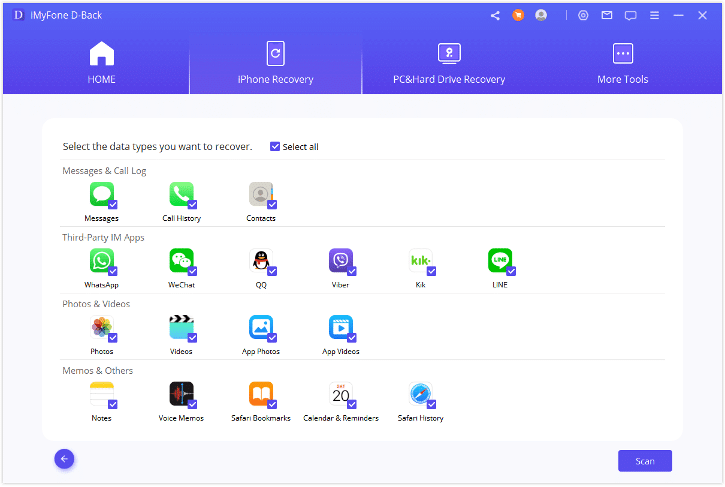
- Select Photos from the Photos and Videos Section to recover deleted photos and hit the Scan button at the bottom right to initiate the scan. You can choose multiple data types simultaneously.
- Once the scan is complete, preview photos and select the ones you want to recover. Click “Restore to Device” or “Recover to Computer” to get your lost data back.
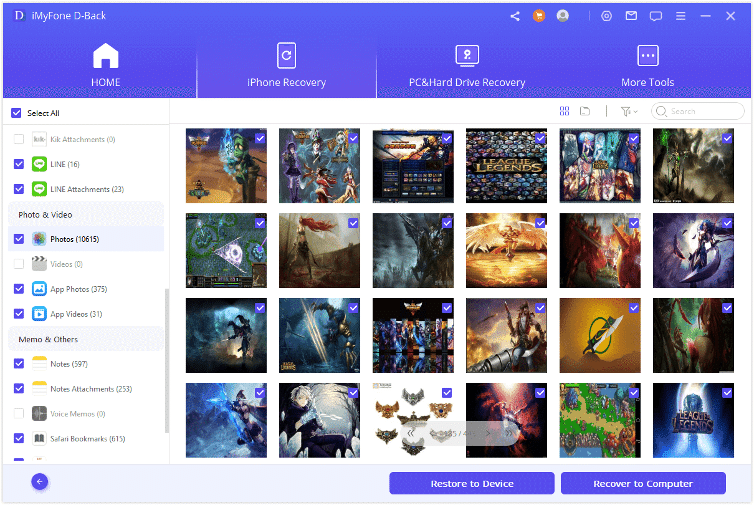
iMyFone D-Back for iOS is the best iPhone data recovery tool with the highest success rate for data recovery. You can count on it for all your future iOS data recovery needs.
Recover Permanently Deleted PC Photos with iMyFone D-Back (Win11-Supported)
iMyfone D-back is a comprehensive data recovery solution that lets you recover deleted photos from your PC storage, let alone your mobile devices. So, if you have accidentally deleted photos from your hard drive or removable storage media, you can easily recover them using D-back.
D-Back for PC – Key Features
- Easy data recovery from hard disk drives, USB drives, camera storage, SSDs, etc.
- Support for more than 1000 file formats, including photos (JPG, PNG, BMP, PSD, CRW, SVG, ICNS, RAW, and more).
- Preview recoverable files and selectively choose which ones to recover.
- Data recovery in a number of data loss scenarios, including deleted files, formatted data, lost partition, system crash, virus attack, and more.
- Advanced algorithms for quick and efficient scan and data recovery.
How to Recover Deleted Photos From PC With D-Back?
Recovering deleted photos from pc is pretty straightforward with the D-back data recovery tool. Follow the steps below to get your deleted photos back.
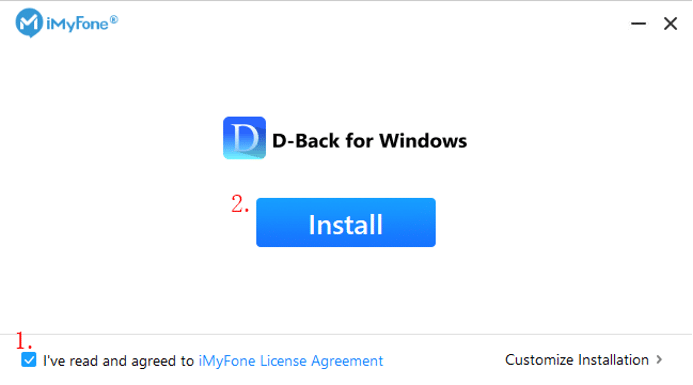
- Download and Install D-Back Hard Drive Recovery for Windows on your PC
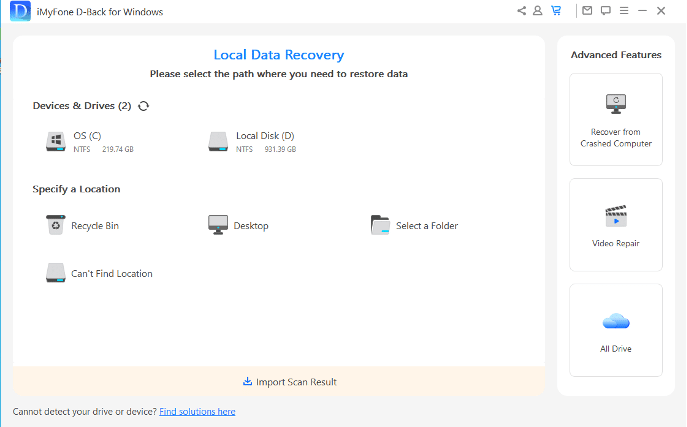
- Select a hard drive location where you want to recover deleted files
- The scan will begin, and you can monitor the progress on the progress bar.
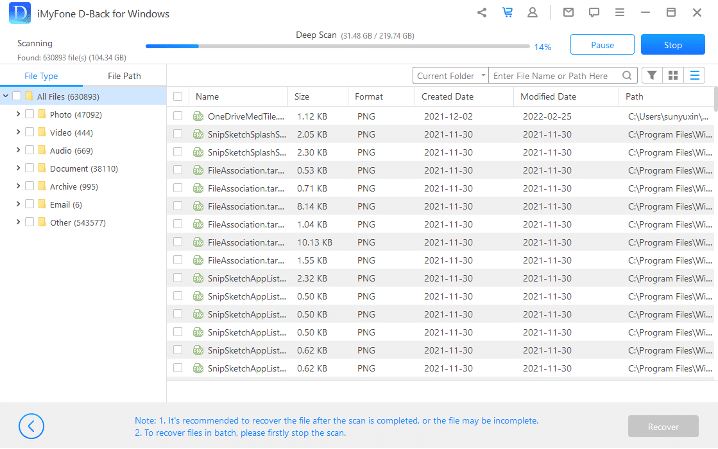
- Once the scan is complete, all the recoverable files will be available for preview.
- Select all the files you want to recover and click the Recover button at the bottom right to restore your deleted photos.
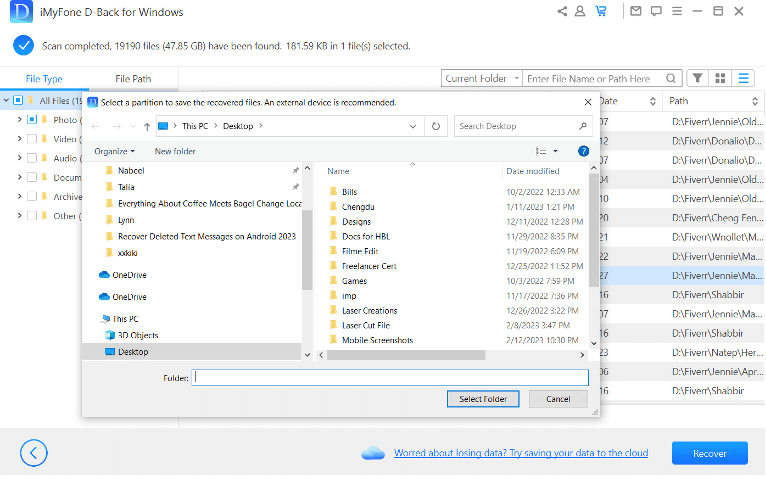
Once the photos are recovered successfully, you can access them from the location where you stored them in the recovery process.
Conclusion
Keep preserving your precious moments in photos and making memories for a lifetime. If you ever end up deleting your photos accidentally or your device gets broken, D-Back Data Recovery will have your back. Overall, D-Back Data Recovery is a reliable and efficient data recovery tool for iOS, Android, and Windows devices. It lets you recover deleted photos and a number of other file formats within minutes. So, if you have lost your important data or photos, don’t panic. Download D-Back now and recover your lost files!











